 Installation guide
 Owner’s manual



What is the most common problem with a Frigidaire dishwasher?
The most common problem we see on Frigidaire dishwashers like model FDB520RHS0 is a drain-related issue: water left in the bottom because the drain path is restricted (filter area, disposer inlet plug, or drain hose). A close second is a door that will not latch, which prevents the dishwasher from starting.
Most common symptoms and what they usually mean
- Water standing in the tub: drain hose kinked, disposer inlet plug not knocked out, or a restriction in the drain path
- Won’t start or stops quickly: door not fully latched, latch misalignment, or a control issue
- Fills slowly or not at all: water supply problem or inlet valve screen clogged
- Leaks at the door: worn or mis-seated door seal
- Poor drying: heated dry option off, no rinse aid, or water not hot enough at start
Quick checks we recommend first (fast, high success rate)
- Run hot water at the sink before starting a cycle (helps the dishwasher begin with hotter water).
- Inspect the drain hose for kinks and confirm it is routed correctly.
- If draining into a food disposer for the first time, make sure the disposer inlet plug has been knocked out.
- Confirm the dishwasher is level; leveling improves wash performance and helps prevent leaks.
- If filling is weak, shut off water and clean the inlet valve filter screen (the installation instructions describe removing the inlet-end screws and cleaning the screen).
Parts that commonly solve these problems on FDB520RHS0
| Problem area | Common fix | Example part for this model |
|---|---|---|
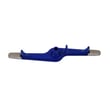
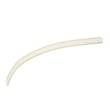
| Door leaking | Replace the lower door seal | Dishwasher door seal 809006501 |
| Not draining | Replace a damaged/clogged drain hose or failed drain pump | Hose 807117001 or dishwasher drain pump A00126501 |
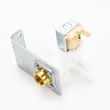
| Not filling | Replace a failing inlet valve | Dishwasher water inlet valve 154637401 |
Why it matters
Drain and fill problems can look like “the dishwasher is broken,” but they are often caused by a simple restriction, a kinked hose, or a clogged inlet screen. Fixing the root cause protects the pump, improves cleaning, and helps prevent leaks.
For model-specific operating and care steps (detergent use, heated dry guidance, and overfill protector cleaning), use the FDB520RHS0 owner’s manual.
Last updated: January 2026
How to do a hard reset on a Frigidaire dishwasher?
For a Frigidaire dishwasher model FDB520RHS0, a “hard reset” is done by canceling the current cycle and then power-cycling the unit at the breaker; this clears most control glitches and lets the dishwasher restart normally. Use the exact button sequence in the FDB520RHS0 owner's manual.
Hard reset steps (most effective order)
- Press START/CANCEL to stop the cycle (this typically initiates a cancel and drain sequence).
- Wait until the dishwasher stops running and the drain portion finishes.
- Turn OFF power to the dishwasher at the house breaker (or remove the fuse).
- Leave power off for 5 to 10 minutes.
- Turn power back ON.
- Start a new cycle and listen for normal fill and wash sounds.
What a reset fixes (and what it does not)
A reset clears the control’s current state. It does not repair a mechanical or water-flow problem.
- Fixes: frozen keypad, cycle stuck, odd indicator behavior, interrupted cycle
- Does not fix: no water fill, leaks, poor cleaning, not draining, heater failures
Quick checks after the reset
The manual notes that hot water and normal fill and drain behavior are key to proper operation.
- Run the hot water at the nearest sink until it is hot before starting a cycle.
- Confirm the door fully latches before pressing START/CANCEL.
- Listen for water entering the tub, then spray arm circulation.
- If the unit overfills or will not fill, check that the float (overfill protector) moves freely.
Common symptoms and likely next step
| Symptom after reset | What to check next | Related part (if needed) |
|---|---|---|
| Won’t fill | Water supply on, float moves, inlet valve | Dishwasher water inlet valve 154637401 |
| Won’t drain | Drain path, drain hose routing, drain pump | Hose 807117001 or dishwasher drain pump A00126501 |
| Stops mid-cycle | Door latch engagement, control issues | Latch assembly A00099902 |
Why it matters
Resetting correctly prevents repeated false starts and helps you separate a simple control glitch from a real issue like a fill problem, drain restriction, or a failing component such as the inlet valve or drain pump.
Last updated: January 2026
How do I force my Frigidaire dishwasher to drain?
To force a drain on your Frigidaire FDB520RHS0 dishwasher, cancel the cycle (typically by pressing and holding the Start/Cancel pad for about 3 to 5 seconds), then close and latch the door so the drain pump can run. If the unit still will not drain, the issue is usually the drain hose routing or a drain pump blockage.
Quick steps to force a drain
- Press and hold Start/Cancel for 3 to 5 seconds to cancel the cycle.
- Close the door fully so the dishwasher can engage the drain pump.
- Listen for the drain motor running at the start of the drain portion of the cycle.
- Check under the sink to make sure the drain hose is secured and will not spray or leak.
- If the dishwasher hums but does not drain, stop it and inspect the drain path for a clog.
Drain hose checks that fix most “won’t drain” problems
The installation requirements matter because a bad hose route can prevent draining even when the pump is working. Use the FDB520RHS0 installation guide to confirm your setup.
- Make sure the hose has no sharp bends or kinks restricting flow.
- Confirm the hose is clamped to the sink drain, disposer, or trap (do not overtighten).
- Keep the hose away from wiring and electrical components.
- Verify the dishwasher is not resting on the hose.
- Confirm the drain hose loop is routed high (a high loop helps prevent backflow).
Parts that commonly solve a no-drain condition
If the hose and sink plumbing are correct, the next most common fix is a failed pump.
| Symptom | Most likely area | Common part to check |
|---|---|---|
| Water stays in tub, pump is silent | Electrical/control or pump | Dishwasher drain pump A00126501 |
| Pump runs but drains slowly | Hose routing or partial clog | Drain hose and sink/disposer inlet |
| Drains, then water returns | Backflow/high loop issue | Drain hose routing per install guide |
Why it matters
Standing water can cause odors, poor cleaning, and can trigger overfill protection behavior. Correct drain hose routing and a working drain pump keep the wash system cycling through fills and drains as designed.
Last updated: January 2026
What is the CD error on a Frigidaire dishwasher?
On the Frigidaire FDB520RHS0 dishwasher, a CD (or CL/Cd) error means the door is not fully closed and latched, so the dishwasher will not run. Close the door firmly until it latches; the code should clear once the latch engages.
What to check first (quick fixes)
- Push the door closed with steady pressure until you feel the latch catch.
- Make sure the upper rack is fully pushed in; a rack that is out slightly can prevent latching.
- Look for dishes, utensils, or a cutting board sticking out and contacting the door.
- Check the door seal area for debris (food, labels, broken glass) that keeps the door from seating.
- Power-cycle the dishwasher (turn off at breaker for 1 minute, then restore power) after the door is latched.
When the code keeps coming back
If the door is closed but CD returns, the problem is usually mechanical alignment or a worn latch area.
| Symptom | Most likely cause | What we recommend |
|---|---|---|
| Door won’t “click” shut | Latch not engaging or door misalignment | Inspect latch strike area; replace latch if worn |
| Door closes but pops open | Weak latch or interference from racks/dishes | Re-load, confirm racks slide freely |
| Door shuts but leaks at bottom | Door seal not sealing evenly | Inspect and replace seal if damaged |
Parts that commonly relate to door-close issues
- Latch assembly A00099902: If the door will not latch or the latch feels loose.
- Dishwasher door seal 809006501: If the door closes but you see water leaking at the bottom edge.
Why it matters
A dishwasher must sense a fully closed, latched door before it will start. This prevents water from spraying out of the tub and helps the control run the correct fill, wash, and drain sequence.
Helpful reference
- FDB520RHS0 owner's manual: Use it to confirm normal start steps (close door to latch, then press Start/Cancel) and basic operating guidance.
Last updated: January 2026





