 Owner’s manual
 Error Codes





Does Kenmore have a lifetime warranty?
Kenmore does not include a lifetime warranty on the Kenmore 91195292992 electric range. The warranty for this model is a full one-year warranty on all parts, plus limited coverage for the radiant glass cooktop and radiant surface units from year 2 through year 5 (parts coverage with labor typically not included). See the owner's manual for the exact warranty terms.
What the Kenmore 91195292992 warranty covers
Here’s the coverage described for this radiant freestanding range:
- Year 1: full warranty on all parts (repair or replacement for defects in materials or workmanship)
- Years 2 to 5: limited warranty on radiant glass cooktop and radiant surface units for specific issues (you typically pay labor)
- Non-private household use: warranty coverage is shortened (commonly 90 days)
Limited warranty details (years 2 to 5)
The limited coverage is focused on cooktop-related components and specific failures, such as:
- Cracking of the radiant glass cooktop due to thermal shock
- Discoloration or pattern wear on the radiant glass
- Cracking of the rubber seal between the glass and porcelain edge
- Burnout of radiant surface units
Quick comparison: lifetime vs. this model’s warranty
| Warranty type | What it usually means | What applies to 91195292992 |
|---|---|---|
| Lifetime warranty | Coverage for a part for as long as you own the product | Not included for this model |
| Full warranty | Broad coverage for a defined time period | 1 year on all parts |
| Limited warranty | Narrow coverage for specific parts and conditions | Years 2 to 5 on radiant glass and radiant surface units |
Why it matters
Warranty terms affect whether a repair is mainly a parts cost, a labor cost, or both. For cooktop heating problems after the first year, it is especially important to confirm whether the issue involves a radiant surface unit or the glass itself, because that is where extended coverage applies.
Last updated: February 2026
How do I tell what model Kenmore stove I have?
Your Kenmore range model number is printed on the appliance ID label. For Kenmore model 91195292992, the Use & Care Guide says the model and serial numbers are located on the front frame behind the storage drawer; pull the drawer out to see the label. See the owner's manual for the exact location diagram.
Where to look on most Kenmore ranges
Check these common spots in this order:
- Behind the storage drawer on the front frame (most common on freestanding ranges)
- Along the oven door frame (open the door and look around the frame)
- Under the cooktop (if the cooktop lifts up)
- On the back panel or side panel near the power cord entry
- On the lower frame near the anti-tip bracket area
What the model number looks like
Kenmore model numbers are usually a 3-digit prefix, a dot, then more digits (example: 911.95292992). On parts pages and when ordering, it may appear without the dot as 91195292992.
| You might see | It means | Use this when ordering parts |
|---|---|---|
| 911.95292992 | Model number with dot formatting | 91195292992 |
| Serial number | Unique ID for your exact unit | Keep for records, not for parts lookup |
Tips to record it correctly
A single wrong digit can pull the wrong parts list, so we recommend:
- Write the model number exactly as shown (including any dots or dashes)
- Take a clear photo of the label for future reference
- Record both model and serial number together
- If the label is dirty, wipe it gently with a damp cloth and dry it
Why it matters
The model number ties your range to the correct wiring diagram, control components, and fit-specific parts like a surface element control switch or oven temperature sensor. Using the exact model number helps you avoid ordering a part that will not mount, wire in, or calibrate correctly.
Last updated: February 2026
How do you reset a Kenmore electric stove?
To reset a Kenmore electric range model 91195292992, turn the oven control to OFF, then disconnect power at the breaker (or unplug) for at least 30 seconds and restore power. This clears many control glitches and “F” function error conditions.
Reset steps (safe, reliable method)
- Turn the OVEN CONTROL KNOB to OFF.
- Switch the range circuit breaker OFF (or unplug the cord if accessible).
- Wait 30 to 60 seconds.
- Restore power.
- Set the clock if the display shows PF (power failure); use the steps in the owner's manual.
If you see “F” plus a number (function error)
An “F” code with continuous beeping is a control fault. After the reset above, retry baking or broiling.
- Write down the exact code (example: F1, F3, etc.).
- Reset power for at least 30 seconds.
- If the code returns during self-clean, check the door latch position and let the oven cool about 1 hour before retrying.
Common parts involved when problems return
If the oven still will not heat correctly after a reset, these model-compatible parts are commonly checked during diagnosis:
| Symptom after reset | Common suspect | Example part on this page |
|---|---|---|
| Oven temperature is inaccurate | Temperature sensor | Wall oven temperature sensor WB23X5340 |
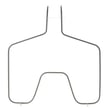
| No bake heat | Bake element | G.e. range bake element WB44T10010 |
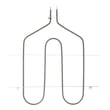
| No broil heat | Broil element | Range broil element WB44T10009 |
Why it matters
A power reset clears the electronic control’s temporary fault state and restores normal operation after a power interruption (PF) or a one-time keypad/control glitch. If the same error repeats, a failed sensor, heating element, or control circuit is usually the cause.
Last updated: February 2026




