 Installation guide
 Owner’s manual

What is the average lifespan of a Maytag dryer?
A Maytag electric dryer like model MED7100DC0 typically lasts 10 to 15 years with normal household use. Regular vent cleaning, lint removal, and prompt repair of wear items (rollers, idler pulley, blower wheel) help you reach the upper end of that range.
What affects dryer lifespan most
- Airflow and venting: Restricted venting makes the dryer run hotter and longer.
- Lint buildup: Lint in the cabinet and exhaust system increases heat stress on components.
- Load habits: Frequent overloading accelerates wear on the drum support system and motor.
- Heat management: Repeated overheating can shorten the life of thermostats and thermal fuses.
- Maintenance frequency: Simple upkeep often prevents “cascade” failures.
Maintenance that extends the life of MED7100DC0
Follow the cleaning and vent-check guidance in the MED7100DC0 owner's manual.
- Clean the lint screen before every load.
- Periodically check outside exhaust airflow; weak airflow usually means the vent needs cleaning.
- Keep the area around the dryer free of lint, dust, and clutter.
- Have the interior cabinet and exhaust vent cleaned periodically by qualified service personnel.
Common wear parts that can shorten lifespan if ignored
If you hear squealing, thumping, or grinding, addressing the drum support and belt path early can prevent bigger damage.
| Symptom | Common cause | Example part for MED7100DC0 |
|---|---|---|
| Thumping or rumbling | Worn drum roller | Dryer drum support roller WPW10314173 |
| Squealing | Worn idler pulley | Dryer idler pulley W10837240 |
| Poor airflow noise, vibration | Damaged blower wheel | Dryer blower wheel WP697772 |
Why it matters
A dryer that runs with restricted airflow or worn support parts often takes longer to dry, runs hotter, and puts extra strain on the drive motor, heating system, and safety thermostats. That combination is what most often cuts a dryer’s service life short.
Last updated: January 2026
Is Maytag a good electric dryer?
Maytag electric dryers, including the Maytag MED7100DC0, are a solid choice for most homes because they are built for everyday loads and straightforward operation. In real-world use, performance depends most on correct venting, power supply, and routine maintenance, not just the brand.
What “good” means for an electric dryer
A good electric dryer typically delivers consistent heat, strong airflow, and reliable tumbling. For the MED7100DC0, those results come from setup and upkeep as much as the machine itself.
- Uses a 240-volt power supply (required for proper heating)
- Dries best with a clear, correctly installed vent system
- Needs lint screen cleaning every load for airflow
- Benefits from periodic vent and interior cleaning by qualified service personnel
- Should run with the door fully closed and START/PAUSE held 2 to 5 seconds
For model-specific operating and care guidance, follow the MED7100DC0 owner's manual.
Quick checklist to get the best drying performance
If clothes take too long to dry or heat seems weak, these are the most common causes to address first:
- Clean the lint screen before or after each load
- Check the vent path for restrictions (crushed duct, lint buildup, blocked exterior hood)
- Avoid overloading so items tumble freely
- Confirm both dryer breakers/fuses are OK (many homes have two)
- Verify the outlet provides 240V for an electric dryer
Common symptoms and what they usually point to
| Symptom | Most common cause | What to do first |
|---|---|---|
| Long dry times | Poor airflow/vent restriction | Clean lint screen and inspect venting |
| Runs but no heat | Power supply issue (240V) or a tripped breaker | Check both breakers/fuses |
| Thumping/squealing | Worn drum support or belt path parts | Inspect rollers and idler pulley |
If you’re hearing noise as the drum turns, the dryer drum support roller WPW10314173 and dryer idler pulley W10837240 are common wear items on this style of Maytag dryer.
Why it matters
A “good” dryer can still dry poorly if airflow is restricted or voltage is incorrect; fixing venting and maintenance often restores fast, even drying and helps prevent overheating issues.
Last updated: January 2026
What is the most common problem with the Maytag dryer?
On the Maytag MED7100DC0 electric dryer, the most common problem we see is poor airflow from lint buildup or a restricted vent, which leads to long dry times, overheating, and heat-related shutdowns (including a blown thermal cut-off or fuse). The best first step is checking venting and basic power/start conditions in the MED7100DC0 owner's manual.
Most common symptoms customers report
- Dryer runs but clothes take too long to dry
- Dryer gets very hot, then stops heating
- Dryer will not start (often after overheating)
- Burning smell or hot cabinet (airflow restriction)
- Squealing, thumping, or grinding while tumbling (wear parts)
What to check first (fast, high-impact)
- Lint screen: clean before or after each load.
- Outside exhaust hood airflow: run the dryer 5 to 10 minutes and feel for strong airflow.
- Vent material and size: use 4-inch (102 mm) venting; avoid crushed or overly long runs.
- Power supply: electric dryers need 240V; check both breakers or fuses.
- Start procedure: close the door fully and press and hold Start/Pause for 2 to 5 seconds.
Parts that commonly fail after airflow problems
Restricted venting can overheat the heater housing and trip safety devices. These parts are common fixes on this model:
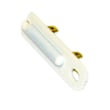
- Dryer thermal cut-off fuse kit 279973 (heat safety cut-off components)
- Dryer high-limit thermostat WP8557403 (limits heater temperature)
- Dryer thermistor WP8577274 (temperature sensing for control)
Quick guide: symptom to likely cause
| Symptom | Most likely cause | Best first action |
|---|---|---|
| Long dry times | Vent restriction, clogged hood | Check airflow at outside hood |
| No heat | Airflow issue, thermostat/fuse issue | Verify venting, then test heat circuit |
| Won’t start | Power issue, door/start input, blown safety device | Check breakers, door, Start/Pause |
| Loud squeal/thump | Worn rollers or idler pulley | Inspect drum support and belt path |
Why it matters
Good airflow keeps drying times normal and prevents overheating that can damage the heating circuit, sensors, and wiring. Keeping the vent clear is the simplest way to reduce repeat failures and protect the dryer.
Last updated: January 2026
How to reset error code on Maytag dryer?
To reset an error code on your Maytag dryer model MED7100DC0, we recommend power-cycling the dryer and then clearing the display using the control panel. If the code returns (especially an F# / E# style code), the dryer has detected a condition that needs troubleshooting or service; use the steps below and check the MED7100DC0 owner's manual.
Quick reset steps (most Maytag electric dryers)
- Turn the dryer OFF.
- Unplug the power cord (or switch the dryer breaker OFF).
- Wait 1 to 5 minutes.
- Restore power and turn the dryer back ON.
- Start a cycle; if needed, touch any setting/option name to clear the code from the display.
If the dryer will not start after a reset
The manual calls out several common causes that can look like an “error” even when the dryer is OK.
- Confirm the door is fully closed.
- Touch and hold START/PAUSE for 2 to 5 seconds.
- Check house power: many electric dryers use two fuses/breakers; reset both if tripped.
- Verify the dryer has the correct 240-volt power supply.
- If Control Lock is on, touch and hold CONTROL LOCK for at least 3 seconds to unlock.
If the code relates to heating or long dry times
Restricted airflow can trigger messages and poor performance.
- Clean the lint screen.
- Check the vent run for kinks, crushing, lint buildup, or too many elbows.
- Make sure the exterior vent hood opens and is clear.
- If overheating protection has opened, inspect the thermal cut-off components (commonly replaced as a set), such as the dryer thermal cut-off fuse kit 279973.
What the code pattern usually means
| What you see on the display | What it typically indicates | What to do next |
|---|---|---|
| Code clears and does not return | Temporary glitch or power interruption | Keep using the dryer |
| Message returns during a cycle | Airflow, power, or control issue | Check venting and power, then retry |
| Alternating F# and E# | Control detected a problem needing service | Follow troubleshooting steps; schedule service if it persists |
Why it matters
Resetting clears temporary control glitches, but repeated codes often point to power supply, Control Lock, or venting restrictions that can cause no-heat, long dry times, or shutdowns.
Last updated: January 2026












