 Owner’s manual





How to remove the front panel of a Maytag dryer?
On the Maytag SDE4000AYW dryer, we remove the front panel by disconnecting power, releasing the lower fasteners and top retaining clips, then tilting the panel forward and unplugging the door switch wiring. This opens access to the drum area, lint duct, and front support components.
Safety first
- Unplug the dryer (or switch off the breaker) before starting.
- If it is a gas model, shut off the gas supply valve as well.
- Wear cut-resistant gloves; cabinet edges can be sharp.
- Take a quick photo of wire connections before disconnecting anything.
Front panel removal steps (typical for this Maytag design)
- Disconnect power and pull the dryer forward for access.
- Open the door and locate the lint filter area; the lint filter sits in the lower part of the door opening on this model.
- Remove the lower mounting screws (commonly 2) along the bottom edge of the front panel (front kick area).
- Release the top clips: pull the panel slightly out at the bottom, then slide a putty knife under the top seam to pop the spring clips (if present).
- Tilt the front panel forward a few inches.
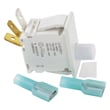
- Disconnect the door switch connector (do not pull on the wires).
- Lift the panel up and off the locating tabs, then set it aside.
For clip locations and any model-specific fastener callouts, follow the SDE4000AYW owner’s manual.
What you can access once the panel is off
| Area exposed | What to inspect | Common symptom |
|---|---|---|
| Lint duct and blower inlet | Lint buildup, obstructions | Long dry times, overheating |
| Front drum support | Glides, brackets, wear marks | Squealing, scraping |
| Heating and temperature controls | Element and thermostats | No heat, cycling heat |
Why it matters
Removing the front panel correctly prevents broken clips, pinched door switch wiring, and air leaks. Good airflow is critical on the SDE4000AYW; restricted airflow can increase drying time and contribute to heating problems.
Parts that are commonly involved during front-panel service
- Dryer drum glide bracket WP37001036 (front support wear)
- Heat element WPY503978 (no-heat diagnosis)
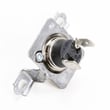
- Dryer operating thermostat WP37001136 (temperature regulation)
Last updated: February 2026
What's the life expectancy of a Maytag dryer?
A Maytag dryer typically lasts 10 to 13 years in normal home use; many well-maintained units run 15 years or longer. For your Maytag SDE4000AYW, consistent airflow maintenance and quick repair of wear parts are what most directly extend service life (see the SDE4000AYW owner's manual).
What most affects dryer lifespan
- Airflow and venting: restricted venting overheats components and shortens life.
- Lint control: cleaning the lint screen every load reduces heat stress and drying time.
- Load size: chronic overloading strains the motor, drum supports, and belt system.
- Heat management: repeated overheating can damage thermostats and the heating circuit.
- Timely part replacement: fixing small issues early prevents bigger failures.
Common wear items and what they do
If your SDE4000AYW is taking longer to dry, running hot, or making noise, these are frequent culprits:
| Symptom | Likely area | Example part for this model |
|---|---|---|
| No heat or weak heat | Heating circuit | Heat element WPY503978 |
| Overheats or cycles oddly | Temperature control | Limit thermostat WPW10116735 or dryer operating thermostat WP37001136 |
| Hums, won’t start, or struggles to run | Drive system | Motor WP2200376 |
Maintenance checklist (best ROI)
- Clean the lint screen every load.
- Inspect and clean the exhaust duct and outside hood regularly.
- Keep the dryer level to reduce drum and support wear.
- Stop using the dryer if you smell overheating; correct airflow issues first.
- Use timed dry for bulky loads if auto cycles are inconsistent.
Why it matters
Most “short lifespan” complaints trace back to restricted venting and overheating, which accelerates failure of the heating element, thermostats, and motor. Keeping airflow strong is the simplest way to protect the SDE4000AYW’s core components and reduce repair frequency.
Last updated: February 2026
Where to find part number on Maytag dryer?
On a Maytag SDE4000AYW dryer, we find the model and serial tag on the cabinet (most often just inside the door opening). Once you have the model number, we match the correct replacement part number for your exact version using the parts list in the SDE4000AYW owner’s manual.
Where to look on the dryer (fast checklist)
Check these common Maytag dryer label locations in order:
- Door opening: on the cabinet frame just inside the door
- Door itself: along the inner edge
- Rear panel: near the power cord entry or vent outlet
- Side panel: near the bottom edge
- Lower front area: behind the toe panel (if equipped)
What numbers you should write down
The ID tag usually includes several numbers. Here is what each one is for:
| What you see on the label | What it’s used for | Example format |
|---|---|---|
| Model number | Identifies the exact dryer design | SDE4000AYW |
| Serial number | Identifies your specific unit | Letters and numbers |
| Part number (on a component) | Identifies a specific component | Varies by part |
How to find the part number for the part you need
If you are replacing a component (motor, heating element, thermostat), we use the model number to select the correct part listing, then confirm by matching the part description.
- Use the model number from the tag first
- Match the part by name and location in the dryer
- If you are replacing the drive motor, the correct listing for this model is the motor WP2200376
- If you are troubleshooting no heat, a common replacement is the heat element WPY503978
Why it matters
Maytag often used multiple revisions under the same model family. Using the exact model and serial information prevents ordering a part that looks similar but mounts differently, uses different wiring, or has a different temperature rating.
Last updated: February 2026





