Owner’s manual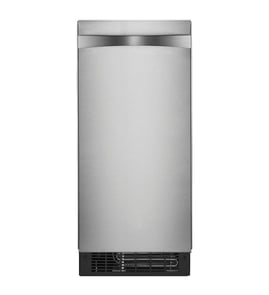




How to reset an ice maker?
For Kenmore ice maker model 10689553100, the most reliable reset is a full power reset: turn the unit off, unplug it for 1 minute, then plug it back in and press ON/OFF to restart. This clears many control glitches without changing settings; allow time for a new cycle.
- Press ON/OFF to stop operation (this does not remove power).
- Unplug the ice maker (or switch off the breaker) for 60 seconds.
- Plug back in (or restore power).
- Press ON/OFF to start ice production.
- Wait for the unit to begin a normal cycle; allow up to 24 hours for the first batch after a full restart.
- If the unit was newly started or recently serviced, discard the first 2 batches.
These checks solve the most common “won’t start” issues after a power reset:
- Confirm it is plugged into a grounded 3-prong outlet.
- Check the house breaker or fuse.
- Make sure room temperature is above 55°F (13°C); a cold room can keep the unit shut off.
- Verify the door is fully closed (the door-ajar alarm triggers after 5 minutes open).
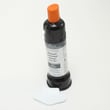
- If water is not entering correctly, replace a restricted filter such as the water filter F2WC9I1.
| Action | What you do | What it affects |
|---|---|---|
| Control off/on | Press ON/OFF | Stops ice making, but power stays on |
| Reset (recommended) | Unplug 1 minute, then ON/OFF | Reboots controls and clears minor faults |
| Full shut down | Follow the 10689553100 owner’s manual shut-down steps | Safely stops unit and water supply for storage/winterizing |
A reset restores normal control operation, but it will not fix issues like low room temperature, a tripped breaker, or restricted water flow. Addressing those basics prevents repeat stoppages and protects key parts like the electronic control board and pumps.
Last updated: January 2026
Why is my free standing ice maker not making ice?
If your Kenmore 10689553100 freestanding ice maker is running but not making ice, the most common causes are no water supply, a water filter that is not installed or locked in place, or a failed recirculation system. Confirm the ON/OFF setting, water flow, and filter lock per the 10689553100 owner's manual.
- Make sure the ice maker is ON (ON/OFF button starts and stops ice production).
- Allow 24 hours for the first batch after startup; discard the first 2 batches.
- Verify the water supply valve is fully open and the supply line is not kinked.
- Check room temperature; higher ambient temperatures reduce ice production.
- Look for heavy mineral scale; scale can interfere with the freeze and release cycle.
This model will not produce ice if the filter is not correctly locked into the housing.
- Remove and reinstall the filter, aligning the arrows and turning it clockwise until it locks.
- If the “Replace Filter” light stays on with a filter installed, reseat the filter again.
- Replace the filter if it is overdue or restricted: use the water filter F2WC9I1.
- If the filter cover is damaged or missing, inspect the filter cover W10475416 for fit and retention.
A full reservoir with a dry evaporator plate typically points to a circulation problem.
| What you observe | What it usually means | What to check next |
|---|---|---|
| Reservoir empty | No water entering | Supply valve, line kinks, inlet flow |
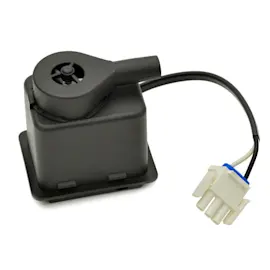
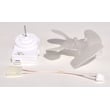
| Reservoir full, plate dry | Water not recirculating | Freestanding ice maker recirculation pump W11566406 |
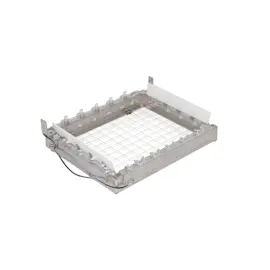
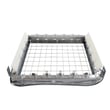
| Ice sheet forms but cubes are odd | Cutting issue or scale | Clean system; inspect cutter grid W10919199 |
Ice production depends on steady water flow, proper filtration, and recirculation across the evaporator plate. A filter that is not locked, restricted water supply, or a weak pump can stop the freeze cycle and leave you with “runs but no ice.”
Last updated: January 2026
Can I replace my own ice maker?
Yes, you can replace parts on your Kenmore 10689553100 freestanding ice maker yourself if you’re comfortable with basic hand tools and safety steps. The key is to shut the unit down correctly, disconnect power, and turn off the water supply before you remove panels or unplug any wiring.
- Push the selector switch to Off.
- Unplug the ice maker (or disconnect power at the breaker).
- Turn off the water supply to the ice maker.
- Wait 5 to 10 minutes for any ice to drop into the bin, then remove ice.
- If you need to move the unit, use two or more people to prevent injury.
For model-specific shutdown and access steps, follow the 10689553100 owner’s manual.
On a freestanding ice maker like model 10689553100, most DIY replacements are actually component swaps rather than replacing the entire cabinet.
| What you’re replacing | Typical DIY difficulty | Common symptoms |
|---|---|---|
| Water filter | Easy | Slow fill, off-taste/odor, poor ice quality |
| Drain pump or recirculation pump | Medium | Standing water, poor draining, thin ice |
| Cutter grid | Medium | Slab ice not cutting, irregular cubes |
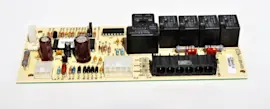
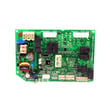
| Electronic control board | Medium to hard | No ice, erratic operation, dead controls |
If your issue points to a specific component, these are common service parts for the Kenmore 10689553100:
- Water filter F2WC9I1 (routine maintenance item)
- Ice maker drain pump W11542868 (drain problems)
- Freestanding ice maker recirculation pump W11566406 (water circulation issues)
- Cutter grid W10919199 (ice not cutting)
- Ice maker electronic control board W11034363 (control or power symptoms)
Disconnecting power and water first prevents electrical shock and flooding, and it also protects sensitive components like the control board and pumps from damage during service.
Last updated: January 2026
Is it worth replacing the ice maker on a refrigerator?
Yes, it’s usually worth replacing the ice maker when the refrigerator is in good condition and the failure is isolated to the ice-making system; the repair restores normal ice production for far less than replacing the whole appliance. For Kenmore model 10689553100, we also recommend checking basic water supply and shutdown steps in the 10689553100 owner’s manual before buying parts.
Use these practical checkpoints to decide whether to repair or replace:
- The refrigerator cools normally (fresh food and freezer temps are stable).
- You use ice often and want built-in convenience.
- The issue points to a single part (no ice, slow ice, leaking, or odd cycling).
- The repair cost is well under half the cost of a comparable replacement.
- You can safely disconnect power and water and follow service steps.
Many ice issues come from a few serviceable components:
- Water quality or restricted flow (replace the water filter F2WC9I1).
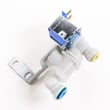
- No water entering or overfilling (check the ice maker water fill sensor W11741505).
- Weak circulation or poor freeze pattern (inspect the freestanding ice maker recirculation pump W11566406).
- Not draining properly (consider the ice maker drain pump W11542868 if your setup uses a drain pump).
- Erratic operation or dead controls (suspect the ice maker electronic control board W11034363).
| Situation | Best move | Why |
|---|---|---|
| Fridge cools well; ice maker is the only problem | Repair | Lowest cost to restore full function |
| Multiple major issues (cooling + ice + leaks) | Replace | Repairs stack up quickly |
| You rarely use ice | Replace or skip repair | Convenience benefit is low |
| Water line/freezing concerns in the location | Repair plus prevention | Prevents repeat failures |
An ice maker depends on steady water supply, proper draining, and reliable controls. The manual’s shutdown and draining steps (power off, water off, drain cap removal, and draining lines) help prevent leaks and freeze damage during service or downtime.
Last updated: January 2026