- Kenmore refrigerator water filters
- Whirlpool refrigerator water filters
- Samsung refrigerator water filters
- GE refrigerator water filters
- LG refrigerator water filters
- Frigidaire refrigerator water filters
- KitchenAid refrigerator water filters
- Maytag refrigerator water filters
- Kenmore Elite refrigerator water filters
- Estate refrigerator water filters
- GE Profile refrigerator water filters
- Amana refrigerator water filters
- Bosch refrigerator water filters
- Dacor refrigerator water filters
- Electrolux refrigerator water filters
Top DIY repair help
View All Repair Categories
Appliances
Lawn & Garden
Power Tools
Home Improvement
Sports & Leisure
Heating & Cooling
Quick Links
How to replace a freestanding ice maker electronic control board
less than a minute readOct 17Lyle Weischwill
Repair time and Difficulty
45 minutes or less
Tools Required
- Phillips screwdriver
- Stubby Phillips screwdriver
- Socket wrench set or nut drivers
- Work gloves
- Shop rag or cloth
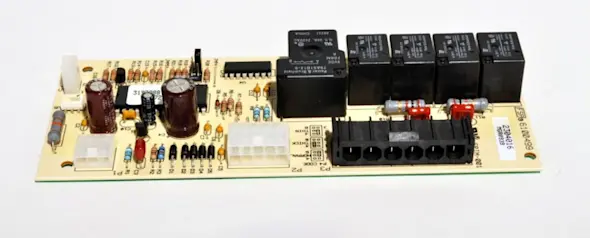
This DIY repair guide explains how to replace the electronic control board in a freestanding ice maker. The electronic control board is the "brains" of the ice maker, activating components such as the compressor, water inlet valve and pumps as needed to make ice. When the electronic control board stops working, the ice maker won't recirculate water or make ice.
Because problems with parts other than the electronic control board can have the same symptoms, have a local ice maker repair expert test the electronic control board to confirm that it's the cause. If the control board isn't working, replace it with the manufacturer-approved freestanding ice maker part.
This repair procedure works to replace the electronic control board in Kenmore, KitchenAid, Whirlpool, JennAir, GE, Frigidaire and Maytag freestanding ice makers.
Instructions
- 1. Disconnect power
Remove any ice that is in the storage bin of the ice maker and store it in a separate container during this repair.
Cover the drain hole at the bottom of the ice storage bin with a cloth to prevent hardware from falling inside.
Unplug the ice maker or shut off the house circuit breaker to disconnect electrical power.
- 2. Remove the cutter grid cover
Open the ice maker and remove the screws from the bottom of the cutter grid cover.
Pull the cutter grid cover out and set it aside.
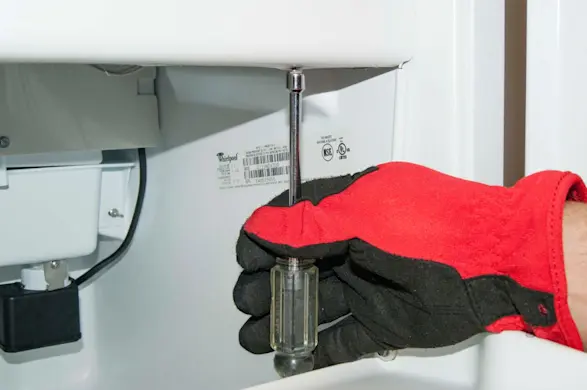
PHOTO: Remove the cutter grid cover screws. 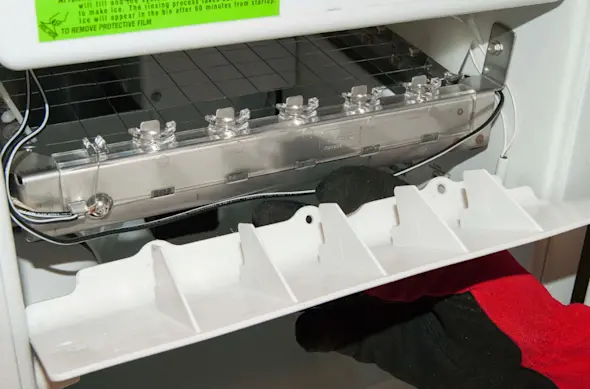
PHOTO: Remove the cutter grid cover.
- 3. Remove the cutter grid
Remove the hex-head mounting screws from both sides of the cutter grid.
Pull the cutter grid down slightly to access the cutter grid wire harness connection.
Disconnect the cutter grid wire harness connector from the bottom of the control housing.
Pull the cutter grid out of the ice maker.
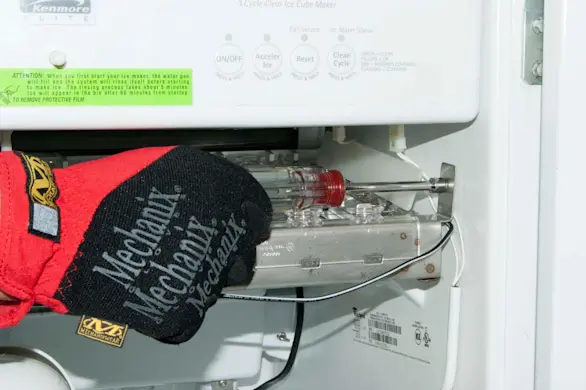
PHOTO: Remove the cutter grid mounting screws. 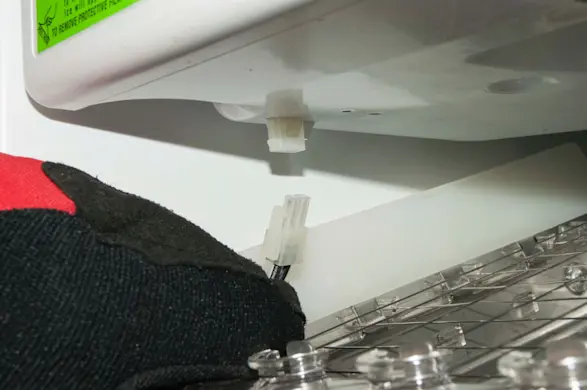
PHOTO: Unplug the cutter grid wire harness. 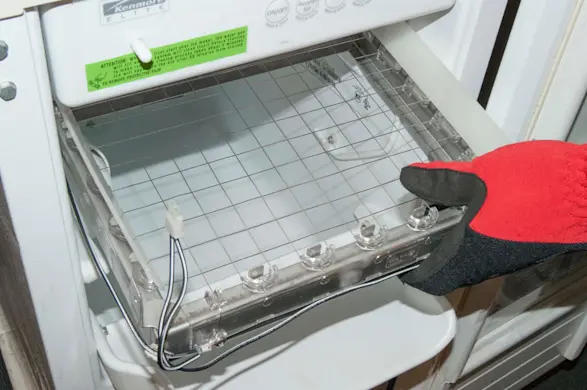
PHOTO: Remove the cutter grid.
- 4. Release the control housing
Remove the 1/4-inch, hex-head mounting screws from the corners of the control housing.
Lower the control housing, leaving the wires attached to the control components in the housing.
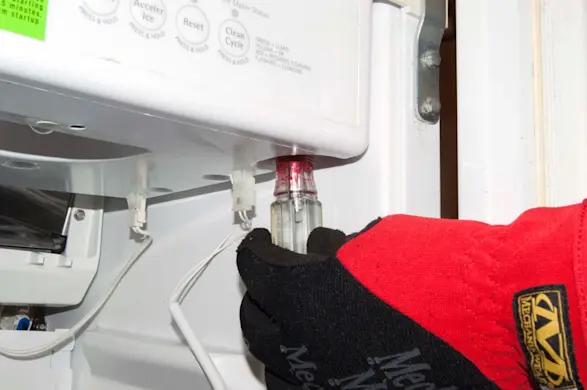
PHOTO: Remove the screw from the control board housing. 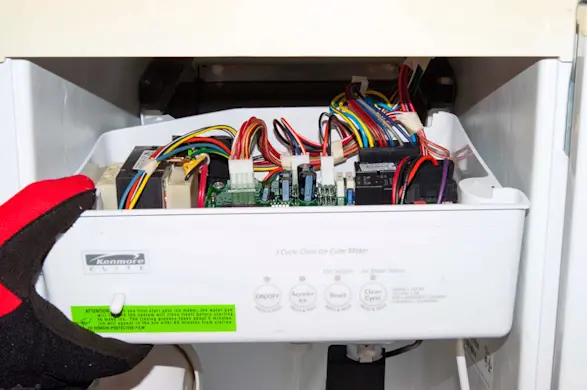
PHOTO: Lower the control board housing.
- 5. Remove the electronic control board
Take a digital photo of the wires connected to the electronic control board so you can reconnect them correctly.
Disconnect the wires from the electronic control board.
Remove the mounting screws that secure the electronic control board in the control housing and remove the electronic control board.
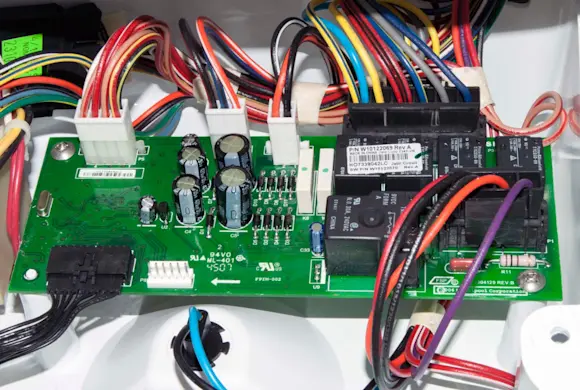
PHOTO: Take a digital photo of the control board wiring. 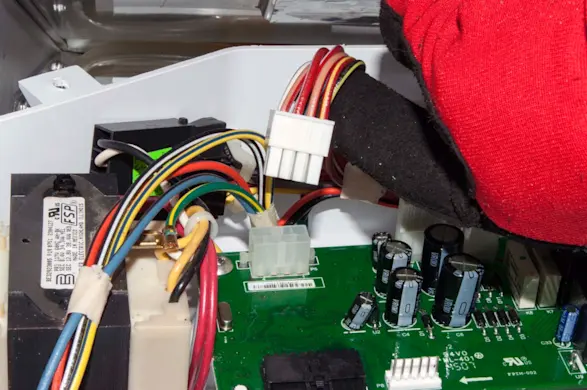
PHOTO: Disconnect the control board wires. 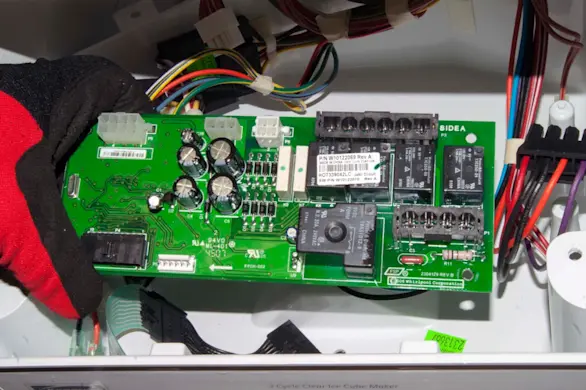
PHOTO: Remove the control board.
- 6. Install the new electronic control board
Position the new electronic control board in the housing and secure it with the mounting screws.
Using your digital photo as a guide, reconnect the wires on the electronic control board.
- 7. Reinstall the control housing
Position the control housing correctly in the ice bin and secure it with the mounting screws.
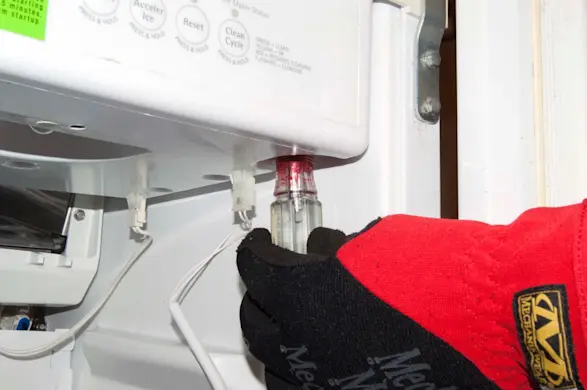
PHOTO: Reinstall the control board housing.
- 8. Reinstall the cutter grid and cutter grid cover
Push the cutter grid into the ice maker and plug the cutter grid wire harness into the connector in the bottom of the control housing.
Line up the mounting screw holes and reinstall the hex-head mounting screws that secure the cutting grid to the side walls inside the ice maker.
Position the cutter grid cover in front of the cutter grid and secure it with the mounting screws.
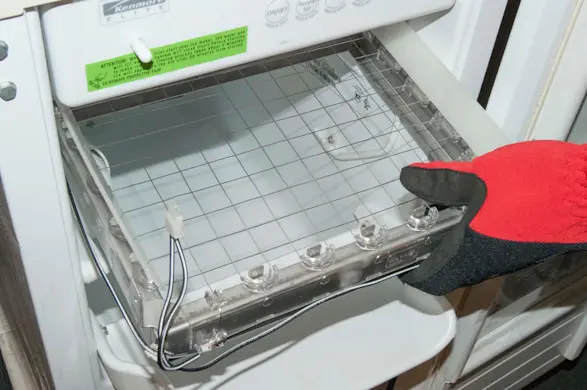
PHOTO: Push the cutter grid back in. 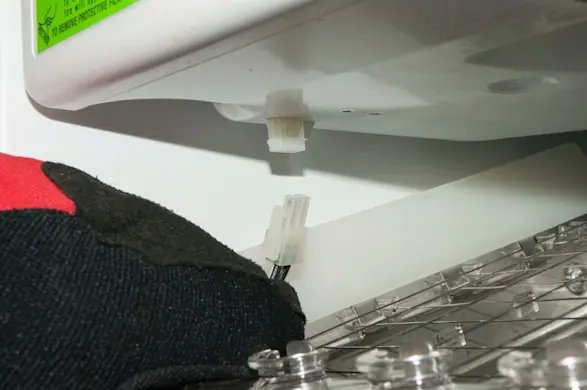
PHOTO: Plug in the cutter grid wire harness. 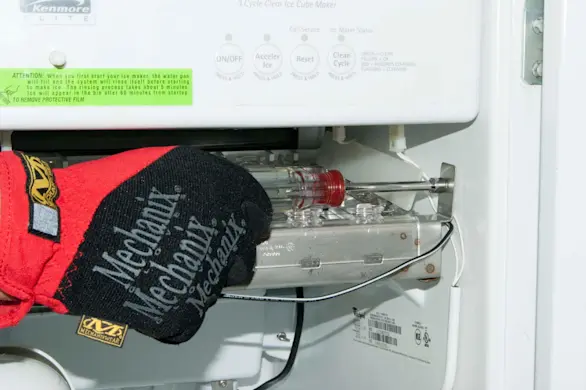
PHOTO: Reinstall the cutter grid mounting screws. 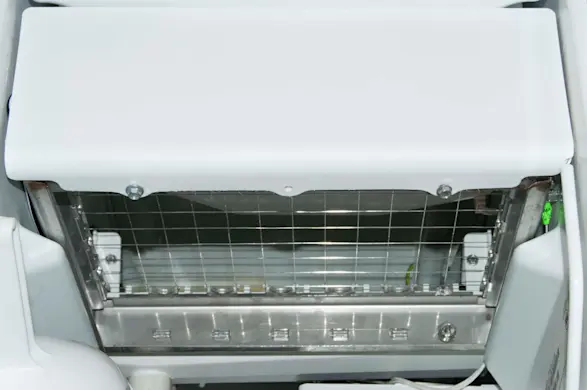
PHOTO: Reinstall the cutter grid cover.
- 9. Restore power
Plug the ice maker back into the wall outlet or reset the house circuit breaker to restore power.
- 10. Fill the ice storage bin
Remove the cloth that was used to cover the drain hole in the ice storage bin.
Fill the ice bin with ice that was stored in a separate container during this repair.
Note: If you have a Frigidaire ice maker and need help completing this repair, schedule [Frigidaire ice machine repair](https://www.searshomeservices.com/repair/frigidaire/ice-maker-freestanding) and we'll send a Sears Home Services technician to your home to fix the problem.