 Installation guide
 Owner’s manual
 Error Codes








What is the most common problem with a GE dryer?
The most common GE dryer complaint is long dry times or no heat, and on the GE GTD72EBSN0WS it is very often tied to restricted airflow (lint screen, lint chute, or venting) or a heating circuit issue. Start with venting and lint checks before replacing parts; it solves many “not heating” calls.
Quick checks first (most fixes)
- Clean the lint screen before every load; wash it with warm soapy water if you see a waxy film (from dryer sheets).
- Check the vent path for kinks, crushing, or heavy lint buildup; the dryer must vent outdoors.
- Confirm the outside vent hood opens freely while the dryer runs.
- If the dryer tumbles but won’t heat, check the home power supply; some electric dryers can run with only one breaker tripped.
- Avoid overloading; heavy loads and mixed fabrics can extend cycle time.
For model-specific operating tips and indicator lights (like “Check Vent”), use the GTD72EBSN0WS owner’s manual.
When it’s likely a part problem
If airflow is good and settings are correct, these parts are common suspects on GE dryers when there’s no heat or poor heat control:
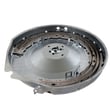
- Dryer heating element WE11M10001 (electric heat source)
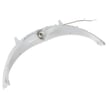
- Dryer heating element control thermistor WE4M398 (temperature sensing and heat regulation)
- High-limit thermostat or operating thermostat (can open if overheating occurs)
Symptom-to-cause guide
| Symptom | Most common cause | What to do next |
|---|---|---|
| Clothes take too long to dry | Vent restriction or lint buildup | Inspect and clean venting; verify strong airflow |
| Tumbles but no heat | Power supply issue (electric) or heat circuit fault | Check breakers; then test heat components |
| “Check Vent” light on (if equipped) | Reduced airflow | Clean lint screen and vent system |
Why it matters
Restricted venting can cause long dry times, overheating, and repeated shutdowns. Fixing airflow first protects the heater, thermostats, and control system, and it usually restores normal drying performance fastest.
Last updated: January 2026
What is the lifespan of a GE dryer?
Most GE dryers, including model GTD72EBSN0WS, commonly last about 10 to 13 years with normal household use and routine maintenance. Actual lifespan depends heavily on venting airflow, load size, and how consistently the lint system is cleaned (see the GTD72EBSN0WS owner’s manual).
What affects how long a GTD72EBSN0WS dryer lasts
A dryer usually wears out faster when it runs hot, runs long, or struggles to move air. These are the biggest factors we see:
- Restricted venting (kinked duct, long run, clogged wall cap) that forces longer dry times
- Lint buildup in the lint screen area or exhaust duct
- Overloading (extra strain on the drum, belt, and motor)
- Frequent high-heat cycles on heavy loads
- Skipping annual duct cleaning (the manual recommends periodic exhaust duct cleaning)
Maintenance checklist that helps extend dryer life
Use this quick routine to reduce wear on the heater system, motor, and drum support parts:
- Clean the lint screen before or after every load
- Check that the outside vent hood opens freely while the dryer runs
- Avoid crushing the 4-inch vent duct when pushing the dryer back
- Do not dry oversized loads; split heavy towels/blankets into smaller loads
- Have the exhaust duct cleaned and inspected about once a year
Parts that often show wear first (and what symptoms look like)
If your dryer is otherwise working but getting noisy or struggling, these common wear items are often involved:
| Symptom | Common wear area | Example compatible part for GTD72EBSN0WS |
|---|---|---|
| Squealing, thumping, scraping | Drum support and friction surfaces | Dryer drum glide bearing WE03X37319 |
| Drum not turning, burning rubber smell | Belt drive | Dryer drum belt WE03X29897 |
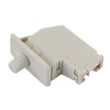
| Door must be slammed or dryer stops when door moves | Door switch/catch | Dryer door switch WE04X28977 |
Why it matters
A dryer that takes longer to dry is not just inconvenient; it increases heat exposure and run time, which can shorten the life of components like thermostats, thermistors, and the heating system. Good airflow and lint control are the simplest ways to protect the dryer.
Last updated: January 2026
How to reset GE sensor dry dryer?
On the GE GTD72EBSN0WS, there is not a single dedicated “sensor dry reset” button; the practical reset is to clear the control and restart the cycle. In most cases, pressing Power to put the dryer in idle, then selecting a Sensor cycle and pressing Start/Pause restores normal sensing behavior (see the GTD72EBSN0WS owner’s manual).
Quick reset steps (works for most Sensor cycles)
- Press Power to wake the display (if it is dark).
- Press Power again to place the dryer in idle.
- Wait 30 seconds.
- Select a Sensor cycle (such as Cottons/Normal or Mixed Load).
- Choose Dryness level (Less Dry, Dry, More Dry) and Temp.
- Press Start/Pause to begin.
If the dryer is “locked” or won’t accept changes
GE dryers can beep and refuse selections when an option is incompatible with the chosen cycle, or when Control Lock is on.
- If you see a lock indicator or the dryer beeps when you press buttons, try Control Lock: press and hold the correct button pair for about 3 seconds (the exact combo can vary by version; confirm in the GTD72EBSN0WS owner’s manual).
- Re-select the cycle after unlocking.
What to check if Sensor Dry still seems “off”
Sensor drying depends heavily on airflow and a clean lint path. Before assuming a control problem:
- Clean the lint screen; wash it with warm, soapy water if it has a waxy film.
- Check for restricted venting (kinks, crushed duct, blocked hood).
- Avoid underloading; very small loads can confuse sensing.
- Turn ecoDry off if dry times feel unusually long.
- If the dryer shows Check Vent, correct airflow first.
Airflow vs. “reset”: what changes the most
| Symptom | Most common cause | Best first action |
|---|---|---|
| Long dry times on Sensor cycles | Restricted venting or lint buildup | Inspect venting per the GTD72EBSN0WS installation instructions |
| Cycle ends too soon, clothes damp | Mixed heavy/light fabrics or small load | Use More Dry or switch to Timed Dry |
| Dryer runs, display behavior seems odd | Normal moisture monitoring | Let the cycle run; time can adjust as it senses |
Why it matters
A “reset” can clear a paused or confused cycle, but Sensor Dry performance on the GTD72EBSN0WS is usually determined by airflow and load size. Fixing vent restrictions also helps prevent overheating and repeated high-limit shutdowns.
Last updated: January 2026






