Installation guide
 Owner’s manual
 Error Codes






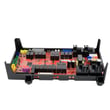
How do I reset my Kenmore oven control board?
For your Kenmore Elite wall oven model 79048473411, we reset the oven control in two common ways: (1) clear an active fault by pressing STOP/CLEAR, and (2) do a power reset by turning the oven’s circuit breaker OFF for 5 minutes, then turning it back ON. For a full settings reset, use the factory-default reset steps in the owner's manual.
- Clear an error code: Press STOP/CLEAR once to clear an F or E code.
- Power reset (recommended for glitches): Turn the breaker OFF, wait 5 minutes, then restore power.
- Retry a function: After power is restored, set the clock, then try Bake or Broil again.
- Check oven lockout: If the keypad triple-beeps or shows lock messages, cancel lockout (see below).
This resets user-adjustable control settings (like clock format, tones, temperature offsets, and probe settings) back to defaults.
Steps:
- Press and hold 7 on the numeric keypad for about 3 seconds until an acceptance tone sounds (ignore the three beeps; “PS” appears).
- Press START.
We recommend confirming the exact key names and display prompts for your control in the owner's manual.
If DOOR and LOCKED are displayed, the control may be in lockout.
- Press Upper Oven or Lower Oven
- Press and hold OVEN LOCKED for 3 seconds
- Wait about 15 seconds for the latch to fully unlock
If an F or E code repeats after a STOP/CLEAR and a 5-minute power reset, the issue is usually in a heat-sensing or control circuit.
| Symptom after reset | Most common checks | Parts often involved |
|---|---|---|
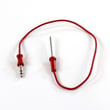
| F/E code returns quickly | Wiring connections, sensor circuit | Cooking appliance oven temperature sensor 5304504897 |
| Oven won’t heat or heats erratically | Sensor resistance, relay operation | Wall oven control board 316474937 |
| Dead/blank control after power event | Power supply connections | Terminal block 5304409888 |
Resetting the control clears temporary logic faults and restores safe, predictable operation. If a fault immediately returns, the oven is protecting itself by detecting an abnormal temperature or control condition.
Last updated: February 2026
What are the parts of an electric oven?
An electric wall oven like the Kenmore Elite 79048473411 is built around heating, sensing, airflow, and control components. The core parts include the bake and broil heating elements, temperature sensing, the electronic control system, door and rack hardware, and (on convection models) a fan and motor. For your exact features and control layout, use the owner's manual.
- Bake element: provides the primary heat for baking and roasting.
- Broil element: provides high, top-down heat for broiling.
- Oven temperature sensor: tells the control board the actual oven temperature.
- Electronic control board and user interface: manages bake, broil, convection, timers, and safety logic.
- Convection fan system (if equipped): circulates hot air for more even cooking.
- Oven racks and rack supports: hold cookware; some models use glide racks.
- Door system: hinges, gasket, and (on some models) a door light switch.
These are common service parts we see tied to heating accuracy, airflow, and controls:
| Function | Example part on this model | What it affects |
|---|---|---|
| Temperature feedback | Cooking appliance oven temperature sensor 5304504897 | Inaccurate temps, long preheat, error codes |
| Main electronic control | Wall oven control board 316474937 | No heat, dead display, incorrect operation |
| Convection airflow | Oven motor 139008504 and blade 318398302 | Uneven baking, weak convection |
| Overheat protection | Range thermal cut-off 5304494446 | Oven shuts down or will not heat |
Knowing which part does what helps you troubleshoot faster. For example, temperature swings often point to the sensor, while a completely dead oven can point to power supply issues, wiring, or the control board.
- Confirm the oven is getting proper power at the breaker (wall ovens typically use a 240V circuit).
- If baking is consistently off by 25 to 50 degrees, check the temperature sensor and calibration settings in the owner's manual.
- If convection is noisy or weak, inspect the fan blade for looseness and check the motor.
- If the oven overheats or stops heating after running, check for a tripped thermal cut-off.
- If the display is blank or keys do not respond, suspect the control board or wiring connections.
Last updated: February 2026
What causes a Kenmore oven to stop working?
If your Kenmore Elite wall oven model 79048473411 stops working, the most common causes are a power supply problem (tripped breaker or loose connection), a control fault (F or E error), or a failed heating or sensing component such as the oven temperature sensor or a thermal cut-off. See the owner's manual for model-specific checks.
- Confirm the oven has power; reset the house breaker fully OFF then ON.
- If the control is beeping and shows an F or E code, press STOP/CLEAR to clear it.
- Try BAKE; after about 20 seconds, open the door and feel for heat.
- Try BROIL; the upper element should begin to glow red.
- If an error returns, turn power off for 5 minutes, restore power, then retest.
- If the oven ran at high temperature, expect the cooling fan to keep running after shutoff (that is normal).
These parts are frequently involved when the display works but the oven will not heat, heats erratically, or throws fault codes:
| Symptom | Likely area | Example part for 79048473411 |
|---|---|---|
| Oven won’t hold temp, bakes unevenly | Temperature sensing | Cooking appliance oven temperature sensor 5304504897 |
| Oven shuts down after getting hot | Overheat protection | Range thermal cut-off 5304494446 |
| Random beeping, F/E codes, no response | Electronic control | Wall oven control board 316474937 |
An oven can “stop working” for very different reasons. A simple power reset can clear a temporary control fault, but repeated F/E errors or no heat during BAKE/BROIL usually points to a failed sensor, safety cut-off, or control board. Correct diagnosis helps avoid replacing the wrong part.
Last updated: February 2026
Where can I find my Kenmore 79048473411 oven model number?
On Kenmore Elite model 79048473411, the model and serial number are printed on the serial plate attached to the oven frame. Open the oven door and look along the left interior side trim/left side of the oven frame to find the identification plate (it is visible with the door open). See the owner's manual for the exact serial plate location diagram.
- Open the oven door fully.
- Look at the left side of the oven frame (the front frame the door closes against).
- Check the interior side trim area; the label is meant to be visible with the door open.
- Write down model number, serial number, and any lot number/letter shown.
- Take a clear photo of the plate for reference when ordering parts.
We use the model and serial information to match the correct Kenmore wall oven parts and wiring configuration for your exact build. This helps avoid ordering the wrong control board, sensor, or harness.
| What to record | Where it appears | Why it helps |
|---|---|---|
| Model number | Serial plate | Ensures correct parts list for 79048473411 |
| Serial number | Serial plate | Helps confirm production run/version |
| Lot number/letter (if shown) | Serial plate | Helps narrow down part variations |
- Wipe the plate gently with a damp cloth and dry it.
- Use your phone camera zoom and flash at an angle to reduce glare.
- Copy characters carefully; a single digit difference can change the parts match.
Last updated: February 2026