 Owner’s manual
 Error Codes

Why does my LG dryer keep saying check filter?
On the LG DLEX3470W dryer, the Check Filter message is a routine reminder to clean the lint filter before a load. It does not mean the dryer has detected a failure; the reminder typically clears once you start a drying cycle.
What to do right now
- Remove the lint screen and peel off lint; rinse and fully dry it if fabric softener residue is present.
- Reinstall the lint screen fully seated; a loose fit can reduce airflow.
- Start a cycle to confirm the reminder clears.
- If drying is slow, check the exhaust vent path for restrictions (lint buildup, crushed flex duct, blocked exterior hood).
- If the message stays on during a cycle and performance is poor, inspect the lint duct area for gaps or damage.
When “Check filter” is normal vs. a problem
| What you see | What it usually means | What to check |
|---|---|---|
| Message appears before every cycle | Normal reminder | Clean lint screen |
| Message stays on and clothes take longer to dry | Airflow restriction | Venting, lint housing, blower area |
| Message stays on and dryer overheats or shuts down | Overheating protection may be reacting | Venting, thermostats, lint buildup |
Why it matters
Good airflow protects key components like the heating system and thermostats, helps prevent overheating, and keeps dry times consistent. A clean lint screen and clear venting also reduce wear on the motor and blower.
Model-specific references
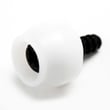
For the exact lint filter location, cleaning method, and any indicator-light behavior notes for your unit, follow the steps in the DLEX3470W owner’s manual. If you find cracks, warping, or poor sealing around the lint area, the LG dryer lint screen housing MCK49049101 is the model-matched part to address fit and airflow issues.
Last updated: February 2026
What is the average lifespan of an LG dryer?
An LG dryer like model DLEX3470W typically lasts 10 to 15 years with normal household use. Consistent vent cleaning, avoiding overloads, and replacing wear items such as the drum belt and idler pulley on time are the biggest factors in reaching the high end of that range.
What affects dryer lifespan most
- Airflow and venting: restricted venting overheats the heater and thermostats.
- Load size: chronic overloading strains the motor, drum rollers, and belt.
- Maintenance habits: lint buildup increases heat and run time.
- Cycle selection: high-heat cycles used constantly shorten component life.
- Wear parts replaced early: rollers, belt, and idler prevent secondary damage.
Quick maintenance checklist (best ROI)
- Clean the lint screen every load and wash it periodically to remove residue.
- Inspect and clean the vent duct and outside hood at least yearly.
- Keep the dryer level to reduce drum and roller wear.
- Stop using the dryer if you hear squealing or thumping; address it before the belt or motor is damaged.
- Follow the care and cleaning schedule in the DLEX3470W owner’s manual.
Common “end-of-life” symptoms and likely causes
| Symptom | Common cause | Typical fix |
|---|---|---|
| Loud squeal or chirp | Worn idler or rollers | Replace idler/rollers |
| Thumping or rumble | Flat-spotted drum rollers | Replace rollers |
| Drum not turning | Broken belt | Replace belt |
| Long dry times | Vent restriction, lint buildup | Clean venting and lint path |
Parts that often wear first on DLEX3470W
If your dryer is otherwise in good shape, replacing these wear items often extends service life:
Why it matters
A dryer that runs hotter or longer than normal ages faster and costs more to operate. Keeping airflow strong and replacing wear parts early helps protect high-cost components like the motor and heating system.
Last updated: February 2026
How do I fix the D80 code on my LG dryer?
On the LG DLEX3470W dryer, the D80 code means the dryer is sensing restricted airflow in the exhaust system. Fixing it usually comes down to restoring strong venting by cleaning the lint path, correcting the vent hose setup, and clearing the home duct to the outside (not just the dryer).
Quick fix checklist (start here)
- Turn the dryer off and let it cool; then unplug it.
- Clean the lint screen and the lint screen area.
- Pull the dryer out and inspect the vent hose for kinks, crushing, or tears.
- Disconnect the vent hose and remove lint buildup from the hose.
- Check the wall duct and outside vent hood for lint, a stuck damper, or a bird screen clog.
- Reconnect the vent with the shortest, straightest run possible.
What to check and what it tells you
| What you find | What it usually means | What to do next |
|---|---|---|
| Lint screen packed or coated | Airflow restricted at the intake | Clean screen; wash and dry it if it has residue from sheets/softener |
| Vent hose crushed or long with many bends | High back pressure | Replace or reroute for fewer bends |
| Outside hood flap not opening well | Blocked duct or stuck damper | Clear lint; verify damper moves freely |
| Dryer runs hot and dries slowly | Vent restriction or overheating protection | Clear venting; then re-test on timed dry |
Why D80 matters
Restricted airflow makes drying times longer and can cause overheating. On the DLEX3470W, clearing the venting helps the heater and thermostats operate in their normal temperature range and keeps cycles consistent.
If D80 comes back after vent cleaning
After you confirm the entire vent path is clear, the next most common causes are heat-related protection trips or airflow issues inside the dryer.
- Check for heavy lint buildup around the blower area.
- If the dryer overheats, a thermostat can be involved, such as the dryer high-limit thermostat 6931EL3003D.
- If the dryer is not heating correctly after airflow is restored, the dryer heating element 5301EL1001H is a common electric-dryer suspect.
Helpful reference
- Use the venting and maintenance guidance in the DLEX3470W owner’s manual.
- For code definitions and related symptoms, use LG dryer error codes.
Last updated: February 2026










