Owner’s manual
 Error Codes


How many cubic feet is my Kenmore refrigerator model 79579043312?
The exact cubic-foot capacity for Kenmore Elite refrigerator model 79579043312 is listed on the model’s rating label and in the specifications section of the 79579043312 owner's manual. Most Kenmore Elite bottom-mount refrigerators in this series are commonly in the 20 to 22 cu. ft. range.
- Check the rating label inside the fresh food compartment (often on a side wall near the crisper area).
- Look in the Specifications or Parts and features section of the 79579043312 owner's manual.
- If your unit has a product data sheet stored behind the toe grille or rear cover, it often lists capacity.
- Use the full model number 79579043312 when comparing specs; the “795” prefix identifies the manufacturer family, not the size.
| Refrigerator type | Common capacity range | What changes it most |
|---|---|---|
| Bottom-mount (Kenmore Elite 795 series) | 20 to 22 cu. ft. | Cabinet width, door style, ice maker setup |
| Larger bottom-mount variants | 22 to 25+ cu. ft. | Wider cabinet and deeper box |
Capacity affects how much food you can store, but it also impacts airflow and temperature stability. Knowing the exact cubic feet helps when you are comparing replacement shelves and bins, planning kitchen space, or troubleshooting cooling performance.
Last updated: February 2026
Why is my refrigerator not getting cold at the bottom?
If your Kenmore Elite refrigerator model 79579043312 is warm at the bottom, the most common causes are blocked air vents, doors not sealing or closing correctly, or control settings that are too warm. Start by clearing airflow paths, then confirm temperatures after the next defrost cycle finishes.
- Make sure food packages are not blocking interior air vents; rearrange items so air can circulate.
- Confirm the refrigerator and freezer doors close fully and stay closed (no “bounce back”).
- Reduce how often the doors are opened; frequent openings let warm, humid air in.
- Let hot food cool to room temperature before loading it; adding warm food raises compartment temps.
- After a defrost cycle, wait about 30 minutes and recheck temperatures.
The manual guidance is to adjust controls one increment at a time and wait for temperatures to stabilize. Use these common targets for bottom-mount refrigerators:
| Location | Typical target temp | What “too warm” can cause |
|---|---|---|
| Fresh food section | 37°F to 40°F | Warm lower shelves, faster spoilage |
| Freezer | 0°F to 5°F | Soft ice cream, thawing, frost issues |
For model-specific control details and the exact procedure, follow the 79579043312 owner's manual.
If vents are clear and settings are correct but the bottom stays warm, airflow or cooling components may be struggling. These symptoms often help narrow it down:
- Warm bottom, freezer OK: evaporator fan not moving air well (listen for a steady fan sound)
- Both sections warm: sealed system or compressor issue
- Temps swing up and down: sensor or control issue
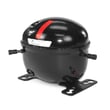
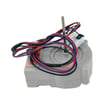
Parts that commonly relate to these symptoms on this model include the lg refrigerator evaporator fan motor 4681JB1027C and, for major cooling failures, the refrigerator compressor TCA38091801.
Bottom-area warming is usually an airflow problem; cold air is produced in the freezer area and must circulate into the fresh food compartment. When vents are blocked or doors leak, the lower shelves are often the first place you notice temperature problems.
Last updated: February 2026
Where to find model number on Kenmore Elite refrigerator?
On Kenmore Elite model 79579043312, the model and serial number are printed on an identification label located on the interior liner of the refrigerator compartment. Use the number exactly as shown when ordering parts or checking the 79579043312 owner's manual.
- Open the fresh food (refrigerator) door, not the freezer drawer.
- Look along the inside walls (the liner) of the refrigerator compartment.
- Check near the crisper drawers and side walls where labels are commonly placed.
- Look for a sticker or plate that lists Model No. and Serial No.
- Write the full model number and serial number down before the label gets worn.
| Label item | What it’s used for | Example format |
|---|---|---|
| Model number | Matching the correct parts diagrams and parts | 795.7904xx style family, or full model like 79579043312 |
| Serial number | Dating the unit and service identification | Letters and numbers |
| Electrical ratings | Verifying power requirements | Volts/amps |
Kenmore Elite refrigerators often have multiple versions that look similar. Using the exact model number from the interior label helps us match the correct refrigerator door switch, water inlet valve, ice maker assembly, and other parts for your specific build.
Last updated: February 2026
What is the average lifespan of a Kenmore Elite refrigerator?
Most Kenmore Elite refrigerators, including model 79579043312, typically last 12 to 15 years with normal household use; strong maintenance habits (clean condenser coils, good door seals, correct temperatures) can push service life closer to 15 to 20 years.
- Average: 12 to 15 years
- Often achievable with good care: 15 to 20 years
- Common “make-or-break” systems: sealed system (compressor, evaporator), airflow fans, defrost system, electronic controls
| Refrigerator age | What it usually means | What we recommend |
|---|---|---|
| 0 to 5 years | Early-life issues are usually isolated parts | Fix the specific failure and keep up maintenance |
| 6 to 10 years | Wear items start showing up | Address cooling, ice maker, and water leaks quickly |
| 11 to 15 years | Major components may begin to fail | Compare repair cost vs. overall condition |
| 16 to 20 years | End-of-life becomes more likely | Plan for replacement if sealed system or control fails |
- Condenser coil cleanliness: Dust buildup makes the compressor run hotter and longer.
- Door gasket condition: Air leaks cause long run times and frost issues.
- Airflow inside the cabinet: Blocked vents can mimic “not cooling” symptoms.
- Water system health: Leaks or low flow can stress the ice maker and valve.
- Power quality: Surges and repeated outages can damage the control board.
Your 79579043312 owner’s manual includes a troubleshooting guide and care guidance, plus details on features like Kenmore Connect diagnostics. The manual also outlines warranty coverage, including a longer sealed-system warranty period than the general one-year appliance coverage.
If cooling performance drops late in the refrigerator’s life, the most expensive repairs often involve sealed-system parts such as the refrigerator compressor TCA38091801 or the evaporator assembly; airflow and sensor issues can also shorten perceived lifespan if they are not corrected.
Knowing the typical lifespan helps you decide when routine maintenance is enough versus when a major repair (compressor, evaporator, control board) is likely to be a turning point in total cost of ownership.
Last updated: February 2026
How to get Kenmore Elite refrigerator out of demo mode?
To take your Kenmore Elite refrigerator model 79579043312 out of Demo Mode (cooling OFF), open a refrigerator door, then press and hold Refrigerator Temp and Ultra Ice together for 5 seconds until the control beeps and the temperature settings display. See the 79579043312 owner's manual for the exact button locations on your control panel.
- Open either refrigerator door (this matters on this model).
- Press and hold Refrigerator Temp.
- While holding it, press and hold Ultra Ice.
- Keep holding both for 5 seconds.
- Listen for a beep and confirm the temperature numbers return (Demo Mode is off).
Use this checklist after you deactivate Demo Mode:
- The compressor should start running intermittently (you may hear a low hum).
- The freezer should begin dropping in temperature within a few hours.
- Airflow should be felt at vents after the unit runs.
- Interior lights and display still work normally (that is true in and out of Demo Mode).
| What you see | What it usually means | What to do |
|---|---|---|
| “OFF” on the display | Demo Mode is ON (cooling disabled) | Hold Refrigerator Temp + Ultra Ice for 5 seconds |
| Temps show as numbers | Cooling is enabled | Allow 12 to 24 hours to stabilize |
Demo Mode is designed for showroom display; it keeps the lights and control display working while disabling cooling. If it stays on at home, the refrigerator and freezer will not cool properly.
After turning Demo Mode off, normal cooling can take time:
- Allow up to 24 hours for both compartments to reach set temperature.
- If the refrigerator was recently moved or laid on its side, let it sit upright before running.
- If you suspect a cooling-system issue, common components involved include the refrigerator compressor TCA38091801 and the refrigerator electronic control board CSP30020817.
Last updated: February 2026
Who makes Kenmore replacement parts?
Kenmore is a brand name, so replacement parts for your Kenmore Elite bottom-mount refrigerator model 79579043312 are typically manufactured by the original equipment manufacturer (OEM) that built the refrigerator and its components. The most reliable way to match the correct OEM part is to use the model-based part listing and the diagrams in the 79579043312 owner’s manual.
Kenmore appliances are produced by different OEMs across product lines and years, so the “maker” of a Kenmore part depends on the specific component and model series.
Common OEM patterns you’ll see:
- The part may be labeled LG, Whirlpool, Frigidaire/Electrolux, or GE depending on the Kenmore model family.
- The same refrigerator can contain parts sourced from multiple suppliers (controls, valves, motors, bins).
- The best match is always the part that cross-references to your exact model number.
Use your model number 79579043312 and confirm the part by description and identifier.
Checklist:
- Match the model number first (79579043312).
- Use the exploded-view diagrams to confirm location and fit.
- Compare the part name and part ID (and any manufacturer part number shown).
- If you’re replacing a cooling-system component, match the sealed-system part exactly.
| Component type | Example part (model-matched) | What it does |
|---|---|---|
| Cooling | Refrigerator compressor TCA38091801 | Circulates refrigerant to cool the refrigerator |
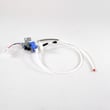
| Water/ice | Lg refrigerator water inlet valve AJU73753101 | Controls water flow to the ice maker and dispenser |
| Door | Refrigerator door switch 6600JB1010A | Signals the control when the door opens (lights, fan logic) |
Kenmore part sourcing varies by model, and using a model-matched OEM part prevents fit issues, wiring/connector mismatches, and performance problems (especially with refrigeration and water system parts).
Last updated: February 2026
What are the common problems with Kenmore Elite refrigerators?
Common problems on the Kenmore Elite 79579043312 bottom-mount refrigerator are weak or uneven cooling, frost buildup from defrost issues, water leaks, and ice maker problems. Many of these trace back to airflow restrictions, dirty condenser coils, failing fan motors, or a sealed-system/compressor problem.
- Refrigerator warm, freezer OK (or vice versa): blocked air vents, iced-over evaporator, weak evaporator fan
- Both sections warm: dirty condenser coil, condenser fan issue (if equipped), compressor or start device problem
- Frost on back wall or poor airflow: defrost sensor/heater/control issue
- Water under crisper or on floor: clogged defrost drain, water line connection leak
- Ice maker not making ice: water inlet valve issue, frozen fill tube, ice maker assembly failure
- Lights not working or fan stops when door closes: door switch problem
- Set temps to typical targets: 37°F fresh food and 0°F freezer.
- Make sure packages are not blocking return vents and air towers.
- Clean the condenser coil and confirm the unit has proper airflow around it.
- Listen for the evaporator fan in the freezer; a stalled fan often causes warm temps.
- If you have a dispenser/ice maker, confirm household water supply is on and the line is not kinked.
| Symptom | Common part to check | Example from this model |
|---|---|---|
| Warm temps, weak airflow | Evaporator fan motor | Refrigerator evaporator fan motor 4681JB1027C |
| Ice maker not filling | Water inlet valve | Lg refrigerator water inlet valve AJU73753101 |
| Lights or fan behavior tied to door | Door switch | Refrigerator door switch 6600JB1010A |
| Clicking, won’t start, overheats | Overload/start protection | Refrigerator compressor overload protector 6750CL0001D |
| No cooling, sealed-system symptoms | Compressor (sealed system) | Refrigerator compressor TCA38091801 |
A refrigerator can look “dead” from something simple (like a blocked vent or dirty coil), but running warm for days can also point to a failing compressor or defrost problem. Catching the cause early helps protect food, reduce energy use, and prevent repeat failures.
We recommend using the troubleshooting section in the 79579043312 owner's manual for symptom-based checks (cooling, ice maker, water line) and for guidance on using Kenmore Connect for diagnosis.
Last updated: February 2026
Does a Kenmore Elite have a reset button?
Kenmore Elite model 79579043312 does not use a single dedicated “reset” button. For most control glitches (display acting up, ice maker not responding, cooling not starting), we reset the refrigerator by power cycling it, then confirming the controls and temperatures in the 79579043312 owner's manual.
- Unplug the refrigerator (or switch the circuit breaker OFF).
- Wait 3 to 5 minutes to let the control board fully power down.
- Restore power.
- Allow 24 hours for temperatures to stabilize after any reset or setting change.
- If the issue is related to diagnostics, use the control-panel button sequence described in the 79579043312 owner's manual.
| Symptom | Power cycle helps? | What to check next |
|---|---|---|
| Control panel frozen or unresponsive | Yes | Door switch operation, wiring connections |
| Ice maker stopped making ice | Sometimes | Water supply, inlet valve, ice maker assembly |
| Not cooling or warm temps | Sometimes | Airflow, condenser cleaning, fans, sealed system |
| Clicking, then compressor won’t run | Sometimes | Overload protector, compressor start components |
If power cycling does not restore normal operation, these model-matched parts are common suspects:
- Refrigerator door switch 6600JB1010A (lights and control logic depend on door status)
- Lg refrigerator water inlet valve AJU73753101 (no water to ice maker or dispenser)
- Lg refrigerator ice maker assembly model AEQ72909603 AEQ72909603 (ice production issues)
- Refrigerator compressor overload protector 6750CL0001D (compressor start and protection)
A power cycle clears minor control-board logic errors without changing your temperature settings. If the problem returns quickly, it usually points to an input issue (door switch, sensor), a water supply problem, or a failing cooling component rather than something a “reset button” would solve.
Last updated: February 2026