Owner’s manual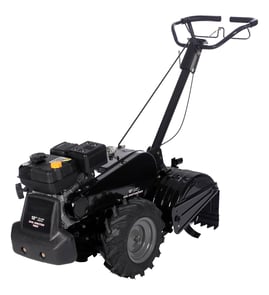



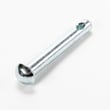
What is the bar on the back of a tiller for?
On the Craftsman 917293202 rear-tine tiller, the bar at the back is the depth stake; it sets how deep the tines dig and also helps keep the tiller stable and controlled while you work. For the exact control locations, see the owner's manual.
What the rear bar (depth stake) does
- Controls tilling depth: raising it lets the tines dig deeper; lowering it keeps tilling shallow.
- Helps prevent “running away”: it drags slightly in the soil to steady forward pull.
- Improves consistency: keeps your furrow depth more even across the row.
- Protects surfaces during transport: set it for transport so the tines do not scuff the ground.
How to adjust it on this model
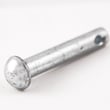
We adjust depth using the stake and its locking pin:
- Release the depth stake pin.
- Move the stake up for deeper tilling, or down for shallower tilling.
- Reinsert the pin to lock the stake in the new hole.
Quick depth guide
| Stake setting | Best for | What you will notice |
|---|---|---|
| Higher (less stake in ground) | Breaking new ground, deeper passes | More bite, more pull, slower progress |
| Lower (more stake in ground) | Cultivating, mixing amendments | Easier control, smoother finish |
| Transport position | Moving around the yard | Tines stay up, less ground contact |
Why it matters
Depth control is the difference between a tiller that feels manageable and one that bucks, digs too aggressively, or leaves uneven soil. Setting the depth stake correctly also reduces strain on the drive system and helps you get better soil texture in fewer passes.
Related tips for wheels and tines
For handling and traction basics, we recommend rear tine tiller troubleshooting tips wheels and tines.
Last updated: February 2026
Where is the model number on a Craftsman rear tine tiller?
On the Craftsman rear-tine tiller model 917293202, the model number is printed on the tiller’s identification label. On most rear-tine tillers, you’ll find that label on the tine shield/tine guard area, on or near the engine, or on the front of the frame; confirm the exact location using the 917293202 owner's manual.
Common places to check on a rear-tine tiller
Look for a sticker or metal tag with a number formatted like 917.293202 (sometimes shown with a dot).
- Tine shield (tine guard) near the tines
- Front of the frame (ahead of the engine)
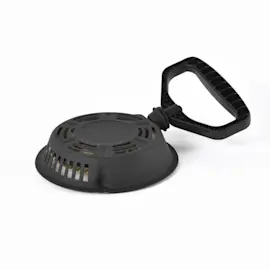
- Engine area (near the recoil starter or muffler shield)
- Handle support or control panel area
- Side of the chassis near the wheels/depth stake
How to find it quickly
- Turn the engine off and let it cool.
- Wipe dirt off the tine shield and front frame with a rag.
- Use a flashlight and look for a rectangular label with the model number.
- Write down the full model number exactly as shown (including any dots).
Why it matters
The model number is what we use to match the correct Craftsman parts diagrams and repair parts for your tiller, including items like the drive belt, clutch cable, and tine assemblies.
Model number vs. engine model number
| What you’re looking at | Example | What it’s used for |
|---|---|---|
| Tiller model number | 917.293202 | Tiller parts (tines, belts, cables, shields) |
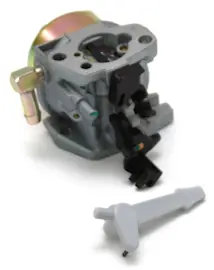
| Engine model/type | Briggs & Stratton 137202 (type numbers vary) | Engine-specific parts (carburetor, ignition, gaskets) |
Last updated: February 2026
What tiller is made in the USA?
Some tillers are made in the USA, but it varies by brand and even by specific model and production run. For your Craftsman rear-tine tiller model 917293202, the best way to confirm country of origin is to check the product identification label and the documentation in the 917293202 owner's manual.
How to confirm “Made in USA” on a tiller
Use these checks in this order (fastest to most reliable):
- Look for a “Made in …” statement on the model and serial tag (often on the frame near the engine, tine shield, or handle support).
- Check the carton or original paperwork if you still have it.
- Review the specifications and identification sections in the 917293202 owner's manual.
- If the tiller has a separate engine tag, note that engine origin can differ from the tiller’s assembly origin.
- If you are shopping, compare the exact model number and confirm origin before purchase.
Common USA-made tiller options (brand examples)
These brands are commonly associated with USA manufacturing for certain tiller lines (availability depends on model):
- Mantis (lightweight cultivators)
- MacKissic (Merry Tiller)
- Power Dog
- Northwest Tillers
Quick comparison (typical positioning)
| Type | Typical use | What to verify before buying |
|---|---|---|
| Lightweight cultivator | Small beds, light soil | Country of origin on model tag |
| Rear-tine tiller | Larger gardens, tougher soil | Assembly origin vs engine origin |
| Heavy-duty/farm tiller | Acreage, commercial use | Model-specific origin statement |
Why it matters
“Made in USA” claims can be model-specific, and parts support can differ by model. For maintenance on 917293202, we recommend following the service intervals in the manual and replacing normal-wear items like belts and tines as needed.
If you need replacement parts for your 917293202, you can order them from the parts list for this model or search by model number on Sears PartsDirect.
Last updated: February 2026
Why are the tines not engaging on my tiller?
On the Craftsman 917293202 rear-tine tiller, tines usually stop engaging when the tine control is not fully engaged or the V-belt is loose, misadjusted, or off the pulleys. Restoring correct belt tension and control-cable adjustment typically brings tine drive back.
Quick checks (most common)
- Shut the engine off and disconnect the spark plug wire before inspecting moving parts.
- Confirm the tine control lever/bar is fully in the ENGAGED position.
- Inspect the drive belt for glazing, cracking, or stretching.
- Check that the belt is routed on the pulleys and not jumped off.
- Look for debris (vines, long grass) wrapped around the tine shaft that can stall tine rotation.
Adjust the drive control cable (belt tension)
Your manual specifies the drive control cable spring should have about 5/8-inch stretch with the drive control bar engaged. Use this adjustment method from the owner's manual:
- Loosen the cable clip screw that secures the drive control cable.
- Slide the cable forward for less tension or rearward for more tension.
- Recheck for about 5/8-inch spring stretch with the control engaged.
- Tighten the cable clip screw securely.
Parts that commonly fix “tines not engaging”
If the belt is worn or the cable is stretched/binding, replacement is often the fastest, most reliable fix.
| Symptom | What we check first | Part that often solves it |
|---|---|---|
| Engine runs, tines do not move | Belt condition and routing | Husqvarna rear-tine tiller drive belt 591372401 |
| Tines engage intermittently | Cable tension and free movement | Tiller clutch cable 532110675 |
| Tines stop under load | Belt slip, incorrect tension | Husqvarna rear-tine tiller drive belt 591372401 |
Why it matters
When belt tension is low, the idler system cannot clamp the belt tightly enough to transfer power from the engine pulley to the transmission pulley. That causes slipping, heat, and rapid belt wear, and the tines will not pull into the soil.
Helpful DIY guidance
For step-by-step belt service and routing tips, use our guide: how to replace a tiller drive belt. For model-specific adjustment points and safety notes, follow the owner's manual.
If you need to order parts for the Craftsman 917293202, use the parts list for this model or search by model number on Sears PartsDirect.
Last updated: February 2026
What are the common problems with lawn tillers?
Common problems on the Craftsman 917293202 rear-tine tiller include hard starting, rough running, overheating, excessive bouncing, soil clumping, and the engine running while the tiller will not move. Most issues trace to fuel quality, spark/airflow, control settings, or a loose or worn drive belt; see the owner's manual for model-specific checks.
Most common symptoms and what they usually mean
- Engine will not start or starts hard: stale fuel, dirty spark plug, choke/throttle not set correctly
- Engine runs rough or misfires: spark plug fouling, dirty air screen, fuel contamination
- Engine overheats: low or dirty oil, dirty engine/air screen, partially plugged muffler
- Excessive bounce or difficult handling: soil too dry/hard, wheels or depth stake set wrong
- Soil balls up or clumps: soil too wet
- Engine runs but tiller will not move: tines/drive control not engaged, belt out of adjustment, belt off pulleys, worn belt
Quick checks we recommend (fast, no disassembly)
- Set controls correctly: use choke for starting a cold engine, then move to RUN as it warms; never use choke to stop the engine.
- Stop and reset drive: release the drive control bar to stop movement and shift to neutral before inspecting anything.
- Check soil conditions: aim for workable soil; hard soil causes bounce, wet soil clumps.
- Inspect the drive belt path: if the engine runs but the tiller will not move, look for a belt that is loose, off a pulley, or glazed.
- Basic tune-up items: clean/regap the spark plug and clean the engine air screen.
Parts that commonly solve “won’t move” or drive issues
If your engine runs but the wheels or tines do not drive, these are common wear items for this model:
| Symptom | Likely area | Example part for this model |
|---|---|---|
| Engine runs, no movement | Drive belt loose/worn/off pulleys | Husqvarna rear-tine tiller drive belt 591372401 |
| Drive engagement feels wrong | Clutch/drive control linkage | Tiller clutch cable 532110675 |
| Belt tracking/noise issues | Pulley wear or damage | Pulley 592642101 |
Why it matters
A tiller that bounces, clumps soil, or will not drive is harder to control and can overload the engine and belt system. Correct depth stake and wheel settings, proper throttle use, and a healthy belt and clutch cable help the tiller dig consistently at typical working depths (often around 4 to 6 inches).
You can order replacement parts for your Craftsman 917293202 from the parts list for this model, or search by model number on Sears PartsDirect.
Last updated: February 2026