 Installation guide
 Owner’s manual
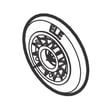


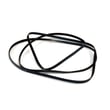
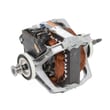
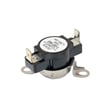

Can you get parts for a Kenmore dryer?
Yes. We can help you get replacement parts for your Kenmore Elite dryer model 41781100000, including common wear items (belt, rollers, lint screen) and heating or airflow parts. Use your 41781100000 owner's manual to confirm the correct part for your exact configuration.
Parts you can commonly replace on this Kenmore Elite dryer
These are some of the most frequently ordered parts for model 41781100000:
- White-westinghouse dryer drum belt 134719300 (drives the drum)
- Dryer drum support roller 5304523152 (supports drum rotation)
- Kenmore dryer lint screen 134793600 (captures lint before the blower)
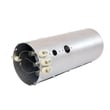
- Frigidaire dryer heating element 134792700 (electric heat source)
- Kenmore dryer thermistor 134711300 (temperature sensing)
How we recommend confirming you have the right part
Match the part to your model and symptom first; then verify fitment details in the documentation.
- Confirm the full model number: 41781100000
- Identify the symptom (no heat, squealing, won’t start, long dry times)
- Compare the part name and ID to your parts list
- Check installation notes and safety steps in the installation guide
- Replace any one-time-use hardware that’s damaged (screws, clips, terminals)
Quick symptom-to-part guide
| Symptom | Most likely area | Example part for this model |
|---|---|---|
| Drum won’t turn, motor runs | Drive system | Drum belt 134719300 |
| Thumping or squealing | Drum support | Support roller 5304523152 |
| No heat or weak heat | Heating circuit | Heating element 134792700 |
| Overheating or shuts off | Safety temperature limit | High-limit thermostat 3204267 |
| Long dry times | Airflow and linting | Lint screen 134793600 |
Why it matters
Using parts that match Kenmore Elite 41781100000 helps restore proper drum movement, heating performance, and safe airflow. The installation instructions also call out using manufacturer-approved accessories and following wiring and safety labeling practices during service.
Last updated: February 2026
How do I get my dryer out of lock mode?
On the Kenmore Elite dryer model 41781100000, lock mode (control lock/child lock) turns off by pressing and holding the correct key combination for about 3 to 5 seconds until the lock indicator clears. If the panel stays locked, a quick power reset usually restores normal keypad operation.
Quick unlock steps
- Press and hold the button labeled Control Lock or Child Lock for 3 to 5 seconds.
- If there is no dedicated lock button, press and hold Start/Pause for 3 to 5 seconds.
- If your dryer uses an Options or Settings key for lock, press and hold the lock-labeled option for 3 to 5 seconds.
- If the display does not respond, unplug the dryer (or switch off the breaker) for 1 minute, then restore power.
- After power is restored, press Power to wake the dryer and try the lock key again.
For the exact button name and lock behavior on your console style, follow the control panel instructions in the 41781100000 owner's manual.
If the controls still will not unlock
A locked panel that will not clear is usually caused by a stuck key, a control not waking up correctly, or a console issue.
- Make sure the dryer is awake (press Power) before trying the lock key.
- Wipe the console with a dry cloth; moisture can make touch keys act “pressed.”
- Check that no button is physically jammed.
- Run the installation diagnostic routine if your console supports it (the install guide describes how to enter and exit the Installation Cycle). See the 41781100000 installation guide.
What to try first (fast checklist)
| Symptom | Most likely fix | What to do |
|---|---|---|
| Lock icon stays on | Wrong button/sequence | Use the lock-labeled key in the manual |
| No buttons respond | Control needs reset | Power off 1 minute, then retry |
| Some buttons work | Stuck key area | Clean and re-try; inspect for jam |
Why it matters
Control lock prevents cycle changes and accidental starts. Unlocking it correctly avoids unnecessary part replacement and helps confirm whether the issue is a simple setting, a power reset need, or a control panel problem.
Last updated: February 2026
How do I know if my Kenmore dryer thermal fuse is blown?
If your Kenmore Elite dryer model 41781100000 won’t start or it runs but won’t heat, a blown thermal fuse (or thermal limiter) is a top suspect. We confirm it by safely unplugging the dryer and checking the fuse for continuity with a multimeter; no continuity means it’s blown.
Quick symptoms to watch for
- Dryer will not start (no motor run)
- Dryer tumbles but there’s no heat
- Cycle stops early or heat cuts out repeatedly
- Burning smell or very hot cabinet (often from restricted venting)
- You recently had a clogged lint screen or blocked exhaust vent
How we test it (safe, reliable method)
- Disconnect power first at the breaker, then unplug the dryer (the installation instructions stress power off before plugging or servicing). See the installation guide.
- Access the thermal fuse or thermal limiter on the blower housing or heater housing (location varies by build).
- Pull the wires off the fuse terminals.
- Set a multimeter to continuity or ohms.
- Touch probes to the fuse terminals.
What the meter reading means
| Meter result | What it means | What to do next |
|---|---|---|
| Beep or near 0 ohms | Fuse is good | Keep troubleshooting (thermostat, heater, airflow) |
| No beep or OL/infinite | Fuse is blown | Replace the fuse, then fix the airflow problem |
Parts that are commonly involved on this model
On model 41781100000, overheating is often tied to airflow restriction, but failed safety parts can also stop heat. If your diagnosis points to these, we use the exact replacement part for the symptom:
- Dryer inlet thermal limiter 137032600 (one-time safety device on the heat circuit)
- Kelvinator dryer high-limit thermostat 3204267 (opens if the heater area overheats)
Why it matters
A thermal fuse or thermal limiter usually blows because the dryer is running too hot, most often from a blocked lint screen, crushed vent hose, or clogged exterior vent hood. Replacing the fuse without correcting airflow can cause the new part to fail again.
Last updated: February 2026
Is Kenmore Elite high end?
Yes. Kenmore Elite is Kenmore’s higher-end line; it’s positioned above standard Kenmore models and typically includes upgraded performance, more advanced features, and a more premium fit and finish. For your Kenmore Elite dryer model 41781100000, the best feature and cycle details are listed in the 41781100000 owner's manual.
What “high end” means for Kenmore Elite dryers
Kenmore Elite models are usually considered high end because they commonly include a stronger feature set and more refined operation than entry-level dryers.
Common “Elite” advantages include:
- More cycle and temperature options for better fabric care
- Better moisture sensing and automatic dry control
- Quieter operation and smoother drum support components
- More robust controls and diagnostics (varies by model)
- Higher overall build quality compared to basic models
How to confirm what your 41781100000 includes
We recommend matching what you see on the console to the feature list and cycle chart.
Use these quick checks:
- Compare your cycle knob and option buttons to the cycle descriptions
- Look for sensor-dry vs timed-dry options and how dryness levels are set
- Confirm whether your unit is gas or electric (installation requirements differ)
- Review venting requirements because airflow affects performance and drying time
| What to check | Where to find it | Why it matters |
|---|---|---|
| Cycle list and options | 41781100000 owner's manual | Confirms the “Elite” feature set on your exact dryer |
| Venting setup limits | Installation guide | Proper venting improves drying speed and reduces overheating risk |
| Diagnostic/installation cycle | Installation guide | Helps verify correct setup after install or major service |
Why it matters
“High end” is most noticeable in day-to-day results: more consistent drying, fewer over-dried loads, and better control over fabrics. Even a premium dryer can underperform if venting is restricted, so installation and airflow are part of getting Elite-level results.
Last updated: February 2026
Is it worth repairing an old Kenmore dryer?
Yes, repairing an older Kenmore Elite dryer like model 41781100000 is worth it when the problem is a common wear item (belt, rollers, thermostat) and the dryer is otherwise safe, stable, and drying well; repeated breakdowns, poor airflow, or major electrical/control failures usually point toward replacement.
Quick way we decide: repair vs. replace
- Repair when the dryer still heats and tumbles but makes noise, slips, or stops intermittently.
- Repair when the fix is a single, known wear part and you can access it safely.
- Replace when you have multiple recent failures (heat + motor + controls) in a short time.
- Replace when the cabinet, drum, or wiring shows heat damage, burning smell, or unsafe operation.
- Either way, confirm the dryer is installed correctly and venting properly; poor venting can cause repeat overheating and shutdowns.
Common “worth repairing” fixes on this model
These are typical, high-success repairs for Kenmore 417-series dryers:
| Symptom | Likely area | Example part for 41781100000 |
|---|---|---|
| Drum not turning, squeal, burning rubber smell | Belt and idler system | White-westinghouse dryer drum belt 134719300 |
| Thumping or rumbling | Drum support rollers | Dryer drum support roller 5304523152 |
| No heat or overheating shutdown | Heating and safety thermostats | Kelvinator dryer high-limit thermostat 3204267 |
| Runs but clothes take too long | Airflow and lint path | Clean lint screen housing and venting (see 41781100000 installation guide) |
Why venting and leveling matter before you spend money
The installation instructions for this dryer call for a 4-inch exhaust duct connection, sealed joints (metal foil tape), and a dryer that is level and solid on all four legs. Poor venting or an unstable, unlevel dryer can cause long dry times, overheating, noise, and repeat part failures. Use the setup checks in the 41781100000 installation guide before replacing parts.
Practical cost check (simple rule)
- One-part repair (belt, roller, thermostat, thermal limiter) is usually the best value.
- Two or more major systems at once (motor + heater + user interface) usually shifts value toward replacement.
Last updated: February 2026
What are common problems with Kenmore dryers?
Common Kenmore dryer problems (including Kenmore Elite model 41781100000) are: the dryer will not start, the drum will not turn, the dryer will not heat, cycles take too long, overheating, and the dryer will not shut off. Many of these trace back to airflow restrictions, power supply issues, or worn drive components.
Most common symptoms and what they usually point to
- Won’t start: power cord/receptacle issue, door switch, start switch, motor, or control problem
- Drum not turning / stopped spinning: worn belt, idler, roller, or motor issue
- No heat or weak heat: heating circuit issue (electric), thermostat/thermal limiter trip, or restricted venting
- Takes too long to dry: clogged lint screen, crushed/long vent, or low supply voltage (208V dries slower than 240V)
- Overheating: blocked exhaust, lint buildup, or failed high-limit safety device
- Won’t stop: timer/control or moisture sensing circuit issue
Quick checks we recommend first (safe, high-impact)
- Clean airflow path: clean the lint screen every load and check the exhaust duct for lint buildup or crushing.
- Confirm installation basics: follow the venting and clearance rules in the installation guide.
- Check power supply: electric dryers on 208V typically dry slower than on 240V.
- Listen and look: humming with no drum movement often indicates a belt or drum support issue.
- Stop overheating risks: if you smell burning or the cabinet is unusually hot, stop the cycle and correct venting before running again.
Parts that commonly fail for these symptoms (model 41781100000)
| Symptom | Common part involved | Example part for this model |
|---|---|---|
| Drum won’t turn | Drum belt | White-westinghouse dryer drum belt 134719300 |
| Thumping/squealing, drum hard to turn | Drum support rollers | Dryer drum support roller (inspect rollers and shafts) |
| Overheats or shuts off on high heat | High-limit safety devices | Kelvinator dryer high-limit thermostat 3204267, dryer inlet thermal limiter 137032600 |
Error codes can speed up diagnosis
If your display shows an error code, use our Kenmore elite dryer error codes guide to match the code to likely causes and next steps.
Why it matters
Most “dryer problems” are really airflow and safety problems. The installation instructions call out vent restrictions and lint buildup as performance and fire-risk issues, so correcting venting often fixes long dry times, overheating, and repeated thermal cutoffs.
Last updated: February 2026
What are the codes for Kenmore Elite dryer?
For the Kenmore Elite dryer model 41781100000, the most common display codes include PF (power failure) and several F-codes that point to a failed control, keypad, heater relay, or temperature-sensing circuit. Use the code to guide safe checks, then test the related part or wiring.
Common Kenmore Elite dryer codes (what they mean)
Here are the codes customers most often see on Kenmore Elite dryers in this series:
- PF: Power failure or power interruption during a cycle
- F:01: Main electronic control board failure
- F:02: Keypad or user interface failure
- F:20: Heater relay failure
- F:22 / F:23: Outlet thermistor circuit problem
- F:24 / F:25: Inlet thermistor circuit problem
For model-specific guidance and reset steps, follow the troubleshooting section in the 41781100000 manual.
What to do first (safe, fast checks)
We recommend these steps before replacing parts:
- Unplug the dryer (or switch off the breaker) for 2 minutes, then restore power and retry.
- Confirm the outlet has steady power (PF often follows a loose plug, tripped breaker, or brief outage).
- Check airflow: clean the lint screen and verify the vent is not crushed or clogged.
- If an F-code returns immediately, inspect harness connections to the control and sensors.
- If you need to access internal wiring, follow the safety and service notes in the installation guide.
Code-to-part area quick map
This helps you aim your diagnosis at the right system.
| Code | System involved | What usually needs attention |
|---|---|---|
| PF | Power supply | Outlet, cord, breaker, house power stability |
| F:01 | Control | Main control board connections, board failure |
| F:02 | Console | Keypad/user interface, ribbon connection |
| F:20 | Heating control | Heater relay circuit, wiring, heat system checks |
| F:22–F:25 | Temperature sensing | Thermistor circuit, wiring, airflow restrictions |
Why it matters
Error codes prevent repeat failures and overheating. For example, thermistor-related codes (F:22–F:25) often show up when airflow is restricted; that same restriction can also contribute to heat-limit trips and longer dry times.
Last updated: February 2026
What is an AF code?
On Kenmore Elite dryer model 41781100000, an AF code means restricted airflow. The dryer can keep running, but drying times increase and overheating protection can trip if the lint screen, exhaust duct, or outside vent hood is clogged, crushed, or kinked.
What to do first (quick fixes)
- Clean the lint screen completely; wash it with warm water if you see fabric softener residue.
- Check the vent hose behind the dryer for kinks, crushing, or sagging.
- Inspect the outside vent hood; remove lint buildup and confirm the damper opens freely.
- Run a timed dry cycle and confirm strong airflow outside.
- If the code returns, clean the full vent run from the dryer to the exterior.
Why AF matters
Restricted airflow traps heat and moisture in the dryer. That causes longer dry times, higher energy use, and can trigger safety devices such as a high-limit thermostat or thermal limiter.
Common causes and what you will notice
| Likely cause | What you may notice | Best next step |
|---|---|---|
| Lint screen blocked | AF appears, clothes still damp | Clean screen and screen housing |
| Vent duct kinked/crushed | AF after pushing dryer back | Re-route or replace vent hose |
| Long vent run or too many turns | Slow drying, hot cabinet | Shorten/simplify vent path |
| Lint buildup in duct or hood | Weak airflow outside | Clean duct and hood |
Parts that can be affected (if airflow stays restricted)
If airflow stays restricted, the dryer may overheat and open a safety device. These parts are commonly involved in heat-limit protection:
For venting and safety requirements (including avoiding flexible plastic or foil venting), follow the 41781100000 installation guide.
Last updated: February 2026
What is the life expectancy of a Kenmore dryer?
A Kenmore dryer typically lasts 10 to 13 years. With consistent vent cleaning, correct installation, and avoiding overloads, many Kenmore Elite dryers like model 41781100000 reach the upper end of that range (or longer); see the 41781100000 owner's manual for model-specific care guidance.
Typical lifespan and what affects it
Most dryers fail early due to heat stress, restricted airflow, or wear in drum support parts.
- Clean the lint screen every load; replace it if torn or warped (see Kenmore dryer lint screen 134793600).
- Keep the exhaust duct clear and properly connected; restricted venting overheats the heater and thermostats.
- Level the dryer so the drum rides evenly on rollers and supports.
- Avoid overloading; heavy loads strain the belt, idler, and motor.
- Use the right cycle and heat setting for the fabric to reduce unnecessary high-heat run time.
Parts that commonly wear out over time
If the dryer still heats but gets noisy, thumps, or stops tumbling, these are common wear items:
| Symptom | Common wear area | Example part for 41781100000 |
|---|---|---|
| Drum not turning | Belt or idler system | Drum belt (belt wear) |
| Thumping/squealing | Drum support rollers | Support roller (roller wear) |
| Long dry times, very hot cabinet | Airflow restriction or heat safety parts | High-limit thermostat or thermal limiter |
Why it matters
Knowing the typical life expectancy helps you decide whether to repair or refresh key wear parts (belt, rollers, lint screen) and focus on airflow. Good venting and routine cleaning reduce overheating, shorten dry times, and extend the life of the heating element and thermostats.
Last updated: February 2026
Where is the model number on a Kenmore Elite dryer?
On the Kenmore Elite dryer model 41781100000, the model number is typically printed on a rating label inside the door opening. Open the dryer door and check the cabinet frame around the opening (top, sides, or lower edge) and the inner door area.
Where to look first
- Inside the door opening on the cabinet frame (most common)
- Along the top edge of the door opening
- On the left or right side of the opening near the hinge or latch
- On the inner surface of the dryer door
- Near the front panel just inside the opening
What the label looks like
The label is usually a small sticker or metal plate that includes:
- Model number (for example, 41781100000)
- Serial number
- Electrical information (volts/amps)
- Brand and certification markings
Quick checklist to find it fast
- Wipe dust off the door frame with a damp cloth so the print is readable
- Use a flashlight and look at a shallow angle (labels can be glossy)
- Take a photo and zoom in to read small text
- Write down the full model number exactly as shown (all digits)
Why it matters
We use the model number to match the correct Kenmore Elite dryer parts and diagrams for your exact build. Even small model-number differences can change which belt, heater, or control parts fit.
| If you need… | Use this identifier |
|---|---|
| Correct parts lookup | Model number (41781100000) |
| Warranty or build date info | Serial number |
| Installation requirements | Model number plus fuel type (gas or electric) |
For additional label-location details and model-specific information, check the 41781100000 installation guide.
Last updated: February 2026






