Owner’s manual
 Error Codes




What model is my Kenmore Elite washer?
Your Kenmore Elite washer’s model number is printed on the appliance’s ID label. On Kenmore Elite model 79641728000, the label is typically on the back of the control panel, on the cabinet near the bottom, or around the door opening (front-load). Use the 79641728000 owner's manual to match the label format and record the full number.
Where to look for the model number label
Check these common spots on Kenmore front-load washers:
- Behind the washer door, on the door jamb (around the opening)
- Along the inside edge of the door opening, near the hinge side
- On the side of the main cabinet near the bottom front
- On the back of the control panel or rear panel
- Near the lower front access area (if your unit has a service panel)
What to write down (so you get the right parts)
The model label usually includes more than one identifier. Record everything exactly as shown.
- Full model number (example format: 796.41728.000 or 79641728000)
- Serial number (helps date the unit and confirm production run)
- Any revision codes or suffixes (letters or extra digits)
- Electrical rating info (useful for motor, control, and wiring parts)
Model number vs. serial number
Use the model number to find diagrams and parts; use the serial number for manufacturing details.
| Label item | What it’s used for | Example |
|---|---|---|
| Model number | Correct parts lookup and diagrams | 79641728000 |
| Serial number | Production run identification | Varies |
Why it matters
Kenmore Elite washers often share similar styling across multiple models, but parts like the door lock assembly, drain pump motor, and water inlet valve can differ by model series. Using the exact model number prevents ordering the wrong replacement.
Last updated: February 2026
How to hard reset a Kenmore Elite washer?
To hard reset your Kenmore Elite washer model 79641728000, we power the washer off, disconnect power for a full minute, then restore power and restart a cycle. This clears many temporary control glitches and stuck-cycle issues.
Hard reset steps (power cycle)
- Press Power to turn the washer off.
- Unplug the washer (or switch the breaker off).
- Wait 60 seconds.
- Plug back in (or switch the breaker on).
- Press Power, then start a normal cycle.
If the control still seems “stuck”
These steps often help when the washer will not start, will not unlock, or the buttons do not respond.
- Hold Power for about 10 seconds to force the control to shut down.
- Press Start/Pause once to clear a paused state.
- Try a different cycle (for example, Rinse/Spin) to confirm the control responds.
- If the door will not lock or unlock, check for a door-latch issue.
| Symptom after reset | Most common cause | What we check next |
|---|---|---|
| No response, no lights | No power to washer | Outlet, breaker, cord connection |
| Powers on but will not start | Door not locking | Door lock and door alignment |
| Stops and drains poorly | Drain restriction | Pump filter, drain hose, drain pump |
Parts that commonly relate to “won’t start” or “won’t drain” problems
If the reset works only briefly, a failing part can be the real cause.
- Door will not lock: lg washer door lock assembly EBF49827801
- Washer will not drain: drain pump motor (4681EA2001T) - washer part by lg electronics 4681EA2001T
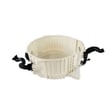
- Slow drain or drain errors: washer drain pump filter 383EER2001A
Why it matters
A hard reset is a fast first step because it clears a temporary control fault without replacing parts. If the problem returns, the symptom pattern (won’t lock, won’t drain, won’t fill) points us to the right repair path.
For model-specific operating details and control behavior, use the 79641728000 owner’s manual.
Last updated: February 2026
What is the average lifespan of a Kenmore washer?
A Kenmore washer typically lasts 10 to 15 years with normal household use. For the Kenmore Elite washer model 79641728000, regular care like cleaning the drain system, avoiding overloads, and using the right detergent helps you reach the higher end of that range; see the 79641728000 owner's manual for model-specific care steps.
What affects washer lifespan most
- Load size and balance: chronic overloading and out-of-balance loads increase wear on the tub, suspension, and motor.
- Drain health: coins, lint, and debris that restrict draining strain the pump.
- Water quality: hard water and sediment can shorten the life of valves and heating components.
- Door seal care (front-load style): moisture left in the boot can lead to odor and deterioration.
- Detergent habits: too much HE detergent can cause oversudsing and extra stress during drain and spin.
Maintenance checklist that adds years
Use this as a simple routine for Kenmore front-load style washers like 79641728000:
| Frequency | What to do | Why it helps |
|---|---|---|
| Every load | Don’t overload; distribute items evenly | Reduces vibration and bearing wear |
| Weekly | Wipe the door boot and leave door ajar to dry | Helps prevent odor and boot damage |
| Monthly | Run a tub-clean cycle (or hot cycle) | Reduces residue that can affect sensors and draining |
| As needed | Clean/inspect the drain filter area | Prevents slow drain and pump strain |
Parts that commonly limit lifespan (and what they do)
If performance drops, these are frequent wear items on many Kenmore Elite washers:
- Drain pump and filter: a weak pump or clogged filter can cause slow drain and spin issues (see drain pump motor (4681EA2001T) - washer part by lg electronics 4681EA2001T and washer drain pump filter 383EER2001A).
- Water inlet valve: sediment or coil failure can cause fill problems (see washer water inlet valve 4769ER4001B).
- Door lock assembly: if the washer will not lock or start, the lock can be the cause (see lg washer door lock assembly EBF49827801).
Why it matters
Washer lifespan is mostly about mechanical stress and moisture management. Keeping the drain path clear, preventing oversudsing, and reducing vibration protects high-cost components like the tub bearings, motor system, and door seal.
Last updated: February 2026
How to force a Kenmore Elite washer to drain?
To force-drain a Kenmore Elite washer model 79641728000, we first cancel the cycle and try a Drain/Spin. If the washer will not pump out, we manually drain from the front pump filter area, then clear the most common drain restrictions before restarting. See the 79641728000 owner's manual for the exact control steps.
Fast steps to force a drain
- Press Pause/Cancel (or Power) to stop the cycle.
- Select Drain/Spin (or Spin Only) and press Start.
- If it still will not drain: unplug the washer.
- Place towels and a shallow pan at the lower front access area.
- Slowly open the pump filter to let water out, then remove debris.
- Check the drain hose for kinks, pinches, or a clogged standpipe.
What usually prevents draining
Most no-drain problems come from a restriction or a failed pump. On this model, these parts are common fixes:
| Symptom | Most likely cause | What to check next |
|---|---|---|
| Hums but no water moves | Blocked pump filter or hose | Clean filter; inspect tub-to-pump hose |
| Drains slowly | Partial clog in hose/standpipe | Clear hose and household drain |
| No pump sound | Failed pump motor or wiring | Test/replace pump motor |
Helpful model-matched parts:
- Washer drain pump filter 383EER2001A (coins, lint, small items can block flow)
- Drain pump motor (4681EA2001T) - washer part by lg electronics 4681EA2001T (if the pump will not run or is noisy)
- Washer tub-to-pump hose 4738ER1002A (if a sock or debris is stuck in the sump hose)
Why it matters
Forcing a drain the right way prevents water damage and protects the drain pump from overheating. Clearing the filter and hoses also helps avoid repeat no-drain errors and improves spin performance.
Last updated: February 2026
Where is the filter located on a Kenmore Elite washing machine?
On the Kenmore Elite washer model 79641728000, the “filter” most owners mean is the drain pump filter, and it’s typically located at the lower front of the washer, behind a small access panel. Use the steps in the 79641728000 owner's manual to open the panel and drain any water safely.
What you’ll see when you open the access area
Behind the lower front access panel, most front-load Kenmore Elite designs have a small service area for draining and filtering.
- A small drain hose (used to drain water before removing the filter)
- A round twist-out filter cap (the pump filter/coin trap)
- The drain pump housing behind the filter
- Lint, coins, hair pins, and small debris that can block draining
Quick steps to access and clean the drain pump filter
We recommend doing this when the washer is empty.
- Unplug the washer.
- Place a shallow pan and towels under the lower front access panel.
- Open the access panel.
- Pull out the small drain hose and drain water into the pan.
- Twist the filter cap counterclockwise and remove it.
- Clean debris from the filter and rinse it; wipe the housing opening.
- Reinstall the filter cap firmly and close the panel.
If you can’t find a front “filter” door
Some washers use a different service access style. This table helps you match what you have.
| What you have | Most likely “filter” location | What it affects |
|---|---|---|
| Small lower front access panel | Drain pump filter (coin trap) | Slow drain, ND-type drain errors, standing water |
| No access panel, only rear access | Pump cleanout is accessed from inside cabinet | Same drain symptoms |
| Water fill problems (not draining) | Inlet screen filters inside hose connections | No fill, NF-type fill errors |
Parts that are commonly involved when draining is the issue
If cleaning the filter doesn’t restore normal draining, these model-matched parts are commonly checked next.
- Washer drain pump filter 383EER2001A (clogged, damaged, or missing seal)
- Drain pump motor (noisy, seized, or not pumping)
- Tub-to-pump hose (blockage from socks or debris)
Why it matters
A clogged drain pump filter can cause long drain times, poor spin performance, odors, and water left in the tub. Cleaning it periodically helps protect the drain pump motor and keeps cycles finishing normally.
Last updated: February 2026
What does f28 mean on a Kenmore Elite washer?
On the Kenmore Elite washer model 79641728000, the F28 error code points to a communication failure between the main control (CCU) and the motor control (MCU), so the washer may stop mid-cycle, won’t spin, or won’t start.
What to try first (quick checks)
- Unplug the washer for 5 minutes to reset the controls, then retry a cycle.
- Make sure the power cord is firmly seated; avoid extension cords.
- Check for a loose door that prevents a proper lock; a door-lock issue can look like a control problem.
- If the tub is full of water and it will not drain, clear the drain path first (a no-drain condition can trigger multiple symptoms).
- Review any model-specific reset or diagnostic steps in the 79641728000 owner's manual.
Common causes and what they mean
| Likely cause | What you’ll notice | Typical fix |
|---|---|---|
| Loose or oxidized wire connection between CCU and MCU | Intermittent F28, random stops | Reseat harness connections (power off) |
| Motor control board (MCU) problem | F28 returns quickly, no spin | Diagnose wiring, then replace MCU if needed |
| Main control board (CCU) problem | Multiple odd behaviors, F28 persists | Diagnose power and harness, then replace CCU if needed |
| Door lock not consistently engaging | Won’t start or stops early | Inspect latch/lock; replace if faulty |
Parts that can be involved
These parts are commonly checked when symptoms include no drain or door-lock issues alongside F28:
- Door lock assembly EBF49827801 (if the door will not lock or unlock reliably)
- Drain pump motor (4681EA2001T) - washer part by lg electronics 4681EA2001T (if the washer won’t drain and stops)
Why it matters
F28 is a control-to-motor communication problem; if the washer cannot “talk” to the motor controller, it will shut down to prevent improper spinning and protect the drive system.
Last updated: February 2026
Is the Kenmore Elite a HE washer?
Yes. The Kenmore Elite washer model 79641728000 is a high-efficiency (HE) washer; it’s designed to use less water than traditional washers while relying on tumbling action, proper load sizing, and HE detergent for strong cleaning performance. See the 79641728000 owner's manual for cycle and detergent guidance.
How to tell you’re using it as an HE washer
- Use HE detergent only; standard detergent can cause oversudsing and poor rinsing.
- Load loosely; don’t pack items tight against the drum.
- Choose the right cycle and soil level for the load.
- Use the correct water temperature for the fabric and soil.
- Run periodic cleaning cycles to reduce residue and odors.
HE detergent and dosing quick guide
| What you’re washing | Typical HE detergent amount | What happens if you use too much |
|---|---|---|
| Lightly soiled, small load | Low dose | Suds cushion clothes, weak agitation |
| Normal mixed load | Medium dose | Longer rinse, residue on fabrics |
| Heavily soiled or hard water | Medium to slightly higher | Odors, film, possible drain issues |
Why it matters
HE washers like the Kenmore Elite 79641728000 use lower water levels, so detergent choice and load size directly affect rinsing, spin performance, and odor control. If you’re seeing draining or standing-water symptoms, a clogged filter or weak pump can also mimic “not enough water” complaints.
Parts that commonly relate to HE-style symptoms
- Washer drain pump filter 383EER2001A (helps prevent slow drain and rinse issues)
- Drain pump motor (4681EA2001T) - washer part by lg electronics 4681EA2001T (drains water during rinse and spin)
- Washer water-level pressure switch 6601ER1006G (senses water level for proper fill)
Last updated: February 2026