Installation guide
 Owner’s manual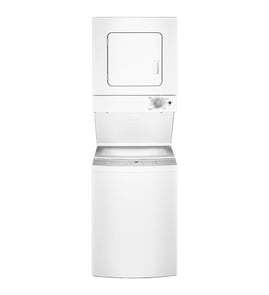


How do I know if my Kenmore dryer thermal fuse is blown?
On Kenmore stacked laundry center model 41794862301, a blown thermal fuse (or thermal limiter) commonly shows up as a dryer that will not start or runs but will not heat. Confirm it by safely disconnecting power and testing the fuse for continuity as outlined in the 41794862301 owner's manual.
Quick symptoms to look for
These symptoms help you narrow it down before you pull the dryer apart:
- Dryer does not start even though the outlet has power
- Dryer tumbles but does not heat (some models can still run with a heat circuit failure)
- A house fuse or breaker issue can mimic a blown fuse (especially if one of two fuses is blown)
- On gas models, no heat can also be caused by the gas supply valve being closed
- Poor airflow (clogged lint screen or venting) can lead to overheating conditions that trip safety devices
How we test a thermal fuse (continuity check)
- Unplug the laundry center (or switch off the breaker) before servicing.
- Access the thermal fuse or thermal limiter on the blower housing or heater/burner area (location varies by build).
- Remove at least one wire from the fuse terminal.
- Use a multimeter on continuity or ohms:
- Good fuse: continuity (beep) or near 0 ohms
- Blown fuse: no continuity (no beep) or OL/infinite resistance
What the results mean
| Test result | What it indicates | What to do next |
|---|---|---|
| Continuity present | Fuse is good | Check door switch, start switch, timer, power supply, airflow |
| No continuity | Fuse is blown | Replace the fuse and correct the overheating/airflow cause |
Why it matters
A thermal fuse is a one-time safety device; if it is blown and you only replace it without fixing the airflow or heating issue, it can blow again. The manual also calls out that a thermal limiter trip can prevent starting and requires replacement after the underlying fault is corrected.
Related checks that often solve “no heat” complaints
- Clean the lint screen each load; replace a damaged screen such as the dryer lint filter 5304516871 if it is torn or not sealing
- Verify the vent is 4-inch diameter and not crushed or clogged
- For gas models, confirm the gas supply valve is open and the burner lights during operation (see the 41794862301 installation guide)
Last updated: February 2026
How to remove front panel from Kenmore stackable washer?
On the Kenmore 41794862301 stacked laundry center, the front access panel is removed by taking out the retaining screws, then lowering the panel to disengage the bottom tabs from the cabinet and lifting it away. Follow the steps in the 41794862301 installation guide for the correct screw locations and panel tab release.
Before you start (safety and prep)
- Unplug the laundry center from the grounded outlet.
- If you need dryer access near the gas line, shut off the gas supply valve first.
- Let the unit cool if the dryer was running.
- Pull the unit forward enough to work safely without straining the exhaust duct.
- Keep a small container for screws so none get lost.
Front panel removal steps (typical for this model)
- Locate the two screws securing the front access panel to the dryer cabinet.
- Remove both screws.
- Lower the panel until the bottom tabs disengage from the cabinet.
- Pull the panel away and set it aside.
What you will see after the panel is off
| Area | What it’s for | What to check |
|---|---|---|
| Lower front access opening | Service access to internal components | Loose wiring, lint buildup, signs of rubbing |
| Panel tabs and slots | Holds the panel in place | Bent tabs, cracked slots, stripped screw holes |
| Safety cover (if equipped) | Additional protection near burner/controls | Screws tight, cover seated correctly |
Why it matters
Removing the front access panel the right way prevents broken mounting tabs and cabinet damage, and it gives you safe access for common repairs like clearing lint restrictions or diagnosing a no-start or no-heat condition.
Last updated: February 2026
What is the average lifespan of a Kenmore washer?
A Kenmore washer typically lasts 10 to 15 years. For the Kenmore 41794862301 stacked laundry center washer, consistent care (correct loading, proper water temperature, and keeping drains clear) helps you reach the upper end of that range; heavy overloading and chronic draining issues shorten life.
What affects lifespan the most
- Overloading: repeated strain on the drive system and tub support
- Drain and spin problems: out-of-balance loads and restricted draining increase wear
- Water temperature and supply: low hot-water temperature reduces cleaning and can lead to repeat washing
- Maintenance habits: cleaning lint, checking hoses, and leveling the unit
- Wear parts: belts, pumps, and bearings wear faster with frequent use
Quick care checklist for longer washer life
Use these practices for the washer portion of your 41794862301 laundry center:
- Keep loads below the top row of tub holes at the highest fill level (a common guideline for this style of washer)
- Rearrange loads if the washer is out of balance before it ramps up to spin
- Make sure the drain hose is not kinked and the standpipe height is within typical limits
- Use hot water only when needed; set the water heater to deliver about 130°F for best results
- Periodically inspect inlet hoses for kinks and confirm both faucets open fully
Common symptoms and what they usually point to
| Symptom | Most common cause | What to check first |
|---|---|---|
| Won’t drain or drains slowly | Drain restriction or failing pump | Drain hose routing, then pump |
| Won’t spin well | Out-of-balance load or drain issue | Load distribution, then draining |
| Fills slowly | Water supply restriction | Faucets fully open, hoses not kinked |
If draining is a recurring issue, the washer drain pump is a frequent wear item on laundry centers; for this model, see washer drain pump 137221600.
Why it matters
A washer that cannot drain or balance properly works harder every cycle. That extra strain accelerates wear on the motor, belt, and tub support components, which is the fastest way to turn a 10 to 15 year washer into a much shorter-lived one.
For model-specific operating and loading guidance, follow the 41794862301 owner's manual.
Last updated: February 2026
What is the cubic feet capacity of Kenmore model 41794862301?
The cubic feet capacity for the Kenmore stacked laundry center model 41794862301 is listed in the product specifications section of the 41794862301 owner's manual. Use that spec when comparing load size, cycle performance, and replacement parts fit.
How to find the exact capacity (fast)
In the 41794862301 owner's manual, look for Specifications, Features, or a section that lists washer capacity (often shown as “cu. ft.”).
If you are checking capacity to avoid overloading, we recommend using these practical checks:
- Fill the drum loosely; do not pack items down.
- Leave about a hand’s width of space at the top of the load.
- Wash bulky items (comforters, blankets) one at a time.
- Use the correct water temperature and cycle for fabric type.
- If the washer struggles to spin or drains slowly, reduce load size.
Typical capacity range for this style of unit
Most Kenmore 417-series stacked laundry centers are compact, front-load style washers. Typical washer capacities for this product type commonly fall in this range:
| Laundry center washer type | Typical capacity range |
|---|---|
| Compact front-load laundry center washer | About 2.0 to 3.0 cu. ft. |
| Full-size front-load washer (not typical for stacked centers) | About 3.5 to 5.0 cu. ft. |
Why it matters
Capacity affects cleaning results, rinse performance, and spin efficiency. Loads that exceed the washer’s rated capacity can lead to poor agitation, longer dry times, and extra wear on drive components.
Last updated: February 2026
Why is my Kenmore dryer drum not spinning?
If the dryer drum in your Kenmore stacked laundry center model 41794862301 is not spinning, the most common causes are a broken drive belt, a failed start switch, or a safety shutdown (door switch or thermal limiter). Start with simple checks, then inspect the belt and drum support parts.
Quick checks we recommend first
- Confirm the dryer door fully closes and latches.
- Verify the outlet has power and the plug fits tightly.
- Check the house fuse or breaker (some dryers use 2 fuses; one can blow and cause odd symptoms).
- Listen for motor sound: hums but no drum movement often points to a belt or drum bind.
- Stop the dryer and wait for the drum to fully stop before reaching in (safety guidance is in the 41794862301 owner's manual).
Most likely part failures (and what they look like)
| Symptom | What it usually means | Common fix |
|---|---|---|
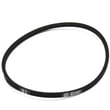
| Motor runs, drum does not turn | Belt broken or slipped | Replace the belt 134511600 |
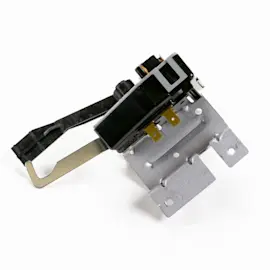
| Press Start, nothing happens | Failed start circuit or switch | Test/replace the start switch 134399700 |
| Loud scraping, thumping, or drum hard to turn by hand | Worn drum support or glide surfaces | Inspect drum bearing and glides; replace as needed |
| Dryer stopped mid-cycle and will not restart | Thermal limiter tripped from overheating | Correct airflow issue; thermal limiter replacement is required |
What to inspect inside (power off)
Disconnect power before servicing.
- Drive belt: Remove the front or access panel and check for cracks, fraying, or a belt off the pulley.
- Drum support: Check for wear at the rear bearing area; a worn bearing can bind the drum. The dryer drum bearing 131825900 is a common wear item.
- Drum glides/felt: If the drum drags, it can prevent startup or cause belt failure.
- Airflow and lint: A clogged lint screen or restricted vent can overheat the dryer and trip the thermal limiter.
Why it matters
A non-spinning drum is not just an inconvenience; continued attempts to run the dryer can damage the motor, belt, and drum support system. Fixing the root cause also helps prevent overheating and long dry times.
Last updated: February 2026