Owner’s manual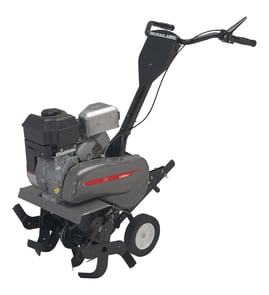



Where is the model number on a Craftsman tiller?
On a Craftsman front-tine tiller like model 917292392, the model number is printed on the tiller’s ID label (model tag). You’ll typically find that label on the tine shield/tine guard area or near the engine and fuel tank; some units place it toward the front of the frame. Use the 917292392 owner's manual to match the exact model format (for example, 917.292392).
Common places to check first
- Tine shield or tine guard (near the rotating tines)
- Frame rail near the engine mount
- Near the fuel tank area (on or near the engine side of the frame)
- Front of the tiller frame (especially on larger frames)
- Handle column/handle support area
What the label looks like and what to copy
The tag usually includes a model number and may also list an engine model/type (common on Briggs & Stratton engines). Write the model number exactly as shown.
| Item on label | Example you might see | What it’s used for |
|---|---|---|
| Tiller model number | 917.292392 | Finding correct Craftsman tiller parts and diagrams |
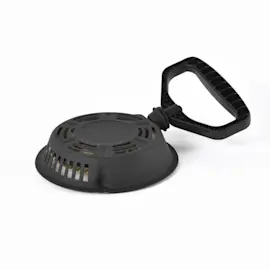
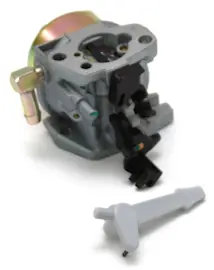
| Engine model/type | Briggs & Stratton model/type | Ordering engine-specific parts (carburetor, recoil starter, gaskets) |
Why it matters
We use the model number to pull the correct parts breakdowns for your exact tiller configuration (belt guard, pulley, wheel and depth stake assembly). That prevents ordering the wrong hardware, cables, or drive components.
If the label is dirty or missing
- Brush off loose soil and wipe the area with a damp rag
- Use a flashlight and look for an embossed or printed sticker edge
- Check for paint overspray or scratches that can hide the print
- If the sticker is unreadable, record any numbers stamped on the frame and the engine model/type
Last updated: February 2026
What kind of engine is on a Craftsman tiller?
The Craftsman front-tine tiller model 917292392 uses a Briggs & Stratton gasoline engine; the engine family listed for this model is Briggs & Stratton model 137202 (type 1124-E1). Our 917292392 owner's manual also identifies it as a 5.0 HP front-tine tiller with a 24-inch tine width.
How to confirm the exact engine on your tiller
We recommend matching what is stamped on your engine to the manual and parts list.
- Look for the Briggs & Stratton ID tag or stamping on the engine shroud
- Match the model number (137202) and type number (1124-E1)
- Verify the tiller model tag shows 917292392
- If you are ordering maintenance items, match the engine ID first
- Use the manual diagrams to confirm control locations (choke, throttle, stop switch)
What “5.0 HP” and “24-inch tine width” mean
These specs describe the tiller’s capability, not a separate engine brand.
| Spec | What it refers to | Why you care |
|---|---|---|
| 5.0 HP | Engine power rating used in the manual | Helps compare performance and service expectations |
| 24-inch tine width | Working width of the tine set | Helps plan garden rows and coverage per pass |
| Front-tine design | Tines are mounted at the front | Affects handling and tine engagement feel |
Why it matters
Engine identification is the fastest way to get the right tune-up and repair parts (carburetor items, recoil starter parts, ignition parts) and to follow the correct maintenance intervals for your Craftsman 917292392.
Last updated: February 2026
How to find Craftsman parts?
For Craftsman front-tine tiller model 917292392, the fastest way to find the right replacement part is to use the model number to match the exact illustrated parts list in the 917292392 owner's manual. That diagram shows where each part fits so you can order the correct item the first time.
Best way to identify the correct part
- Confirm the model number on the tiller ID tag is 917292392.
- Use the exploded-view diagrams in the manual to locate the assembly (tines, drive, controls, shields).
- Match the part name and reference number from the diagram to the parts list.
- Compare your old part to the diagram (shape, hole locations, length) before ordering.
- If hardware is missing, replace it with the exact fastener type listed (bolt, nut, retainer).
Common parts customers replace on this model
These are frequent wear or service items on front-tine tillers like the Craftsman 917292392:
| Part type | What it affects | Typical symptom |
|---|---|---|
| Tines | Soil cutting and mixing | Poor tilling, bouncing, shallow digging |
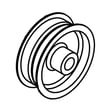
| Drive belt / pulleys | Tine drive | Tines do not turn, slipping under load |
| Control cable / lever | Engagement control | Hard to engage, won’t stay engaged |
| Pins / retainers | Attachment retention | Parts loosen, linkage disconnects |
Example: finding a control or drive-related part
If your tine engagement feels loose or inconsistent, start by checking the control linkage and cable routing shown in the 917292392 owner's manual. For a known control component, we list the control lever 584447601 for this model.
Why it matters
Tillers often have similar-looking parts across model families, but small differences in linkage geometry, tine width, or hardware can cause poor performance or unsafe operation. Using the model-specific diagram prevents mismatches and repeat repairs.
Last updated: February 2026
What would cause a tiller to not start?
On the Craftsman 917292392 front-tine tiller, a no-start is usually caused by a fuel delivery problem, a weak or missing spark, or an airflow issue. Start with the basics (fresh gas, correct choke use, and a clean air intake), then move to spark and fuel-line checks using the steps in the Craftsman 917292392 owner's manual.
Quick checks (fastest wins first)
- Confirm the throttle control is not set to STOP (the manual notes to stop the engine by moving the throttle to STOP, not by using the choke).
- Use the choke for starting; do not use the choke to stop the engine.
- Make sure the spark plug wire is firmly connected to the spark plug.
- Check fuel: fresh gasoline, tank vent open, and no water or varnish smell.
- Inspect the air cleaner and air screen; restricted airflow can prevent starting or cause rough running.
Spark, fuel, and air: what to test next
- Spark: Remove the spark plug, reconnect the wire, ground the plug to metal, and pull the recoil starter. No spark points to ignition issues (often the ignition coil or a kill-switch wire short).
- Fuel flow: Look for cracked fuel line, clogged fuel filter (if equipped), or debris in the tank. If fuel is not reaching the carburetor, the engine will not fire.
- Air intake: The manual warns not to oil the air cleaner cartridge and not to use pressurized air to clean it; replace a dirty cartridge instead.
If it starts but dies right away
| Symptom | Most common cause | What to do |
|---|---|---|
| Fires once, then quits | Stale fuel or carburetor varnish | Drain and refill with fresh gas; clean carburetor |
| Starts only on choke | Lean fuel mix (clogged jet, air leak) | Clean carburetor; check intake gaskets |
| Hard starting, weak power | Dirty spark plug or muffler restriction | Replace plug; inspect muffler/spark arrester |
Why it matters
A tiller that will not start is often a simple maintenance issue (fuel quality, spark plug, or airflow). Fixing the root cause prevents repeated recoil-starter pulls and reduces the chance of flooding the engine.
Safety note
Before inspecting or repairing, shut off the engine, disconnect the spark plug wire, and keep it away from the plug to prevent accidental starting (as directed in the manual).
Last updated: February 2026
How to lubricate a tiller?
For the Craftsman 917292392 front-tine tiller, routine lubrication mainly means lubricating the points shown in the maintenance section and keeping moving linkages free; the transmission is sealed and does not need lubrication unless it has been serviced (per the 917292392 owner's manual).
What to lubricate (typical points)
Use a light oil for pivots and a general-purpose grease where parts slide or rotate under load.
- Wheel height and depth stake hardware (pins and pivot points)
- Tine control linkage pivots (control lever and cable connection points)
- Any exposed pivot joints on the handle and control brackets
- Axle or wheel hubs if they have serviceable bushings
- Clevis pins and hairpin clips after cleaning off dirt
What not to lubricate
The manual notes the transmission is sealed, so adding lubricant is not part of normal maintenance.
- Do not drill, open, or “top off” the transmission case
- Do not oil belts or pulleys (it causes slipping and poor tilling)
- Do not spray lubricant near the muffler or hot engine parts
Quick lubrication steps
- Shut the engine off, let it cool, and disconnect the spark plug wire.
- Brush off soil and debris around the points you will lubricate.
- Apply a few drops of oil to pivots; wipe away excess so it does not attract grit.
- Apply a small amount of grease to high-load sliding points.
- Recheck fasteners (nuts, bolts, screws) before operating.
Helpful parts that often get handled during lubrication
If your hardware is worn, bent, or missing, replacing it helps keep adjustments tight and safe.
| Area | Common hardware | Example part for this model |
|---|---|---|
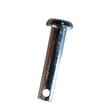
| Wheel/depth adjustments | Clevis pin and retainers | Tiller clevis pin 532443676 |
| Linkage retention | Retainer ring | Retainer ring 812000028 |
| Cable routing | Cable clip | Cable clip 532165197 |
Why it matters
Proper lubrication reduces wear on control pivots and adjustment hardware, helps the tine control move smoothly, and prevents rust and binding that can make the tiller harder to handle.
Last updated: February 2026