Owner’s manual


Where is the model number on Kenmore Elite dryer?
On the Kenmore Elite gas dryer model 11097721702, the model number is printed on the model and serial number plate. You will typically find that label on the dryer cabinet opening (inside the door area) or on the back of the dryer near the top.
Common places to check first
- Open the dryer door and look around the cabinet frame (door opening) for a sticker or metal plate
- Check the back panel near the top edge
- Look along the side edges of the door opening where the door closes
- If your dryer is on a pedestal, check the label before pulling the unit out
What the label looks like (and why it matters)
The label usually lists the model number, serial number, and key gas information such as the BTU rating. That BTU rating is used for installation details like altitude adjustments and gas supply requirements.
| What you need | Where it’s used | Example for this dryer |
|---|---|---|
| Model number | Ordering correct Kenmore Elite parts | 11097721702 |
| Serial number | Identifying production run for service | Printed on same plate |
| BTU rating | Gas setup and altitude guidance | Printed on same plate |
Tips to make the number easy to read
- Wipe the label gently with a damp cloth to remove lint and dust
- Use a flashlight and take a phone photo, then zoom in
- Write the model number exactly as shown (all digits, no spaces)
Why it matters
Using the exact model number prevents ordering the wrong dryer parts (like an igniter, gas valve coil kit, or drum support roller) and helps you follow the correct safety and installation requirements.
For diagrams and model identification details, use the 11097721702 owner’s manual.
Last updated: January 2026
What is the lifespan of a Kenmore dryer?
Most Kenmore dryers, including the Kenmore Elite gas dryer model 11097721702, typically last 10 to 13 years with normal household use. Regular lint removal and periodic deep cleaning (as outlined in the 11097721702 owner's manual) are the biggest factors in reaching the high end of that range.
What affects dryer life the most
- Airflow and lint control: Clean the lint screen every load and keep the exhaust vent clear.
- Heat system health (gas models): Weak ignition or cycling heat can increase wear on components.
- Drum support wear: Rollers and the idler pulley wear over time and can cause noise or belt issues.
- Load size and frequency: Overloading strains the drive motor, belt, and drum supports.
- Moisture and storage conditions: Corrosion and humidity shorten electrical and mechanical life.
Maintenance schedule we recommend
The manual for this model calls out periodic lint removal beyond the lint screen.
| Task | Good routine | Why it helps |
|---|---|---|
| Clean lint screen | Every load | Protects airflow and drying performance |
| Remove lint from exhaust vent | About every 2 years (more often with heavy use) | Reduces overheating and long dry times |
| Remove lint inside dryer cabinet | About every 2 years; done by a qualified person | Helps prevent heat and airflow problems |
Parts that commonly wear as a dryer ages
If your dryer is getting loud, squealing, thumping, or struggling to tumble, these are common wear items on this platform:
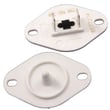
- Support WPW10314173 (drum support roller style part)
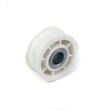
- Dryer idler pulley 279640 (keeps belt tension correct)
- Drive motor, belt, and blower wheel (air movement and tumbling)
Why it matters
A dryer can still run but dry poorly when airflow is restricted or wear parts start dragging. Keeping airflow strong and replacing worn drum support and belt-tension parts early helps the dryer dry faster, run cooler, and last longer.
Last updated: January 2026
How to hard reset a Kenmore dryer?
For the Kenmore Elite gas dryer model 11097721702, a hard reset is done by disconnecting power for a few minutes, then restoring power and starting a new cycle. If the dryer still will not run or heat, the issue is usually a safety device, airflow restriction, or a failed heating component, not the control needing a reset. See the 11097721702 owner’s manual for the exact control steps for Stop/Start and cycle changes.
Hard reset steps (safe and effective)
- Turn the dryer OFF.
- Unplug the power cord (or switch the breaker OFF).
- Wait 1 to 5 minutes to let the control fully clear.
- Restore power.
- Close the door and press and hold START for about 3 seconds to begin a cycle.
- If you need to cancel and clear the current selection, press STOP twice.
If “resetting” does not fix it, check these common causes
A reset only clears the control; it does not fix airflow, heat, or motor problems.
- Vent restriction: crushed duct, clogged lint screen housing, blocked outside hood
- No heat on gas models: weak gas valve coils, failed igniter, failed radiant sensor
- No run / stops quickly: door switch or belt issue, motor problem, overheating protection
- Auto Dry issues: dirty moisture sensor bars or airflow restriction
Parts that commonly solve “no heat” symptoms
| Symptom | Most common checks | Example part for this model |
|---|---|---|
| Runs but no heat | Igniter, radiant sensor, gas valve coils | Igniter 279311, dryer radiant sensor WP338906, dryer gas valve coil kit 279834 |
| Long dry times | Venting, blower wheel, lint duct | Dryer blower wheel WP697772, duct lint WPW10128606 |
Why it matters
On a gas dryer like Kenmore 11097721702, repeated “reset and retry” can hide a real airflow or ignition failure. Fixing venting and the ignition components restores normal heat, protects the dryer from overheating shutdowns, and shortens dry times.
Last updated: January 2026
What are the codes for Kenmore Elite dryer?
On the Kenmore Elite gas dryer model 11097721702, common display codes include PF (power failure), L2 (home power supply issue affecting heat), and AF (restricted or blocked venting). Some F codes (such as F1, F2, F20) indicate a service-level fault. See the 11097721702 owner's manual for the model-specific troubleshooting steps.
Common codes and what to do first
- PF (power failure): The cycle was interrupted; press and hold START to restart.
- L2: The dryer is not getting the correct power to heat; confirm the dryer is plugged into a grounded 3-prong outlet and check the house breaker/fuse.
- AF: Airflow problem; check for a crushed, kinked, or lint-blocked vent.
- F1 / F2 / F20: Service codes; these typically point to an electronic control or user interface issue.
- No code but long dry times: Often caused by restricted venting or a clogged lint screen.
Quick reference table
| Code | What it usually means | Best next step |
|---|---|---|
| PF | Power interruption | Hold START to restart the cycle |
| L2 | Power supply issue preventing heat | Check outlet, breaker/fuse, and power cord connection |
| AF | Vent restriction | Inspect and clean venting; confirm strong airflow outside |
| F1/F2/F20 | Service fault | Stop the cycle and plan a diagnostic or repair |
Why it matters
These codes help you separate a simple reset or airflow fix from a true component failure. For example, AF and L2 can prevent proper heating and cause long dry times even when the dryer tumbles normally.
Parts that are commonly involved (when symptoms match)
If your symptoms point to heat or airflow problems, these model-compatible parts are often checked during diagnosis:
- Dryer thermistor WP8577274 (temperature sensing)
- Dryer radiant sensor WP338906 (burner flame sensing)
- Igniter 279311 (ignites the gas burner)
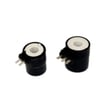
- Dryer gas valve coil kit 279834 (opens the gas valve during ignition)
- Dryer blower wheel WP697772 (moves air through the drum and vent)
Last updated: January 2026