 Installation guide
 Owner’s manual
 Error Codes


How do I reset the lid lock on a Maytag washer?
On the Maytag MAV9600EWW washer, a “lid lock” issue is typically a lid switch safety issue; the fastest reset is a power cycle. Unplug the washer for 1 minute, plug it back in, then close the lid firmly and restart the cycle. Use the MAV9600EWW owner's manual troubleshooting steps if it still will not agitate or spin.
Quick reset steps (safe and effective)
- Turn the cycle control to OFF.
- Unplug the washer for 60 seconds.
- Plug it back in.
- Close the lid completely (press down on the lid near the switch area).
- Set a SPIN or RINSE/SPIN cycle and pull the dial out to start.
If it still will not spin or agitate
This model is designed not to agitate or spin unless the lid is closed. If the washer stops when the lid is closed, the lid switch failure detector can shut the washer down for safety.
- Confirm the lid closes squarely and is not being held up by the dispenser or a bulky load.
- Try a different cycle and restart (some pauses are normal).
- Check power first: outlet, breaker, and cord connection.
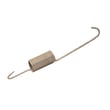
- If the lid switch actuator is missing or not engaging, inspect the washer lid switch plunger WP22002754.
What to check first (common causes)
| Symptom | Most likely cause | What to do next |
|---|---|---|
| Won’t agitate | Lid not fully closed or lid switch not made | Close lid firmly; retry cycle |
| Won’t spin or drain | Lid switch not made, drain hose kink, or drain restriction | Close lid; straighten drain hose |
| Stops mid-cycle | Normal pause/soak or lid switch safety stop | Wait briefly; restart cycle |
Why it matters
The lid switch system is a built-in safety feature; if it does not sense a closed lid, the MAV9600EWW prevents agitation and spinning to reduce injury risk and water splash.
Last updated: January 2026
How to fix low flow on Maytag washer?
Low water flow on your Maytag MAV9600EWW washer is usually caused by partially closed faucets, kinked inlet hoses, or clogged inlet hose screens at the faucet. Restoring full faucet flow and cleaning the hose screens typically brings fill levels back to normal; use the MAV9600EWW owner's manual fill checks as your baseline.
Quick fixes to try first (no parts needed)
- Turn both hot and cold faucets fully on.
- Straighten inlet hoses; remove any kinks or crushing behind the washer.
- Shut off water, disconnect the inlet hoses, and clean the small filter screens (screens can plug at the faucet).
- Flush a little water into a bucket from each faucet to confirm strong supply flow.
- Confirm the cycle is set correctly and the timer knob is pulled out to start.
What to check next if flow is still low
If the supply is strong at the wall but the washer still fills slowly, focus on restrictions or control signals.
| Check | What you are looking for | What it points to |
|---|---|---|
| Inlet hose screens | Debris, sand, scale | Most common cause of low flow |
| Hose routing | Tight bends, pinched hose | Flow restriction |
| Water temperature mix | Hot and cold reversed or weak hot supply | Slow fill or wrong temp |
| Water level system | Fill stops too early | Water level pressure switch or air dome hose issue |
Parts that can be involved
Low flow is often supply related, but if you find leaking or loose hose connections while you are inspecting, replace the clamp rather than reusing a distorted one.
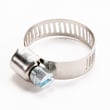
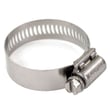
- Hose clamp WP285655: helps secure a hose connection to prevent leaks and air intrusion.
- Inlet valve (not listed in the parts shown here): if screens are clean and supply is strong, a sticking valve can still limit flow.
Why it matters
Low flow can cause poor cleaning, detergent residue, and longer cycle times. On the MAV9600EWW, the manual’s “won’t fill” checklist is the fastest way to separate a household water supply issue from a washer component problem.
Last updated: January 2026
How do I force my Maytag washer to drain?
To force-drain a Maytag MAV9600EWW top-load washer, we remove power, then gravity-drain by lowering the drain hose into a shallow pan or bucket. If it still will not empty, we correct drain-hose height and check for kinks or a restriction that is preventing the pump from moving water.
Fast, safe way to get the water out
- Unplug the washer.
- Turn off both water faucets.
- Bail water from the tub into a bucket if the tub is very full.
- Pull the drain hose from the standpipe or laundry tub.
- Lower the end of the drain hose to floor level into a shallow pan, then switch to a deeper bucket as it starts flowing.
- If flow is slow or stops, straighten the hose and feel for a kink or clog.
Drain setup checks that affect draining
This model is sensitive to drain height and hose routing. Use these targets from the installation guidance:
| Drain setup item | What to use | What happens if it’s wrong |
|---|---|---|
| Standpipe inside diameter | 1-1/2 inch O.D. | Can restrict flow and cause slow drain |
| Recommended standpipe height | 36 inches (3 feet) | Too low can siphon; too high can prevent draining |
| Practical height range | 3 to 5 feet | Best overall drain performance |
If your drain height is over 5 feet, draining performance can drop; the installation guidance notes a high-volume pump may be needed in some setups. Confirm your drain configuration in the MAV9600EWW installation guide.
If it won’t drain or spin after you lower the hose
These are the most common causes on the MAV9600EWW:
- Lid not fully closed; this washer will not spin or drain with the lid open.
- Kinked drain hose or a restriction in the drain path.
- Drain height too high (especially above 5 feet).
- Pump issue (hums but does not move water, or leaks).
- Slow spin setting or an unbalanced load leaving water behind.
For the model-specific “won’t spin or drain” checks, follow the troubleshooting section in the MAV9600EWW owner’s manual.
Why it matters
A forced drain gets laundry out quickly, but the real fix is usually correcting the drain hose routing, standpipe height, or a blockage. Running the washer with a restricted drain can lead to repeated no-drain symptoms and wet loads at the end of the cycle.
Last updated: January 2026
What does F2 E5 mean on a Maytag washer?
On a Maytag MAV9600EWW washer, “F2 E5” is not a normal, model-specific fault display because this washer uses mechanical timer and switch controls rather than a digital error-code console. If you’re seeing “F2 E5,” it’s typically coming from a different Maytag washer model or from an external device.
What to do first (fast checks)
- Confirm the model number on the data plate (back left of the control panel) is MAV9600EWW.
- If you recently replaced the washer, make sure you are using the correct manual for the washer in front of you.
- Power the washer off at the breaker for 2 minutes, then restore power and run a short cycle.
- If the display is on a separate pedestal, smart plug, or home monitor, check that device’s app or manual.
- If the washer is not starting, verify the lid is fully closed and the lid switch actuator is engaging.
If your washer is actually a different Maytag model
On many Maytag washers that do have a digital display, F2 E5 points to a user interface or keypad communication problem (console buttons not responding, beeping, or cycle stopping). Use the correct model’s tech sheet or error-code chart to confirm the meaning.
| What you have | What “F2 E5” usually applies to | Best next step |
|---|---|---|
| MAV9600EWW (mechanical controls) | Not a standard washer fault code | Use the MAV9600EWW owner’s manual troubleshooting section |
| Maytag washer with digital display | User interface or keypad communication issue | Use a Maytag error-code reference such as Maytag bravos vmw top load washer error codes |
Why it matters
Using the wrong error-code chart can send you toward unnecessary control-board or console repairs. For MAV9600EWW, troubleshooting is based on symptoms (won’t drain, won’t spin, leaks) and mechanical/electrical checks listed in the manual.
Last updated: January 2026





