Installation guide
 Owner’s manual











What is the average lifespan of a Whirlpool dryer?
Whirlpool dryers, including model WGD8000DW4, typically last 10 to 15 years with normal household use. Consistent airflow maintenance (lint screen and venting) and addressing wear parts early are the biggest factors that help a dryer reach the upper end of that range.
We see dryer life shortened most often by restricted airflow, heavy loads, and running the machine with worn moving parts.
- Clean the lint screen before every load (the manual calls this out as routine care).
- Keep the exhaust vent clear; Whirlpool recommends cleaning the full vent run about every 2 years.
- Avoid tightly packing the drum; items need to tumble freely.
- Level the dryer so the moisture sensing system works correctly on Automatic cycles.
- Fix squealing, thumping, or rumbling early; worn rollers or an idler can stress the belt and motor.
For model-specific care steps and venting guidance, follow the WGD8000DW4 use & care manual.
| Task | How often | Why it helps |
|---|---|---|
| Clean lint screen | Every load | Prevents overheating and long dry times |
| Vacuum lint screen housing area | As needed | Keeps airflow steady |
| Clean entire vent system | Every 2 years | Reduces strain on heater and motor |
| Check for new noises/vibration | Monthly | Catches wear before it causes bigger failures |
If your WGD8000DW4 is noisy but still dries well, replacing common wear items can often restore smooth operation.
- Drum support roller issues: flat spots, rumbling, thumping
- Idler pulley issues: squealing, belt slippage
- Blower wheel issues: loud roaring, weak airflow
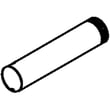
If the symptom is drum noise or vibration, a common fix is replacing the dryer drum support roller WPW10314173.
A dryer that is venting properly and running smoothly dries faster, runs cooler, and puts less load on the motor, belt, and gas heat system. That combination is what most often separates a 10-year dryer from a 15-year dryer.
Last updated: January 2026
What does PF mean on a Whirlpool?
On the Whirlpool WGD8000DW4 dryer, PF means power failure; the drying cycle was interrupted because the dryer lost power. In most cases, you can clear the message and restart the cycle once power is stable (see the display-code section in the WGD8000DW4 use & care manual).
- Touch and hold Start/Pause to restart the dryer cycle.
- If you do not want to restart, press Power to clear the display.
- Check the home breaker or fuses (some homes have more than one for laundry circuits).
- Make sure the power cord is fully seated in the outlet and the outlet is working.
- If PF happens repeatedly, avoid using an extension cord and have an electrician check the outlet and circuit.
- Confirm the dryer is on a dedicated circuit (common for laundry rooms).
- Avoid running multiple high-draw appliances on the same circuit.
- If the dryer was just installed, verify the electrical hookup steps in the WGD8000DW4 installation instructions.
| Code/message | What it usually means | What you do first |
|---|---|---|
| PF | Power was interrupted mid-cycle | Restart or clear; check power source |
| L2 | Low or no line voltage condition | Check breaker/fuses; verify cord/terminal connections |
| F# E# | Control detected a service condition | Power reset; if it returns, service is typically needed |
A one-time PF is usually just a brief outage or a tripped breaker. Repeated PF messages can point to an unstable power supply, which can stop cycles early and lead to damp loads and longer drying times.
Last updated: January 2026
How to reset whirlpool duet dryer?
To reset your Whirlpool dryer model WGD8000DW4, we recommend a simple power reset: turn the dryer off, unplug it (or switch the breaker off) for about 1 minute, then restore power and start a new cycle. This clears many control glitches without changing saved settings. See the WGD8000DW4 use & care manual for control-panel details.
- Touch Power to turn the dryer off.
- Unplug the dryer (or turn the circuit breaker off).
- Wait 1 minute.
- Restore power.
- Touch Power, select a cycle, then touch and hold Start/Pause to begin.
A reset will not fix a failed safety switch or open fuse. If the dryer powers on but will not run, check these common items next.
- Confirm the door is fully closed and latching.
- Try touching Start/Pause with your fingertip (not a fingernail); the panel is touch-sensitive.
- Check for a tripped breaker or blown fuse (some homes have two fuses/breakers for the dryer circuit).
- If the display shows PF (power failure), touch and hold Start/Pause to restart the cycle.
- If the dryer will not run with the door closed, the door switch could be the issue; see dryer door switch W11036551.
| What you’re trying to do | What to do | What it affects |
|---|---|---|
| Clear a glitch / frozen controls | Unplug 1 minute, restore power | Reboots the control |
| Restart after PF | Touch and hold Start/Pause | Restarts the interrupted cycle |
| Diagnose an error code | Look up the code meaning | Points to a specific failure |
A proper reset is the fastest way to rule out a temporary electronic control issue before you spend time troubleshooting parts like the door switch, thermal fuse, or control board.
For code help specific to Whirlpool electronic-control dryers, use Whirlpool duet dryer error codes.
Last updated: January 2026