 Owner’s manual

How to tell if a dryer moisture sensor is bad?
A bad moisture sensor on your LG DLG6952W dryer usually shows up as sensor cycles ending too soon (clothes still damp) or running much longer than expected. Because Sensor Dry adjusts time based on detected humidity, inconsistent dry results are the most common clue; see the DLG6952W owner's manual for how Sensor Dry is designed to behave.
- Sensor Dry cycle stops early but the load is still damp
- Cycle time jumps up or down repeatedly (after cleaning the lint filter and confirming good airflow)
- Clothes overdry on Sensor Dry (excess heat exposure, shrinking, static)
- Time Dry works normally but Sensor Dry results are unreliable
- “Filter” reminder is ignored and drying performance steadily worsens
- Unplug the dryer.
- Locate the moisture sensor bars inside the drum (typically near the lint filter housing area).
- Clean the bars with rubbing alcohol and a soft cloth; residue from dryer sheets can insulate the bars.
- Set a multimeter to continuity (or lowest ohms).
- Touch one probe to each sensor bar.
What you should see:
| Test condition | Typical result | What it suggests |
|---|---|---|
| Probes on clean bars | Continuity or low resistance | Sensor bars and wiring path are responding |
| No continuity on clean bars | Open circuit | Dirty/oxidized bars, loose connection, or a failed sensor circuit |
- Clean the lint filter every load and confirm strong airflow (restricted venting causes long dry times that mimic sensor problems).
- Stop using dryer sheets for a few loads and clean the sensor bars again.
- Avoid overloading; Sensor Dry estimates time based on how the load tumbles and how evenly moisture is detected.
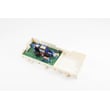
If the sensor bars are clean and the wiring checks out but Sensor Dry still ends early or overdrys, inspect related components that influence drying control, such as the dryer moisture sensor guide 4930EL2004D and temperature-sensing parts like the dryer thermistor AGM30045804. You can order replacement parts for the DLG6952W from the parts list for this model, or search by model number on Sears PartsDirect.
On the DLG6952W, Sensor Dry is designed to sense laundry humidity and automatically adjust run time. When the sensor system is dirty, damaged, or reading incorrectly, you get wasted energy, poor drying performance, and unnecessary wear on fabrics.
Last updated: February 2026
Can I fix a D90 error myself?
Yes. On an LG DLG6952W dryer, a D90 error is typically an airflow restriction, so you can often fix it yourself by cleaning the lint screen and improving exhaust vent airflow; if airflow stays restricted, the dryer can overheat and dry poorly. See the cleaning and maintenance steps in the DLG6952W owner's manual.
- Turn the dryer off and let it cool.
- Remove the lint screen; remove lint by hand and make sure it seats firmly when reinstalled.
- Clean the lint screen housing area; lint buildup here can also restrict airflow.
- Check the vent hood outside; make sure the flap opens fully and is not blocked.
- Run a timed dry cycle and confirm you have strong airflow at the outside vent.
A D90 code points to restricted exhaust. Focus on the full air path from the drum to the outside.
- Clean the entire vent run (dryer outlet to exterior hood), not just the first few feet.
- Shorten the vent run if possible; long runs and too many elbows trap lint.
- Replace crushed, kinked, or sagging duct sections.
- Avoid plastic or foil accordion-style ducting; use rigid or semi-rigid metal where possible.
If the venting is clear but airflow is still weak, internal lint buildup or a failing airflow component can be involved.
| Symptom | What it usually points to | What to check next |
|---|---|---|
| Long dry times, hot cabinet | Restricted venting | Full vent cleaning, outside hood airflow |
| Burning smell or repeated high-heat shutdown | Overheating from poor airflow | Lint screen seating, internal lint buildup |
| Weak airflow even with vent disconnected | Internal restriction or blower issue | Blower housing area, lint screen housing |
If your lint screen housing is damaged or packed with lint, replacing it can restore proper airflow; the correct part for this model is the dryer lint screen housing 3550EL1006B.
Restricted airflow makes the DLG6952W run hotter and longer, which increases drying time and can trigger overheating protection. Keeping the lint screen clean and the exhaust vent clear is the most effective way to prevent repeat D90 errors.
If you need replacement parts for your LG DLG6952W dryer, order from the parts list for this model or search by model number on Sears PartsDirect.
Last updated: February 2026
What is the most common problem with LG dryers?
The most common LG dryer problem is poor drying performance (clothes take too long to dry or come out damp). On the LG DLG6952W, this is usually tied to airflow restrictions (lint buildup or venting issues) or a heat-related issue that shows up as “tumbles but doesn’t heat.” See the DLG6952W owner's manual for model-specific troubleshooting steps and checks.
Start with the items that cause the biggest share of “not drying” complaints and are fastest to verify.
- Clean the lint filter before every load; wash it in warm, soapy water occasionally and dry it thoroughly before reinstalling.
- Wipe the door opening and clean the door glass; buildup can affect sealing and performance.
- Check the exhaust vent path for kinks, crushing, lint clogs, or a stuck exterior damper.
- If the drum tumbles but there’s no heat, check your home’s breaker or fuses (electric dryers often use two).
- For gas models, confirm both the house gas shutoff and the dryer gas shutoff are fully open.
| Symptom | Most likely cause | What to do next |
|---|---|---|
| Takes a long time to dry | Restricted airflow | Clean lint filter, inspect venting, reduce load size |
| Tumbles but doesn’t heat | Power supply issue (electric) or gas supply off (gas) | Reset breakers/replace fuses; open gas shutoffs |
| Burning smell or very hot cabinet | Severe vent restriction | Stop using until venting is cleared |
| Squealing/thumping noise | Worn belt or pulley | Inspect drive system; consider dryer drum belt 4400EL2001F |
If airflow and power/fuel checks are good, the next most common failures are in the heating control and drive systems.
- Temperature sensing problems: consider the dryer thermistor AGM30045804
- Overheating protection trips: check the dryer high-limit thermostat 6931EL3003C or dryer high-limit thermostat 6931EL3004B
- No ignition/heat on gas dryers: inspect the LG dryer burner igniter 5318EL3001A
- Drum not turning or loud squeal: inspect the dryer idler pulley 4560EL3001A
Poor drying is more than an inconvenience; restricted airflow can cause overheating, repeated thermostat trips, longer run times, and premature wear on parts like the motor, belt, and idler pulley.
You can order replacement parts for your LG DLG6952W from the parts list for this model, or search by model number on Sears PartsDirect.
Last updated: February 2026
How do I reset my LG dryer control panel?
To reset the control panel on your LG DLG6952W dryer, turn the dryer off, disconnect power for about 1 minute (unplug it or switch the breaker off), then restore power and press START/PAUSE to begin a new cycle. For model-specific control details, use the owner's manual.
- Press POWER to turn the dryer off.
- Unplug the dryer (or turn the circuit breaker off).
- Wait 60 seconds.
- Restore power.
- Press POWER, select a cycle, then press START/PAUSE.
These checks clear the most common causes of a control that will not respond normally.
- Make sure the door is fully closed; the dryer will not start with the door open.
- If you pressed START/PAUSE and then stopped the cycle, press START/PAUSE again to resume.
- If the dryer sits more than 10 minutes after you select settings without starting, it can shut off; reselect the cycle and start again.
- If the dryer will not power up, check the home breaker/fuse (electric dryers often use two breakers/fuses).
A power reset clears temporary control glitches. It does not fix underlying problems such as a failed sensor, thermostat, or motor.
| Symptom after reset | Most likely area to check | Example parts on this model page |
|---|---|---|
| Dryer tumbles but heat seems wrong | Temperature sensing or safety thermostats | Dryer thermistor AGM30045804, dryer high-limit thermostat 6931EL3003C |
| Dryer will not start at all | Power supply, door switch/catch, control inputs | Dryer door catch 4027EL1001A |
Resetting the control panel is the fastest safe first step for odd behavior (unresponsive buttons, cycle not starting). If the issue returns, the symptom pattern helps narrow the next check to power, door-latch, or heating-safety components.
You can order replacement parts for your DLG6952W from the parts list for this model, or search by model number on Sears PartsDirect.
Last updated: February 2026










