 Installation guide
 Owner’s manual
 Error Codes




Does the NX58F5500SS have a self-cleaning function?
Yes. The Samsung NX58F5500SS gas freestanding range includes an oven self-clean cycle you can run when the oven is empty and cool. Use the correct door-lock and ventilation steps in the NX58F5500SS owner's manual so the cycle runs safely and finishes properly.
- The oven door locks and stays locked during the cycle
- The display shows a clean time or clean indicator
- The oven heats much hotter than normal baking temperatures
- You may notice light smoke or odor from burned-off residue (ventilate the kitchen)
- The door unlocks only after the oven cools down
- Remove oven racks, thermometers, foil, and any cookware
- Wipe out loose crumbs and heavy spills (thick grease can smoke heavily)
- Confirm the kitchen is ventilated (use the range hood if available)
- Keep pets and children away from the range during the cycle
- Plan time for cool-down; the door stays locked until temperatures drop
| Cleaning method | Best for | Typical effort | Notes |
|---|---|---|---|
| Self-clean cycle | Baked-on residue inside the oven cavity | Low during cycle | Heat and lockout; expect odor and cool-down time |
| Manual cleaning | Light spills, quick touch-ups | Low to moderate | Use non-abrasive cleaners; avoid soaking controls |
| Spot cleaning before self-clean | Heavy grease pools | Moderate | Reduces smoke and helps the cycle finish cleaner |
Running self-clean with racks or heavy spill buildup can discolor parts, create excessive smoke, and leave ash that is harder to wipe out afterward. Following the model-specific steps helps protect the door lock system and oven finish.
Last updated: February 2026
How to reset Samsung gas oven?
To reset your Samsung NX58F5500SS gas range oven, we recommend a power reset first: turn the range off, cut power at the breaker (or unplug) for 1 to 5 minutes, then restore power and set the clock. This clears most control glitches and many error-code lockups.
- Power reset (best first step): breaker OFF (or unplug) 1 to 5 minutes, then ON.
- Control lock reset: press and hold the Lock/Control Lock key (often 3 seconds) until the lock indicator changes.
- Clear a cooking mode: press Off/Clear (or Cancel) once to stop an active cycle.
- After a power outage: restore power, then re-set the clock and try Bake again.
- If an error code returns immediately: troubleshoot the cause instead of repeating resets.
If the display works but the oven will not ignite or heat after a reset, these are the most common causes on a gas freestanding range:
- Weak or failed oven igniter
- Temperature sensor out of range
- Gas valve or wiring issue
- Control board not sending voltage to the igniter
| Symptom | Most likely area to check | Common next step |
|---|---|---|
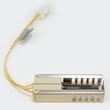
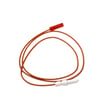
| No glow from igniter, no heat | Igniter circuit | Inspect/replace Samsung range oven burner igniter DG94-00520A |
| Igniter glows but no flame | Gas supply or valve | Verify gas shutoff is open; check wall oven gas valve DG94-00449A |
| Heats but temperature is inaccurate | Sensor | Test/replace Samsung range oven temperature sensor DG32-00002B |
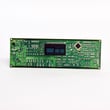
| Random beeping, dead keys, odd display | Electronic control | Consider Samsung range oven control board and clock DE92-02588G |
A reset fixes temporary electronic glitches, but it will not correct a failed igniter, sensor, or gas valve. Using the right next step prevents repeated no-heat problems and helps protect the control from unnecessary cycling.
For model-specific button sequences and lock features, follow the steps in the NX58F5500SS owner’s manual.
Last updated: February 2026
What are common problems with the NX58F5500SS?
Common problems we see with the Samsung NX58F5500SS gas freestanding range include an oven that will not heat or heats unevenly, surface burners that click but do not ignite, and control panel or clock issues. Many of these symptoms trace back to the igniter, temperature sensor, spark system, or control board; use the NX58F5500SS owner's manual for model-specific operating checks.
- Oven will not heat or takes too long to preheat: weak or failing igniter, restricted bake burner, or gas valve issue
- Oven temperature is inaccurate: faulty temperature sensor or control calibration problem
- Surface burner clicks but will not light: dirty burner head ports, wet igniter area, or a failing spark module
- One surface burner is weak/uneven: clogged burner head or misaligned burner base
- Display, clock, or buttons act up: control board or membrane/control panel connection issues
- Confirm the range has power (clock on, lights work); the igniters need electricity.
- For surface burners, remove grates and burner caps; clean and dry the burner head ports.
- Listen for steady clicking and look for spark at the affected burner.
- For oven heat complaints, start a bake cycle and watch for ignition within about 30 to 90 seconds.
- If you smell gas without ignition, turn everything off and ventilate; then stop and schedule service.
| Symptom | Common suspect part | Example part for this model |
|---|---|---|
| Oven not heating/slow ignition | Oven burner igniter | Samsung range oven burner igniter DG94-00520A |
| Oven temp off | Oven temperature sensor | Samsung range oven temperature sensor DG32-00002B |
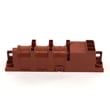
| Surface burners not sparking correctly | Spark module | Range spark module DG96-00297A |
| Dead/erratic display or buttons | Control board and clock | Samsung range oven control board and clock DE92-02588G |
Gas ignition and temperature feedback control how safely and accurately your Samsung range cooks. Catching a weak igniter, a drifting sensor, or a failing spark module early helps prevent no-heat situations, poor baking results, and repeated ignition clicking.
- Use the NX58F5500SS installation guide to confirm the range is installed correctly (leveling, anti-tip, and gas supply setup), since installation issues can mimic performance problems.
Last updated: February 2026





