 Owner’s manual
 Error Codes



Are Kenmore stoves electric?
Yes, many Kenmore stoves are electric, and the Kenmore 79045789300 is specifically an electric range with electric heating elements under a ceramic-glass cooktop. For your exact features and control functions, use the 79045789300 owner's manual.
This model heats in two main areas:
- Cooktop: electric heating coils located below the ceramic-glass surface
- Oven: electric bake and broil heating circuits controlled by the oven controls
- Power supply: typically a 240-volt range circuit (common for electric ranges)
Use these checks to identify whether a Kenmore range is electric, gas, or dual-fuel:
- Look for a power cord and a terminal block connection area at the back (electric ranges use these)
- Check for no gas shutoff valve and no gas flex line behind the range
- On the cooktop, look for radiant elements under glass (common on electric smoothtops)
- Verify the model number on the rating plate and match it in the 79045789300 owner's manual
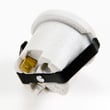
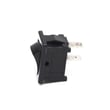
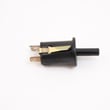
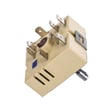
Fuel type changes the parts you need and the safe troubleshooting steps. For example, electric ranges commonly use components like a surface element, element control switch, and indicator light.
| If your symptom is… | Common electric-range cause | Example part on this model |
|---|---|---|
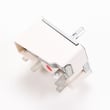
| One burner will not heat | Failed radiant element or control switch | Element 318198817 or range dual surface element control switch 318191002 |
| Hot surface light stays on | Stuck indicator circuit or switch issue | Indicator light 318044827 |
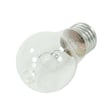
| Oven light out | Burned-out bulb or socket issue | Range oven light bulb 316538904 |
- Match pan diameter to the outlined heating area for better performance
- Use flat-bottom cookware for best heat transfer
- Do not use the cooktop as a cutting board or work surface
- Do not use aluminum foil to line the oven bottom
Last updated: February 2026
How do you reset a Kenmore electric stove?
To reset your Kenmore electric range model 79045789300, turn power off at the breaker (or unplug the cord) for about 1 minute, then restore power. This clears many control glitches and stops beeping after a fault so you can reprogram the oven.
- Turn OFF the range circuit breaker (preferred) or unplug the range.
- Wait 60 seconds.
- Turn the breaker ON (or plug back in).
- Set the time of day; some oven functions will not work until the clock is set.
- Test BAKE and BROIL to confirm normal operation.
The manual’s guidance for many fault beeps is to clear the display, then retry the cooking program.
- Press CANCEL/OFF (or CLEAR, depending on your control panel labeling).
- If the code returns, write down the exact code (for example F1, F3, F9) and then reset power again.
- If the fault repeats after the reset, service is typically needed.
Helpful reference: Kenmore 790 range 4-digit error codes
| Situation | Reset helps? | What to check next |
|---|---|---|
| Display frozen, random beeping | Yes | Set clock, reprogram BAKE |
| Oven will not heat at all | Sometimes | House power, terminal connections, control settings |
| Oven light not working | No | Bulb or socket issue |
A power reset is the fastest way to clear a temporary electronic control fault. Setting the clock afterward is important because the oven control can block cooking functions when the time of day is not set.
If the range is powered but specific functions still fail, these model-compatible parts are common checks:
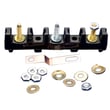
- Terminal block 5304409888 (power connection point where the cord attaches)
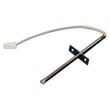
- Probe 316217002 (oven temperature sensor used by the control)
- Range oven light bulb 316538904 (if only the oven light is out)
For control-panel and operating details, use the 79045789300 owner’s manual.
Last updated: February 2026
Where can I find my Kenmore electric range model number?
On the Kenmore electric range model 79045789300, the model and serial number are printed on an identification plate that’s easiest to see with the oven door open; it’s typically on the left side of the range frame or inside the storage drawer along the side of the frame. See the exact location notes in the 79045789300 owner's manual.
- Open the oven door and look along the left side frame (door opening area).
- Pull out the bottom storage drawer and check the inside side wall of the frame.
- Look for a sticker or metal plate labeled Model No. and Serial No.
- Wipe grease or dust off the label so all digits are readable.
- Write the full model number and serial number down before ordering parts.
| Label field | What it’s used for | Example format |
|---|---|---|
| Model No. | Matches parts to your exact range configuration | 790.457xxxx |
| Serial No. | Helps identify production series and revisions | Letters and numbers |
We use the full model number to match the correct Kenmore range parts (for example, a control board, surface element, or oven sensor) because small design changes can affect fit and wiring.
- Use the full model number (all digits) and the serial number when possible.
- If the label is damaged, take a clear photo and zoom in to confirm characters.
- If you’re troubleshooting an error display, use the model family guide: Kenmore 790 manual-clean range error codes.
Last updated: February 2026
Why is my Kenmore electric oven not working?
If your Kenmore electric range model 79045789300 oven is not working, the most common causes are a power supply problem, an unset clock (the oven will not run), or an electronic control fault. Start with the basics, then check for error codes and heating-circuit issues.
- Confirm the range is fully plugged in and the cord is seated firmly.
- Reset the house breaker (ranges often use a 240V double breaker).
- Set the time of day; this model’s manual notes the oven function will not work if the clock is not set.
- If the display is beeping or shows an error, press CLEAR/OFF and retry a bake cycle.
- If there was a power outage, turn the oven off; the manual warns not to operate during a power failure.
The manual’s troubleshooting section notes that F1, F3, or F9 indicates the electronic control detected a fault. Clear it, try programming again, and if it returns, service is typically needed.
Helpful reference: Kenmore 790 range 4-digit error codes
If the cooktop works but the oven will not heat, these are common suspects:
- Oven temperature sensor (probe) out of range or open
- Electronic oven control (clock/timer) problem
- Wiring connection issue at the terminal block
| Symptom | Most likely area to check | What to do next |
|---|---|---|
| No display, nothing works | Power supply, cord, breaker | Reset breaker, verify outlet power |
| Display works, oven will not start | Clock not set, control lockout | Set clock, clear settings |
| Error code F1/F3/F9 | Electronic control fault | Clear code; if it returns, plan repair |
| Oven heats poorly or erratically | Sensor/probe | Test/replace sensor |
Model-specific references:
An oven that will not run can be as simple as a clock setting after a power interruption, but repeated fault codes or a failed sensor/control can prevent safe temperature regulation and consistent baking.
Last updated: February 2026





