 Installation guide
 Owner’s manual
 Error Codes






How do I clear the error code on my GE dishwasher?
On GE dishwasher model DDT700SMN0ES, most error codes clear after you cancel the current cycle and reset the control. Press and hold Start for 3 seconds, then close the door so the dishwasher drains and the cycle indicator turns off; then start a new cycle using the steps in the DDT700SMN0ES owner's manual.
Quick reset steps (works for most codes)
- Press and hold Start for 3 seconds.
- Close the door to allow the unit to drain.
- Wait for the beep and for the wash cycle light to turn OFF.
- Reopen the door, select a cycle, press Start, then close the door within 4 seconds.
- If the display went dark because the door was open, close and open the door or press any pad to wake it.
If the code comes back right away
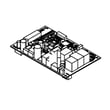
A repeating code usually means the dishwasher is still detecting the same condition (drain, fill, leak detection, door latch, or a control sensing issue).
- Check that the door closes firmly and the latch engages.
- Make sure the tub is not over-sudsing; suds can trigger abnormal operation.
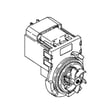
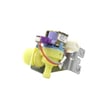
- If the dishwasher will not drain, inspect the drain path and consider the dishwasher drain pump WD19X25461 if the pump is noisy, jammed, or not running.
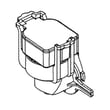
- If the dishwasher will not start or cancels, the door latch circuit can be involved; inspect the GE dishwasher door latch lock WD21X10490.
Helpful reference: match the code to the fix
Use the code list to identify what the control is detecting, then troubleshoot that system.
| What you see | What to do first | Common area involved |
|---|---|---|
| Code appears mid-cycle | Cancel and drain (Start 3 sec) | Drain, wash, leak detection |
| Code appears at start | Verify door latch, restart | Door latch, UI/control |
| Code repeats every run | Troubleshoot the specific system | Pump, sensor, wiring |
Why it matters
Clearing the code resets the cycle, but it does not correct the underlying problem. If the dishwasher keeps posting the same error, targeting the affected system (drain pump, latch, or sensing) prevents repeat shutdowns and incomplete cleaning.
Last updated: January 2026
How old is my GE Nautilus dishwasher?
Your GE dishwasher’s age is determined from its serial number, not the “Nautilus” name. For model DDT700SMN0ES, the model and serial label is on the tub wall just inside the door; once you have the serial number, you can decode the manufacture date using GE’s date code chart in the DDT700SMN0ES owner’s manual.
Where to find the model and serial number
Open the door and look for the rating label on the tub wall just inside the door opening.
- Check the tub wall near the door opening (not the outer door)
- Write down the full serial number exactly as shown
- Confirm the model number reads DDT700SMN0ES
- If the label is hard to read, use a flashlight and take a photo
How GE serial numbers indicate the date
GE dishwashers typically use a date code within the serial number.
| What to look for | What it tells you | What to do next |
|---|---|---|
| First 2 characters of the serial number | Manufacture month and year code | Match them to the GE date code chart |
| Remaining digits/letters | Production sequence and plant info | Keep for parts lookup and service |
Why it matters
Knowing the manufacture date helps us match the correct GE parts and troubleshooting steps for your dishwasher, especially when there are mid-series design changes (controls, pumps, or door components).
Related help for GE dishwashers
If you are also seeing a flashing light or a fault code, use the GE electronic dishwasher error codes reference to narrow the problem before replacing parts.
Last updated: January 2026
How do I find the model number on my DDT700SMN0ES?
On your GE dishwasher model DDT700SMN0ES, the model number is printed on a label on the tub wall just inside the door. Open the door and look along the tub wall (typically the left-hand side) for the model and serial number tag; then write both down.
Where to look (fast checklist)
- Open the dishwasher door fully
- Look on the tub wall just inside the door opening
- Check the left-hand tub wall first (most common location)
- Find the label that lists Model and Serial
- Copy the model number exactly as shown (letters and numbers)
What the label looks like
The tag usually includes both identifiers you may need for parts and service.
| Label item | What it’s used for |
|---|---|
| Model number | Matching parts, diagrams, and manuals to your exact dishwasher |
| Serial number | Identifying production details and verifying the exact unit |
Why it matters
Using the exact model number (DDT700SMN0ES) helps us match the correct GE dishwasher parts and variations, including door panel type and internal components, so you avoid ordering a part that does not fit.
Helpful tip
Once you find the tag, keep a photo of it on your phone. It makes it easier to reference when checking the DDT700SMN0ES owner’s manual or ordering parts.
Last updated: March 2026





