Installation guide
 Owner’s manual
 Error Codes







How to reset Kenmore oven model 79045489502?
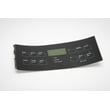
For the Kenmore electric range model 79045489502, the most reliable “reset” you can do from the keypad is to cancel Oven Lockout. Press and hold the Oven Lockout pad for 3 seconds until the control unlocks and normal operation returns (the display stops showing “Loc”). See the steps in the owner's manual.
Quick reset options (what to try first)
- Cancel Oven Lockout: Press and hold the Oven Lockout pad for 3 seconds; “Loc” clears and the door unlocks.
- Clear a cooking program: Press Cancel/Off (or the stop key on your control) to end a timed bake or delay start.
- Power reset (hard reset): Turn the range breaker OFF for 1 minute, then turn it back ON.
- If “Loc” keeps appearing: Do not press other keys while locked; “Loc” can show while a key is pressed in lockout.
- If the door is locking/unlocking: Wait about 15 seconds for the motorized lock to finish before trying keys again.
What “Loc” means on this model
When the control is in lockout, the oven door locks and the control pads are locked out. The display shows “Loc”, and the Door Locked indicator flashes while the lock motor is moving.
| What you see | What it usually means | What to do |
|---|---|---|
| “Loc” on the display | Oven Lockout is enabled | Hold Oven Lockout for 3 seconds to cancel |
| Door Locked light flashing | Lock motor is moving | Wait ~15 seconds; do not open the door |
| Oven not responding to keys | Control is locked out | Cancel lockout, then retry your setting |
Why it matters
A “reset” is often needed because the range is simply in control lockout, not broken. Unlocking restores keypad response and prevents unnecessary part replacement.
Last updated: January 2026
What does PF mean on Kenmore Elite oven?
On the Kenmore electric range model 79045489502, PF means power failure. It shows up when the range briefly loses electrical power or the voltage drops, and it can affect the oven clock and any active cooking cycle. Clear it by pressing Cancel/Stop (or Clear/Off) as described in the 79045489502 owner's manual.
What to do when PF appears
- Press Cancel/Stop (or Clear/Off) once; if PF stays, press it again.
- Reset the clock and re-enter any Bake, Broil, or Timer settings.
- If PF happened during cooking, check food doneness before continuing.
- If PF returns often, try a different outlet circuit (avoid sharing with a microwave or space heater).
- If the display is blank or flickers, turn off the breaker for 1 minute, then restore power.
Common causes of a PF message
| Cause | What it looks like | What usually fixes it |
|---|---|---|
| Brief outage or brownout | PF after a storm or neighborhood flicker | Clear PF, reset clock |
| Loose plug or weak outlet | PF when you bump the cord or open the drawer | Reseat plug, inspect outlet |
| Tripped breaker | Range dead, then PF after reset | Reset breaker fully OFF then ON |
| Overloaded circuit | PF when other high-watt appliances run | Move loads to another circuit |
When PF points to a repair issue
If PF keeps coming back even when the home power is stable, the issue is often in the range’s power connection or control area. Use the 79045489502 installation guide to confirm the power cord and terminal block connections are correct. If you find heat damage or arcing at the connection point, replace the terminal block using the exact part for this model, such as the terminal block 5304409888.
Why it matters
A power interruption can stop heating mid-cycle and can also cause confusing control behavior until the code is cleared and the clock is reset. Addressing repeated PF events helps protect the electronic control and keeps baking temperatures consistent.
Last updated: January 2026
What is the average lifespan of 79045489502?
A Kenmore electric range like model 79045489502 typically lasts 13 to 15 years with normal household use and basic maintenance. Heavy use, frequent self-clean cycles, and poor ventilation shorten life; timely part replacement helps it reach the full range.
What affects lifespan the most
- Heat stress: frequent high-heat baking/broiling and long preheats
- Self-clean use: high temperatures can stress wiring, sensors, and controls
- Power quality: loose connections or surges can damage the control and terminal block
- Door seal condition: heat leaks make the oven work harder
- Spills and corrosion: especially around surface elements and control areas
Parts that commonly determine “end of life” (and what they do)
If the range is otherwise in good shape, these repairs often restore normal operation:
| Symptom | Common part involved | Example part for 79045489502 |
|---|---|---|
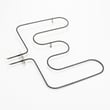
| Oven not heating or heats unevenly | Bake element | Frigidaire range bake element 318255401 |
| Oven temperature off by 25 to 50 degrees | Oven temperature sensor | Frigidaire range oven temperature sensor 316217002 |
| Oven light out or flickers | Bulb or socket | Range oven light bulb 316538904 |
Maintenance that extends life
- Keep the oven vent area clear so heat can escape properly.
- Wipe up spills quickly to prevent baked-on residue and corrosion.
- Avoid slamming the oven door; it protects hinges and the door seal.
- Use self-clean sparingly; use manual cleaning when possible.
- If you smell hot wiring or see flickering display, stop using the range and have it serviced.
Why it matters
Knowing the 13 to 15 year average helps you decide whether to repair (often cost-effective for a bake element or sensor) or plan a replacement if multiple major electrical parts are failing.
For model-specific operating and care guidance, use the 79045489502 owner’s manual.
Last updated: March 2026