Installation guide
 Owner’s manual
 Error Codes



How do I tell what model my Kenmore dryer is?
Your Kenmore dryer’s model number is printed on the appliance ID label; on model 41774182300, it’s typically located on the cabinet frame inside the door opening or on the back of the dryer near the top. Use that exact model number when ordering parts or looking up instructions in the 41774182300 owner’s manual.
Check these common spots first (in this order):
- Inside the dryer door opening on the cabinet frame
- On the back panel near the top edge
- Along the door opening edge where the door closes against the cabinet
- Near the lower front area behind the toe panel (on some builds)
We recommend recording both identifiers so you get the right Kenmore gas dryer parts and diagrams.
- Model number: identifies the exact design family (example: 41774182300)
- Serial number: identifies the production run
- Purchase date: helps when matching revisions and service history
| Item | What it’s used for | Example format |
|---|---|---|
| Model number | Parts lookup, manuals, wiring and component match | 417.74182300 or 41774182300 |
| Serial number | Manufacturing date/run reference | Letters and numbers |
| Product type | Confirms gas vs. electric troubleshooting | Gas dryer |
Kenmore model numbers can look similar, but small differences change key parts like the drum belt, igniter, or gas valve components. Using the exact model number helps prevent ordering the wrong belt, drum bearing, or valve coil kit.
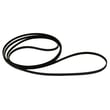
Once you confirm the model number, match it to the part description and ID when you shop. For example, if you’re diagnosing a squeal or no-tumble issue, the belt 134503600 is a common wear item on this platform.
Last updated: February 2026
How much does it cost to replace a heating element in a Kenmore dryer?
For a Kenmore gas dryer like model 41774182300, you typically pay $0 for a heating element because gas dryers heat with an igniter, gas valve coils, and a burner assembly instead of an electric element. Most “no heat” repairs on this model land around $20 to $300+ in parts, plus labor if you hire service.
Common heat-related parts for Kenmore gas dryers include:
- Igniter (glows but may not light the burner when weak)
- Gas valve coils (often fail after warming up, causing intermittent heat)
- Gas valve or burner components (less common, higher cost)
- Airflow items (lint buildup or crushed vent can mimic a heating failure)
For model-specific safety and gas/electrical requirements, follow the 41774182300 installation guide.
These are common price ranges for gas-dryer heating repairs; exact totals depend on what failed.
| Repair item (gas dryer) | Typical parts cost | Notes |
|---|---|---|
| Gas valve coil kit | $20 to $50 | Very common “heats then stops” fix |
| Igniter | $40 to $150 | Often glows bright but still fails under load |
| Gas valve assembly | $200 to $350+ | Less common; higher cost |
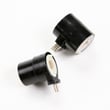
On this model, a common part you may need is the coil-seconda 5303931775 (dryer valve coil kit).
- DIY vs. service call (labor often exceeds the part cost)
- Whether heat is intermittent (points to coils more than igniter)
- Vent restriction (can cause long dry times and overheating symptoms)
- Multiple worn parts (older dryers may need more than one fix)
Pricing for “heating element replacement” is usually quoted for electric dryers. For the Kenmore 41774182300 gas dryer, focusing on the ignition and gas valve system helps you buy the right parts and avoid unnecessary repairs.
Last updated: February 2026
How to clean kenmore dryer vent?
For the Kenmore gas dryer model 41774182300, we clean the dryer vent by disconnecting power, pulling the dryer out, removing the 4-inch metal exhaust duct, and vacuuming lint from the duct run and vent hood. The manual recommends inspecting and cleaning the exhaust system at least every 18 months with normal use.
- Turn the dryer OFF and unplug it.
- If you smell gas, stop and have a qualified technician check the installation.
- Let the dryer cool before working around the burner area.
- Pull the dryer forward to access the rear.
- Loosen the clamp and disconnect the exhaust duct from the dryer outlet.
- Vacuum lint from:
- The dryer exhaust outlet
- The first few feet of duct
- The wall or floor duct connection
- Clean the full duct run to the outside using a vent brush kit (or a vacuum with a long hose).
- Go outside and clear lint from the vent hood; confirm the damper swings freely.
- Reconnect the duct; seal joints with duct tape (not screws that protrude into airflow).
- Run a timed heat cycle and verify strong airflow outside.
Your 41774182300 is designed for a 4-inch (10.2 cm) minimum exhaust duct and an approved vent hood with a swing-out damper. Plastic or thin foil-style venting causes restrictions and lint buildup; replace it with rigid or flexible metal duct.
| Item | Recommended | Avoid |
|---|---|---|
| Duct diameter | 4-inch metal | Smaller than 4-inch |
| Duct material | Rigid or flexible metal | Plastic vent, unsupported foil |
| Outside hood clearance | 12 inches minimum above ground/obstructions | Hood blocked by mulch, snow, or plants |
- Drying takes longer than normal
- Dryer feels hot, laundry feels damp
- Weak airflow at the outside hood
- Lint collecting around the vent hood
A clean, properly sized metal vent improves drying performance and helps prevent overheating and lint accumulation in the exhaust path.
For model-specific venting and exhaust direction options, follow the 41774182300 installation guide.
Last updated: February 2026
How to hard reset a Kenmore dryer?
To hard reset your Kenmore gas dryer model 41774182300, unplug the dryer (or switch the breaker off) for 1 minute, then restore power and start a cycle. This clears most temporary control glitches and restores normal operation.
- Turn the dryer OFF.
- Unplug the power cord, or turn OFF the circuit breaker.
- Wait 60 seconds.
- Restore power.
- Select a timed dry cycle and press Start.
- If the control is still unresponsive, open and close the door once to confirm the door switch is engaging.
A reset helps only when the control is “stuck”. If the dryer still will not start, check these common causes first:
- No power at the outlet or a tripped breaker.
- Door not latching (door switch not made).
- Start switch or timer/control issue.
- Thermal limiter or fuse open (often tied to restricted venting).
- Motor problem (you may hear a hum but no drum movement).
| What you notice | Most likely direction | What to do next |
|---|---|---|
| Display/lights dead | Power supply issue | Check breaker, outlet, cord connection |
| Lights on, no start | Door switch, start circuit | Confirm door closes firmly; try timed dry |
| Hums, drum does not turn | Belt or idler issue | Inspect drum drive parts; consider belt 134503600 |
Resetting is a fast first step because it rules out a simple control glitch before you spend time on deeper troubleshooting. If the problem returns quickly, it usually points to a door, power, airflow, or drive-system issue rather than the control.
- Use the wiring and safety guidance in the 41774182300 owner's manual before checking electrical connections.
- If your dryer shows an error code, match it using Kenmore 417 model dryer error codes.
Last updated: February 2026
How to take front panel off of Kenmore dryer?
To remove the front panel on your Kenmore gas dryer model 41774182300, we start by disconnecting power and shutting off the gas, then remove the top and any screws securing the front panel before lifting it off the lower retaining clips. Use the steps in the 41774182300 installation guide for safe access.
- Unplug the dryer (or switch off the breaker).
- Shut off the gas supply valve to the dryer.
- Let the dryer cool completely.
- Work with good lighting; wear cut-resistant gloves.
- If you smell gas at any point, stop and have the gas supply checked.
- Remove the lint screen (if your model has one at the top) and take out any screws in the lint screen housing.
- Release the top panel: remove screws at the back edge of the top (if present), then slide the top back slightly and lift it up.
- Lift or remove the control panel (if it blocks the top/front screws): rotate it up and support it so the wiring is not strained.
- Remove front panel mounting screws: commonly located inside the top corners of the front panel.
- Disconnect the door switch harness (note the connector position).
- Lift the front panel up and off the lower clips/tabs, then pull it forward.
| Area you can reach | Common reason | Example part for this model |
|---|---|---|
| Drum and belt path | Drum not turning, squealing | Belt 134503600 |
| Front drum support | Scraping, thumping, wear marks | Dryer drum glide 137513300 |
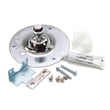
| Drum support hardware | Rumbling, metal-on-metal noise | Dryer drum bearing 131825900 |
Removing the front panel correctly prevents broken plastic tabs, pinched wiring (door switch), and misalignment that can cause noise, poor drum support, or premature belt wear.
Last updated: February 2026