Owner’s manual
 Error Codes










What's the average lifespan of a Samsung dryer?
Most Samsung dryers last 10 to 14 years with normal household use. For your Samsung DV219AEW, consistent airflow (clean lint screen and a clear vent) and avoiding overheating are the biggest factors in reaching the high end of that range; see the care and safety guidance in the owner's manual.
Typical lifespan and what changes it
A dryer’s life is mostly determined by heat stress, airflow restriction, and wear on moving parts (drum support rollers, belt, and motor).
- 10 to 14 years is the typical lifespan for a Samsung dryer
- Heavy daily use can shorten lifespan; light use can extend it
- Poor venting and lint buildup accelerate wear and overheating
- Repeated overheating can damage heat-related parts
- Normal wear items (belt, rollers) often need replacement before the dryer is “worn out”
Maintenance that helps you hit 10 to 14 years
These steps reduce strain on the heating system and drive system.
- Clean the lint filter every load
- Check the outside vent hood for strong airflow
- Keep the exhaust duct as short and straight as practical
- Avoid crushed, kinked, or clogged venting
- Do not overload; large loads increase belt and roller wear
Common wear items vs. “end of life”
Replacing a few parts is normal maintenance and often restores performance.
| Symptom | Common cause | Example part on this model page |
|---|---|---|
| Thumping or squealing | Worn drum support roller | Samsung dryer drum support roller DC97-16782A |
| Drum not turning | Worn or broken belt | Samsung dryer drum belt 6602-001655 |
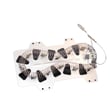
| No heat or overheating shutdown | Failed heater or safety thermostat/fuse | Samsung dryer heating element DC47-00019A |
Why it matters
A restricted vent can trap lint and reduce airflow, which increases heat stress and can trigger safety shutoffs. Keeping airflow strong helps drying times, energy use, and the long-term reliability of your DV219AEW.
Last updated: February 2026
How do I know if my Samsung dryer heating element is bad?
If your Samsung DV219AEW dryer runs but does not heat (or takes much longer to dry), the heating element is a top suspect, especially after you have confirmed you are not on an Air Fluff or no-heat setting. We confirm a failed element by testing it for continuity with a multimeter after unplugging the dryer.
Quick symptoms to look for
- Dryer tumbles normally but clothes stay cool and damp
- Dry times suddenly get much longer on heated cycles
- Heat comes and goes during a cycle (inconsistent heating)
- A hot or “electrical” smell from the heater area (stop using and inspect)
- You have already cleaned the lint filter and checked the exhaust airflow
Rule out common non-part causes first
Your owner's manual troubleshooting checklist for “Doesn’t heat” and “Doesn’t dry” points to airflow and settings as common causes. Before testing parts, we recommend:
- Select a heat cycle (not Air Fluff)
- Check the home breaker/fuses (electric dryers can run on one leg of power but not heat)
- Clean the lint screen
- Inspect the venting for restriction; use 4-inch rigid metal ducting when possible
- Confirm the outside exhaust hood opens freely
How we test the heating element (basic method)
- Unplug the dryer.
- Access the heater housing (location varies by configuration).
- Remove at least one wire from the element terminal.
- Measure resistance across the element terminals.
What the meter results usually mean
| Meter reading | What it indicates | Next step |
|---|---|---|
| No continuity (open/infinite) | Broken heating coil | Replace the heating element |
| Very low resistance or continuity to metal housing | Shorted element | Replace the heating element |
| Continuity present | Element may be OK | Test safety thermostats and thermal cut-off |
If the element tests bad, the correct replacement for this model is the Samsung dryer heating element DC47-00019A.
Why it matters
A dryer that “doesn’t heat” is often caused by restricted airflow; that restriction can also overheat the heater circuit and trip safety devices. Fixing venting issues helps protect the new heating element and restores normal dry times.
Last updated: February 2026
How to test a Samsung dryer?
For a Samsung DV219AEW dryer, we test it by confirming safe power and proper grounding first, then checking key components (heat and motor circuits) with a multimeter. Follow the wiring and grounding steps in the DV219AEW owner's manual before any electrical testing.
Safety first (before any testing)
- Unplug the dryer or switch off the breaker before opening panels
- For electric models, verify the correct 120/240V supply at the outlet before deeper diagnosis
- Do not use an extension cord
- Confirm the power cord and strain relief are installed correctly at the terminal block
- Make sure the dryer is properly grounded (per the manual’s grounding instructions)
Quick functional checks (no tools)
These checks often pinpoint whether you have a power, airflow, or heat problem.
- Start a timed dry cycle and listen for the motor running and drum turning
- Check for strong airflow at the outside vent hood
- Confirm the door closes and latches firmly
- Check that the lint screen and exhaust path are clear
Multimeter tests we use most often
With power disconnected, we typically test these circuits for continuity or resistance.
| What you’re testing | What it tells you | Common suspect parts on this model page |
|---|---|---|
| Grounding (frame to ground) | Safety and correct cord/terminal block setup | Terminal block cover and wiring area (see manual) |
| Heating circuit continuity | Whether the heater path is open | Samsung dryer heating element DC47-00019A, dryer high-limit thermostat DC47-00018A, dryer thermal cut-off fuse DC47-00015A |
| Temperature sensing | Whether the dryer can regulate heat | Dryer thermistor DC32-00007A |
| Drum drive system | Whether the drum can turn under load | Samsung dryer drum belt 6602-001655, Samsung dryer drum support roller DC97-16782A |
Why it matters
Testing in the right order prevents replacing good parts. On DV219AEW, many “no heat” and “long dry time” complaints trace back to airflow restrictions or an open safety device (thermal cut-off or high-limit thermostat) rather than the heater itself.
Last updated: February 2026
How to reset Samsung dryer error code?
To clear an error code on your Samsung DV219AEW dryer, we reset the control by power-cycling the dryer (turn it off, unplug for about 5 to 10 minutes, then restore power). If the code returns, the dryer is detecting an active problem that needs troubleshooting.
Quick reset steps (safe and effective)
- Press Power to turn the dryer off.
- Unplug the dryer (or switch the breaker off) for 5 to 10 minutes.
- Restore power.
- Start a normal cycle and watch the display.
- If Child Lock is on, hold Time + Signal for 3 seconds to toggle it off, then retry.
What to do if the code comes back
Most Samsung dryer error codes come back immediately when the control still sees the fault. Focus on airflow, heat, and door sensing first.
- Clean the lint screen and confirm strong airflow at the outside vent.
- Check that the door closes firmly and latches consistently.
- Avoid overloading; restricted tumbling can trigger performance-related issues.
- If the dryer is overheating or shutting down, inspect the exhaust duct for blockage and have the interior and duct cleaned periodically.
Common symptom-to-part check
| Symptom after reset | Most likely area | Parts on this model page that often relate |
|---|---|---|
| No heat or weak heat | Heating circuit | Samsung dryer heating element DC47-00019A, dryer high-limit thermostat DC47-00018A |
| Overheats, then stops | Airflow restriction or safety cutoff | Dryer thermal cut-off fuse, 320-degree f DC47-00015A, dryer exhaust duct connector DC97-07895A |
| Long dry times | Venting or temperature sensing | Dryer thermistor DC32-00007A |
Why it matters
Resetting clears the control’s temporary state, but it does not fix the condition that triggered the code. If you reset and the code returns, addressing airflow, door closure, or a failed sensor or heat component prevents repeat shutdowns and protects the heating system.
For code definitions and model-specific troubleshooting steps, use the DV219AEW owner's manual. You can also reference our Samsung dryer error codes guide to match the code to the most likely checks.
Last updated: February 2026