


Where is the model number on a Kenmore trash compactor?
On the Kenmore trash compactor model 6651350594, the model number is printed on a rating label that’s typically on the cabinet frame just inside the drawer opening (behind the drawer front) or along a side panel near the lower front of the unit. Use that exact number when ordering parts.
Common places to check
- Open the drawer and look on the frame rails just behind the drawer front
- Check the left or right inner cabinet wall near the bottom
- Look around the door or drawer opening lip (front edge of the cabinet)
- If it’s built-in, check the side panel that becomes visible when the unit is pulled out a few inches
What the label looks like (and what to write down)
The label usually includes several identifiers. For parts lookup, we recommend recording:
- Model number (example: 6651350594)
- Serial number (helps confirm production run)
- Electrical rating (volts/amps, useful for switch or motor issues)
| Label field | Why it matters | Example format |
|---|---|---|
| Model number | Matches the correct parts diagram | 6651350594 |
| Serial number | Helps confirm version changes | Letters and numbers |
| Electrical rating | Helps with electrical troubleshooting | 120V, amps |
Why it matters
Kenmore trash compactors can look similar across multiple model series, but parts like the on/off switch, top limit switch, drive motor, and drawer slide kit can vary by model. Using the exact model number helps us match the correct replacement part the first time.
If you’re checking because the compactor won’t run
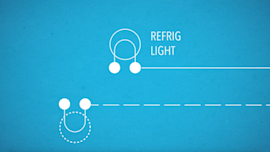
After confirming the model number, common first checks include the drawer fully closed and the switch circuit working. If you’re diagnosing wiring or switches, our how to use a multimeter to test electrical parts video can help you test safely and accurately.
Last updated: February 2026
What is a common problem with trash compactors?
A common problem with the Kenmore 6651350594 trash compactor is that it will not start or stops mid-cycle, usually due to a door/latch safety issue, a failed switch, or a jam that prevents the ram from traveling normally. Noise and a stuck drawer are also frequent complaints.
Most common symptoms and what they usually mean
- Won’t start: drawer not fully closed, latch not engaging, failed on/off or limit switch
- Stops during compaction: jammed trash, travel limit switch not changing state, drive problem
- Loud grinding/clicking: worn drive gear/chain components, loose hardware
- Drawer stuck or hard to open: debris in slides, bent drawer track, overloaded bag
- Bad odors: residue in the drawer, ram face, or bottom pan
Quick checks we recommend first (safe, no tools)
- Make sure the drawer is fully closed and the latch feels positive.
- Turn the unit off, wait 1 minute, then turn it back on and try a cycle.
- Pull the drawer out and remove any overhanging trash or a bag that slipped.
- Wipe down the drawer and cabinet edges; residue can keep the drawer from seating.
Parts that commonly fix “won’t start” or “stops mid-cycle”
If the drawer is closing correctly and power is good, these parts are frequent fixes on compactors like model 6651350594:
| Symptom | Likely area | Example part for this model |
|---|---|---|
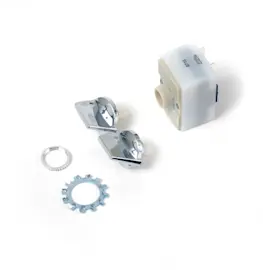
| Won’t start | On/off control | Off switch 675382 |
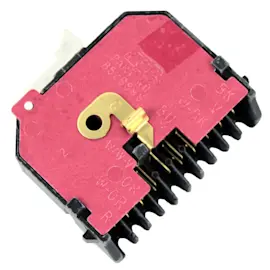
| Stops or reverses unexpectedly | Travel sensing | Trash compactor top limit and directional switch WP777811 |
| Loud mechanical noise | Drive train | Drive gear/chain components (inspect for wear) |
Why it matters
Trash compactors use safety interlocks and travel sensing to prevent the ram from moving when the drawer is open or when the mechanism binds. When a switch is weak or a jam occurs, the compactor often appears “dead” even though power is present.
Last updated: February 2026
How do you reset a compactor?
To reset a Kenmore trash compactor model 6651350594, we restore power to clear a stalled cycle: turn the unit off, remove power for about 20 seconds, then power it back on and try a normal run. This resolves most “won’t start” and mid-cycle stop issues.
Quick reset steps (safe and effective)
- Turn the compactor OFF using the on/off switch.
- Unplug the power cord (or switch the dedicated breaker off).
- Wait 20 to 60 seconds.
- Restore power, then turn the compactor ON.
- Close and latch the drawer fully, then start a cycle.
If it still will not run after a reset
A reset helps only if the control is “confused” after a power interruption. If the compactor still does nothing, these are the most common causes to check next:
- Drawer not fully closed or the safety interlock is not engaging
- Failed or sticking direction/limit switch (cycle position sensing)
- Faulty on/off switch
- Loose, damaged, or burned wiring connections
- Jammed drive components (ram, chain, gear) preventing movement
Parts that commonly solve “no start” or “stops mid-cycle”
| Symptom | What it often points to | Example part for this model |
|---|---|---|
| No response when switched on | Failed on/off switch | Off switch 675382 |
| Starts then reverses or stops | Limit/directional switch issue | Trash compactor top limit and directional switch WP777811 |
| Motor runs but ram does not move | Drive train problem | Kenmore elite trash compactor drive chain 780477 |
Why it matters
Trash compactors use multiple safety and position switches to prevent the ram from moving when the drawer is open or the mechanism is out of position. A quick power reset clears a stalled logic state, but persistent failures usually trace back to a switch, wiring, or drive component.
Last updated: February 2026
Why can't I press the trash compactor button?
On Kenmore trash compactor model 6651350594, the button usually will not press (or will not start a cycle) because the drawer is not fully closed and the safety interlock is not being made. Clear anything blocking the drawer, then close it firmly so the door switch can engage.
Quick checks that fix most “button won’t press” problems
- Pull the drawer out and remove any trash or bag material caught behind the drawer.
- Check that the bag is seated evenly in the carrier and not folded over the rim.
- Push the drawer in until it is fully flush with the cabinet front.
- Make sure the unit is not in the OFF position (some models use a separate on/off switch).
- If the drawer feels stiff or crooked, inspect the slides for binding.
What to inspect if the drawer closes but the control still will not work
If the drawer closes normally and the button still will not operate, the issue is typically in the safety switch circuit or a control switch.
| Symptom | Most likely area | What to do next |
|---|---|---|
| Drawer must be slammed to work | Door switch not being fully actuated | Check alignment, look for debris behind drawer |
| Button feels normal but nothing happens | On/off switch or interlock switch | Test switch continuity with power disconnected |
| Works intermittently | Loose wire connection | Inspect wiring and terminals for heat damage |
Parts that commonly relate to this symptom
- If the compactor will not run because the safety circuit is not closing, check the trash compactor top limit and directional switch WP777811.
- If the unit is stuck in an OFF state, inspect the off switch WP4314961 (or the alternate style off switch 675382 used on some builds).
Why it matters
Trash compactors are designed so the ram cannot move unless the drawer is fully closed and the safety switches are satisfied. That protects you from a moving ram and also prevents damage to the drive motor, chain, and gear train.
Last updated: February 2026