 Owner’s manual





What does F1 mean on Maytag dryer?
On a Maytag MDE7658BYW dryer, an F1 code points to a control problem, most commonly the electronic control board detecting an internal fault or an invalid signal. Start by resetting power, then check for simple wiring issues before replacing parts; see the MDE7658BYW owner's manual.
- Unplug the dryer (or switch off the breaker) for 5 minutes, then restore power and try a cycle.
- Confirm the dryer is on a dedicated circuit and the plug is fully seated.
- If the code returns immediately, stop the cycle and proceed to inspection steps below.
- If the code appears after the dryer warms up, focus on heat-related vibration and connection checks.
- If you smell gas or suspect a gas leak, shut off the gas supply and have a qualified technician check the installation.
In most Maytag dryers, F1 is triggered when the control senses a problem it cannot correct.
| Likely cause | What you may notice | What to do next |
|---|---|---|
| Control board fault | F1 returns quickly after reset | Inspect connections; replace control if needed |
| Loose harness connection | Code comes and goes, random beeping | Reseat connectors at the control and console |
| Keypad or console issue | Buttons act stuck or unresponsive | Check for stuck keys; inspect console wiring |
| Power supply issue | Dryer resets, lights flicker | Verify outlet, cord, and breaker condition |
- Disconnect power before removing any panels.
- Remove the console access as shown in the MDE7658BYW owner's manual and reseat wiring connectors to the control.
- Look for pinched, rubbed, or burnt wires near the console and where the cabinet vibrates.
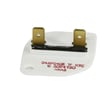
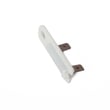
- If the dryer also has heat or cycling issues, test safety devices with a meter; a failed safety device can sometimes accompany control faults. A common safety part to check is the dryer thermal fuse, 243-degree f WP307473.
An F1 code can stop the dryer mid-cycle and, if ignored, can lead to repeated shutdowns or overheating protection trips. Fixing the underlying control or wiring issue restores reliable cycle timing, temperature control, and safe operation.
Last updated: February 2026
Where is my Maytag dryer model number?
On the Maytag dryer model MDE7658BYW, the model and serial number are on the data plate in the lower center of the door opening (you will see it when you open the dryer door). For the exact location diagram and wording, use the MDE7658BYW owner's manual.
- Open the dryer door fully.
- Look at the cabinet frame around the opening (not the door itself).
- Check the lower center area of that opening for a sticker or metal data plate.
- Write down both the model number and serial number.
- Take a clear photo of the label; it helps when ordering parts or scheduling service.
| What you will see | Why it matters |
|---|---|
| Model number (example: MDE7658BYW) | Ensures parts like a belt, thermal fuse, or igniter match your exact dryer |
| Serial number | Helps identify production details used for correct part variations |
| Date of purchase line (sometimes recorded separately) | Useful for your records and service history |
We use the model number to match the correct Maytag dryer parts and diagrams for your exact configuration. Even small model differences can change fitment for common items like the drum belt, lint filter, or heating system components.
- Wipe dust off gently with a damp cloth and let it dry.
- Use your phone flashlight at an angle to reduce glare.
- If the sticker is worn, take multiple photos from different angles.
- Keep the number saved with your home records.
Last updated: February 2026
Why is my Maytag dryer not starting but has power?
If your Maytag dryer model MDE7658BYW has power but will not start, the most common causes are a door that is not fully latched, a tripped breaker or blown house fuse, or a failed safety device such as the thermal fuse. We recommend following the no-run checks in the MDE7658BYW owner's manual first.
- Confirm the door is fully closed and latched; the dryer will not run if the door switch is not engaged.
- Press Start again if the door was opened mid-cycle.
- Check your home electrical supply: reset the breaker and replace any blown fuses.
- Make sure the power cord is firmly plugged into a live outlet.
- If the dryer overheated recently, inspect airflow issues (lint screen and venting) before restarting.
If the dryer still will not start after the checks above, we move to component testing with a multimeter.
| Symptom | Most likely area | What we do next |
|---|---|---|
| No motor sound at all | Thermal fuse or door switch circuit | Check continuity of the thermal fuse and door switch |
| Clicks/hums but drum does not turn | Belt or motor issue | Inspect belt and drum movement by hand |
| Runs only with door held/pressed | Door switch/strike alignment | Inspect latch alignment and door switch |
These parts are often involved in no-start or no-run complaints on dryers like the MDE7658BYW:
- Dryer thermal fuse, 243-degree f WP307473 (opens if the dryer overheats)
- Dryer drum belt WP33002535 (broken belt can prevent tumbling and may stop the cycle)
- Dryer motor assembly WP33002795 (motor failure can prevent starting)
A dryer that has power but will not start is usually being blocked by a safety or interlock condition (door not latched, power supply issue, or an overheat protection device). Fixing airflow problems at the same time helps prevent repeat failures.
Last updated: February 2026





