 Installation guide
 Owner’s manual



How to hard reset a Kenmore dishwasher?
To hard reset your Kenmore dishwasher model 66574363K2, we recommend clearing the current cycle by using CANCEL/DRAIN, letting the unit drain, then restarting a fresh cycle with START/RESUME. This resets the cycle logic and clears most “stuck” conditions. See the 66574363K2 owner's manual for the exact button sequence on your control panel.
Reset steps (works for most “won’t respond” situations)
- Close the door fully (the dishwasher must be closed to drain).
- Press CANCEL/DRAIN once.
- Wait about 2 minutes for the drain to complete.
- Select your desired cycle and any options.
- Press START/RESUME to begin.
- If the controls are locked, press and hold HEATED DRY for 4 seconds to toggle Lock On off.
If you are trying to “reset” because the dishwasher is locked
The control lock can look like a failure because most buttons will not work.
| Symptom | What it usually means | What to do |
|---|---|---|
| LOCK ON light is lit | Controls are disabled | Hold HEATED DRY for 4 seconds |
| Buttons beep or light flashes | Lock is still enabled | Turn Lock Off, then press START/RESUME |
| Door opens but cycle will not resume | Lock is on | Turn Lock Off, then press START/RESUME |
Why it matters
Using CANCEL/DRAIN first prevents starting a new wash with leftover water in the tub, and it clears cycle indicators so the electronic control can accept a new cycle selection cleanly.
When a reset is not enough
If the dishwasher still will not start after the steps above, focus on common causes like a door not latching or a fill problem:
- Confirm the door latches firmly; a worn latch can stop operation.
- Check household water supply to the dishwasher.
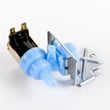
- If it fills slowly or not at all, the dishwasher water inlet valve W10844024 is a common part involved.
- If you see an error code, use the Kenmore 665 model dishwasher error codes reference to match the code to the next repair step.
Last updated: January 2026
What are common problems with Kenmore dishwashers?
Common problems on the Kenmore 66574363K2 dishwasher include the unit not starting or stopping mid-cycle, poor cleaning from spray issues, and leaks around the door. Many of these come down to the door latch, water fill, drainage, or a blocked float/vent area; our troubleshooting steps below help narrow it fast.
Most common symptoms (and what they usually point to)
- Won’t start / stops during a cycle: door not fully latched, power interruption, or an overload reset
- Poor wash performance: spray arm blockage, low water fill, or wash system restriction
- Leaks at the front: worn door seal or door not closing squarely
- Burning smell: heater or wiring issue, or debris contacting a hot component
- Steam at the door vent during drying: normal operation (hot vapor exits the vent)
Quick checks we recommend first (5 to 10 minutes)
- Confirm the door closes tightly and latches; a loose latch can stop the cycle.
- Check the home breaker or fuse; a power interruption can cause a flashing Start/Resume light.
- Verify the water shut-off valve is fully open.
- Lift and release the overfill protection float; it must move freely and be in place.
- Look for items under the float that could jam it.
Common parts involved
| Symptom | Likely area | Example part for this model |
|---|---|---|
| Door won’t latch or cycle stops | Door latch/strike alignment | Dishwasher door latch WP3380854 |
| Water not filling well | Water inlet valve | Dishwasher water inlet valve W10844024 |
| Leaking at the door | Door seal | Dishwasher door seal WPW10509257 |
Why it matters
A dishwasher that is not latching, not filling correctly, or overfilling can stop mid-cycle, wash poorly, or leak. Catching the root cause early helps protect the motor, pump, and kitchen flooring.
Where to confirm model-specific steps
Use the 66574363K2 owner's manual for cycle behavior, indicator light meanings, and the built-in troubleshooting checks (including door latch and float guidance).
Last updated: January 2026
What does F2E2 mean on a Kenmore dishwasher?
On Kenmore dishwasher model 66574363K2, the F2E2 error code points to a keypad or user interface problem, where the control is not reading the button presses correctly (often a stuck key or a failed user interface). Use the troubleshooting steps in the 66574363K2 owner's manual to confirm the reset and diagnostic procedure.
What to try first (quick checks)
- Press Cancel/Drain and wait for the drain to finish.
- Power reset: turn the dishwasher OFF at the breaker for 1 minute, then restore power.
- Wipe the control panel dry; moisture can cause false key presses.
- Press each key once; if one feels stuck or triggers beeping, that supports a keypad issue.
- Start a normal cycle and watch whether the code returns immediately.
What usually causes F2E2
Most F2E2 situations come down to one of these:
- Stuck or shorted keypad on the console
- Failed user interface (touchpad) electronics
- Loose connection between the user interface and main control
- Moisture intrusion at the console
Symptom-to-cause guide
| What you notice | Most likely cause | What to do next |
|---|---|---|
| Code returns right away after reset | Keypad/user interface fault | Inspect console area; plan for UI repair |
| Random beeping or “phantom” button presses | Moisture or shorted keypad | Dry panel, reset power, recheck |
| Some buttons work, others do not | Worn keypad contacts | Replace the user interface/keypad assembly |
Why it matters
When the dishwasher cannot reliably read the keypad, it may not start, may stop mid-cycle, or may run the wrong options. Fixing the user interface issue restores normal cycle selection and helps prevent repeat interruptions.
When parts are involved
If the code persists after a reset and drying the console, the repair typically involves the console keypad/user interface or its wiring connections. For model-specific disassembly and access steps, follow the 66574363K2 installation guide.
Last updated: January 2026







