Installation guide
 Owner’s manual



What is the average lifespan of a GE microwave?
Most GE microwaves, including over-the-range models like GE JVM3160DF4CC, typically last 7 to 10 years with normal household use. Heavy daily cooking, poor ventilation, and repeated door slams can shorten life; good cleaning habits and proper use help it reach the higher end of that range.
Typical lifespan and what changes it
A microwave’s life is mostly driven by heat stress, door-switch wear, and electrical component aging.
- Light use (reheat/defrost): often closer to 10 years
- Heavy use (multiple cook cycles daily): often closer to 7 years
- Frequent power issues (surges, tripped breakers): can shorten lifespan
- Poor airflow above the range: increases internal heat and wear
- Door misalignment or hard closing: accelerates interlock switch and latch wear
Signs your microwave is nearing end-of-life
These symptoms often show up before a complete failure:
- Takes longer to heat the same food than it used to
- Intermittent operation when closing the door (door switch or latch issues)
- Random loss of power (fuse or thermostat opening)
- Loud humming or burning smell during heating (stop using and have it checked)
- Vent fan running more often due to heat buildup from the cooktop
Common “repair vs. replace” decision guide
| What you’re seeing | Common cause | Typical next step |
|---|---|---|
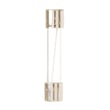
| Dead display, no response | Blown fuse or power issue | Diagnose power path; consider microwave fuse WB27X11138 |
| Runs but does not heat | High-voltage system issue | Use our heating checklist in why is my microwave not heating |
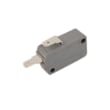
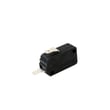
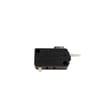
| Only works with door pressure | Door latch/switch wear | Inspect latch and switches; consider microwave door interlock switch WB24X10146 |
| Turntable not rotating | Motor or coupler | Check for binding; inspect drive parts |
Why it matters
Knowing the typical 7 to 10 year lifespan helps you decide whether a symptom is worth repairing. For example, a door interlock or fuse issue is often a targeted fix, while repeated heating failures late in the unit’s life usually point to more expensive high-voltage components.
For model-specific use, care, and safety guidance, follow the owner's manual.
Last updated: February 2026
How much does a handyman charge to install a microwave?
For a GE JVM3160DF4CC over-the-range microwave/hood combo, handyman installation typically runs about $300 to $850 when no major electrical, cabinet, or ductwork changes are needed. Price goes up when the job requires new venting, cabinet modifications, or a dedicated outlet.
What drives the price up or down
Common cost factors for an over-the-range microwave install include:
- Venting work: converting recirculating to outside venting, cutting a new duct path, or adding a damper
- Electrical work: adding or relocating a grounded 3-prong outlet in the cabinet above the unit
- Cabinet fit: decorative trim removal, recessed cabinet bottoms needing filler blocks, or leveling issues
- Mounting complexity: finding studs, using toggle bolts in drywall, and aligning the mounting plate
- Two-person lift: this style microwave is heavy and is a two-person install
Installation requirements that affect labor (JVM3160DF4CC)
Your installation guide calls out several requirements that often determine whether the job is “standard” or “custom.”
| Item | What’s typically required | Why it can add labor |
|---|---|---|
| Power | 120V, grounded 3-prong outlet (no extension cord) | Outlet relocation or new circuit work |
| Mounting | Must mount to both the top cabinet and the wall | Extra layout time, stud finding, toggle bolts |
| Weight handling | Two people needed; do not lift by the handle | Scheduling a helper, safer handling steps |
For the exact templates, mounting steps, and venting options, use the installation guide.
Ways to keep the install closer to the low end
- Replace an existing over-the-range microwave with the same venting direction
- Confirm the outlet is already in the upper cabinet and properly grounded
- Verify the cabinet bottom is level and clear of trim that interferes
- Keep the existing ductwork location (if externally vented)
- Have a second person available for lifting and positioning
Why it matters
A correct install keeps the microwave level, properly supported, and safely powered. That prevents door alignment issues, vibration, and electrical hazards, and it helps the vent fan move air the way it was designed to.
Last updated: February 2026
What are common problems with GE JVM3160DF4CC microwaves?
Common problems with the GE JVM3160DF4CC microwave/hood combo include the oven not starting, the control panel lighting up but not running, not heating, loud operating noises, and vent or turntable issues. Many “won’t start” complaints trace back to power supply problems or the door interlock system.
Most common symptoms and what they usually mean
- Oven will not start: tripped breaker, blown house fuse, loose plug, or door not fully latched
- Control panel is lit but it will not run: door not closed firmly, START/PAUSE not pressed, or a prior selection not canceled
- Runs but does not heat: high-voltage system problem (magnetron, capacitor, transformer) or a safety interlock issue
- Loud noises during operation: turntable drive problem, coupler wear, or fan/vent noise
- Sparking or arcing: food splatter/carbon buildup, metal/foil contact, or interior damage that needs attention
For model-specific operating checks and troubleshooting steps, use the JVM3160DF4CC owner's manual.
Quick checks we recommend before replacing parts
- Reset power: unplug for 60 seconds, then plug back in.
- Confirm the outlet works (test with a small lamp).
- Open and close the door firmly; make sure it latches cleanly.
- Press CANCEL/OFF to clear the control, then re-enter the cook time and press START/PAUSE.
- If the unit is dead (no display), check the home breaker/fuse first.
Parts that commonly relate to these problems
If the door feels “loose,” the microwave starts only sometimes, or it stops when you move the door, the interlock system is a frequent culprit.
| Symptom | Common part area | Example part for this model |
|---|---|---|
| Won’t start or starts intermittently | Door interlock switches/latch | Microwave door interlock switch WB24X10146 |
| Completely dead (no display) | Internal fuse (after power checks) | Microwave fuse WB27X11138 |
| Turntable not rotating | Turntable drive | Microwave turntable motor WB26X32190 |
| Vent fan not working | Vent motor/damper | Vent motor WB26X10273 |
Why it matters
Microwaves use multiple safety interlocks; if the door switches or latch parts do not align, the oven may refuse to run or may run inconsistently. Addressing door fit and power issues first prevents unnecessary parts replacement.
Last updated: February 2026
Is the JVM3160DF4CC easy to use?
Yes. The GE JVM3160DF4CC microwave/hood combo is designed for straightforward daily use with a simple keypad layout and common one-touch functions (cook time, defrost, add 30 seconds, vent fan, and surface light). For the exact button functions and shortcuts, use the owner's manual.
What “easy to use” looks like on this model
Most owners consider this style of GE over-the-range microwave easy because the controls are organized around the most common tasks.
- One-touch convenience keys for common foods (such as popcorn and potato)
- Express cook number keys for quick starts
- Dedicated Add 30 Sec. button for fast time adds
- Separate controls for Vent fan and Surface light
- Clear Start/Pause and Cancel/Off keys
Quick start tips (everyday cooking)
These habits make the JVM3160DF4CC feel simpler and more consistent.
- Use Add 30 Sec. for quick reheats, then press again to extend time
- Use Cook Time for precise heating when auto settings overcook or undercook
- Use Power Level to reduce splatter and prevent overheating (lower power, longer time)
- Use Defrost Weight/Time for frozen foods instead of guessing cook time
- Turn Turntable on for more even heating (off only for oversized dishes)
Common “not easy” moments and what usually fixes them
If the microwave feels fussy, it is usually a setup or door-latch issue, not the cooking features.
| Symptom | What to check first | Typical fix |
|---|---|---|
| Buttons seem unresponsive | Cancel/Off, then try again | Reset the cook entry sequence per the manual |
| Won’t start with door closed | Door closing firmly and latching | Inspect latch area; replace a worn switch if needed |
| Stops when you open/close door | Door alignment and latch feel | Check interlock components |
If the door has to be slammed or the unit will not start reliably, the door interlock system is a common wear point; the microwave door interlock switch WB24X10146 is one of the model-compatible parts we list for this microwave.
Why it matters
Easy-to-use controls reduce mis-entries and help prevent overheating, boil-overs, and uneven cooking. A properly latching door also ensures the microwave runs only when it is safe and intended to operate.
Last updated: February 2026