 Installation guide
 Owner’s manual
 Error Codes


How to do a hard reset on a Kenmore dishwasher?
To hard reset (clear the current cycle and options) on your Kenmore dishwasher model 66516462300, press CANCEL; the dishwasher will drain for up to about 2 minutes, then the indicator light turns off and you can start a new cycle. See the exact control steps in the 66516462300 owner's manual.
Reset steps (most reliable method)
- Press CANCEL once.
- Keep the door closed so the unit can drain.
- Wait up to 2 minutes for the drain to finish.
- If you want to stop the drain early, press CANCEL again.
- Select your new cycle and options, then press START.
If the controls are on the top edge of the door
If your 66516462300 has top-mounted controls, use this safe sequence before pressing buttons:
- Carefully open the door slightly to stop spraying.
- Wait until spraying stops.
- Open the door enough to access the control panel.
- Press CANCEL, then close the door to allow draining.
What “reset” does (and does not) do
| Action | What it affects | What to expect |
|---|---|---|
| Press CANCEL | Current cycle and selected options | Drains (if needed), then clears selections |
| Start a new cycle | Wash program | Runs after a short pause once the door is latched |
| Power cycle at breaker (1 minute) | Control reboot | Useful if the keypad is unresponsive |
Why it matters
A proper reset prevents starting a new wash with the wrong cycle, leftover options, or standing water in the tub. It also helps you avoid poor cleaning results caused by restarting mid-cycle.
Last updated: January 2026
What does red lock mean on a dishwasher?
On Kenmore dishwasher model 66516462300, a red lock (padlock) light means the Control Lock (Lock On) feature is turned on, so the buttons will not respond. Turn it off by pressing and holding AIR DRY for 4 seconds until the lock light goes out (see the 66516462300 owner's manual).
How the Control Lock works
When LOCK ON is lit, the dishwasher disables the control pads to prevent accidental starts or cycle changes.
- The dishwasher can still be opened while the controls are locked.
- If you press a button while locked, the lock light typically flashes.
- Lock is useful for cleaning the control panel without starting a cycle.
- Lock can help prevent kids from changing settings.
How to turn the lock on or off (66516462300)
Use the same button sequence to toggle the lock.
| What you want to do | What to press | How long to hold | What you should see |
|---|---|---|---|
| Turn lock on | AIR DRY | 4 seconds | LOCK ON glows |
| Turn lock off | AIR DRY | 4 seconds | Lock light turns off |
If the red lock stays on
These checks fix most “controls not responding” complaints.
- Make sure you are pressing and holding AIR DRY for the full 4 seconds.
- Close the door firmly; some models ignore inputs if the door is not fully latched.
- Restore power by turning the breaker off for 1 minute, then back on.
- If the dishwasher recently leaked or overfilled, check that the overfill float moves freely.
Why it matters
Control Lock is a normal feature, but it can look like a failure. Unlocking restores normal operation so you can select a cycle, options, and start the wash.
Last updated: January 2026
Why is the start button not working on my Kenmore Ultra Wash quiet guard?
On Kenmore model 66516462300, a Start button that won’t respond is usually caused by the door not latching, the control being in a delay or lock mode, or a power issue to the dishwasher. Follow the operating checks and troubleshooting steps in the 66516462300 owner's manual.
Quick checks that fix most “won’t start” complaints
- Close the door firmly until it latches; the dishwasher will not run if the door is not latched.
- Cancel a delay start: if Delay Hours is set, press CANCEL to clear it, or press START to override the delay and begin.
- Check for Control Lock: if the controls are locked, unlock them (this model uses a press-and-hold function).
- Verify power: confirm the breaker is on and the dishwasher has power.
- Select a cycle again: choose a wash cycle and options, then press START.
What to check next (most common causes)
If the quick checks don’t help, these are the most likely reasons:
- Door latch or door switch issue: the dishwasher “thinks” the door is open, so Start won’t initiate a cycle.
- Household power problem: a tripped breaker or blown fuse can leave the control unresponsive.
- Motor overload reset: the motor can stop due to overload and typically resets within a few minutes.
- Overfill protection float stuck up: if the float is stuck, the dishwasher may not fill and may appear not to start; press it down to release.
Troubleshooting guide (symptom-to-check table)
| What you see | What it usually means | What to do |
|---|---|---|
| Lights on, but no wash action | Door not latched or delay/lock active | Latch door; cancel delay; unlock controls |
| Nothing happens at all | No power to dishwasher | Check breaker/fuse; restore power |
| Starts then stops quickly | Motor overload or control interruption | Wait a few minutes; restart cycle |
| Hums but won’t wash | Possible circulation problem | Inspect wash system; consider pump/motor diagnosis |
When a part is likely needed
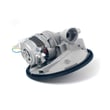
If the door is latching correctly and power is good, a wash system failure can prevent normal operation. For circulation-related issues, the dishwasher pump and motor assembly W10782773 is a common repair part on this model.
Why it matters
The Start button is only one piece of the “start permission” chain. The control also looks for a latched door, valid cycle selection, and safe operating conditions (like proper fill). Fixing the root cause prevents repeat no-start problems.
Last updated: January 2026
What are common problems with Kenmore dishwashers?
Common problems we see with the Kenmore 66516462300 dishwasher include not starting or stopping mid-cycle, not filling, running too long, poor drying, and film or stains on dishes. Many issues are caused by power, door latch, water supply, loading, or routine cleaning needs; check the 66516462300 owner's manual troubleshooting steps first.
Most common symptoms (and what to check first)
- Won’t start or stops during a cycle: confirm the door is fully closed and latched, and the cycle is selected.
- No power: check the household breaker or fuse, then retry the cycle.
- Won’t fill with water: make sure the water shutoff valve is on; press the overfill float down to ensure it moves freely.
- Runs a long time: some cycles pause repeatedly during the main wash; this can be normal.
- Dishes not dry: avoid overloading, improve drainage, and use rinse aid.
Quick troubleshooting checklist (safe, no tools)
- Verify the door closes tightly and latches.
- Confirm the water shutoff valve is fully open.
- Check the breaker or fuse for the dishwasher circuit.
- Press the overfill protection float down to release it.
- Reduce overloading so spray and drainage paths stay open.
- Use a liquid rinse aid and select an air-dry or energy-saving dry option when appropriate.
Cleaning and water-quality issues you may notice
The use and care guidance for this model includes a simple interior cleaning method using white vinegar.
| Problem on dishes | Common cause | What to do |
|---|---|---|
| Milky/rainbow film or cloudy glass | Silica film or etching | Use less detergent, add rinse aid, avoid heated dry (etching is permanent) |
| Black/gray marks | Aluminum rubbing | Hand wash disposable aluminum; use mild abrasive cleaner to remove marks |
| Brown stains | High iron in water | Periodic citric acid crystal treatment; consider iron removal if frequent |
Parts that are often involved when symptoms persist
If basic checks do not resolve the issue, these model-compatible parts are commonly related to draining, leaking, or wash performance:
- Dishwasher drain hose 8269144A (drain routing, clogs, leaks)
- Dishwasher pump and motor assembly W10782773 (circulation and wash pressure)
- Dishwasher chopper assembly W10083957V (food chopping to protect the pump)
- Gasket W11196317 (door sealing and leak prevention)
Why it matters
Dishwashers depend on correct fill level, strong circulation, and proper drainage. A simple issue like a stuck float, closed water valve, or overloaded racks can look like a major failure, but it is often fixable without replacing parts.
Last updated: January 2026







