 Installation guide
 Owner’s manual
 Error Codes




How to reset Kenmore Ultra Wash Quiet Guard dishwasher?
To reset a Kenmore Ultra Wash Quiet Guard dishwasher like model 66516522000, we cancel the current cycle and restart the controls. On this model style, the most reliable reset is to advance the Cycle Control knob to drain, then set it to OFF, and start a new cycle per the 66516522000 owner's manual.
Quick reset (cancel and drain)
- Turn the Cycle Control knob slowly clockwise until you hear water draining.
- Let it drain completely.
- Open the door.
- Turn the Cycle Control knob to OFF.
- Close the door, select the new cycle/options, then start the cycle.
If the buttons seem unresponsive
These checks fix most “won’t reset” complaints on 66516522000 dishwashers:
- Make sure the door is fully latched; the dishwasher will not run or resume if the latch is not engaged.
- Wait for spraying to stop before opening the door; then close and latch firmly.
- If you changed cycles mid-cycle, refill detergent as needed (turning the knob can release detergent).
- Run hot water at the nearest sink until it is hot, then start the dishwasher (helps the cycle progress normally).
- If the unit is stuck full of water, confirm the drain path is clear and the hose is not kinked.
What “reset” does (and does not) do
| Action | What it accomplishes | When to use it |
|---|---|---|
| Cancel/drain reset (knob to drain, then OFF) | Stops the current cycle and clears the tub | Wrong cycle selected, cycle stalled, need to restart |
| Restart a new cycle | Begins a fresh wash sequence | After cancel/drain or after adding detergent |
Why it matters
A proper reset prevents partial cycles, leftover detergent dispensing at the wrong time, and standing water that can lead to poor cleaning. If the dishwasher will not latch or keeps stopping, the door latch can be the root cause; the correct replacement for this model is the dishwasher door latch WP3380854.
Last updated: January 2026
What are common problems with Kenmore dishwashers?
Common problems we see with the Kenmore 66516522000 dishwasher include not starting, not filling, not draining well, running too long, leaking at the door, and poor cleaning or drying. Many issues trace back to door latching, water supply, drainage setup, or worn seals and wash parts; use the 66516522000 owner's manual troubleshooting steps first.
Most common symptoms (and what to check first)
- Won’t start or stops mid-cycle: confirm the door is closed tightly and latched, and verify power at the breaker.
- Won’t fill: make sure the water shut-off valve is on; check that the overfill float moves freely.
- Not draining well: check the sink or countertop drain air gap (if installed) and the home drain for clogs.
- Runs too long: incoming water may not be hot enough; the dishwasher can extend run time while heating.
- Leaks at the door: inspect the door seal for tears, flattening, or debris.
- Poor wash results: check spray arms for clogs and confirm racks are loading without blocking rotation.
Quick troubleshooting table
| Symptom | Likely area | Fast DIY check |
|---|---|---|
| No run | Door latch, power | Close and relatch door; reset breaker |
| No fill | Water supply, float | Turn on shut-off; press float down to release |
| Poor drain | Drain air gap, hose | Clean air gap; inspect drain hose routing |
| Door leak | Door seal | Clean sealing surfaces; replace worn seal |
Parts that commonly wear on this model
If basic checks do not resolve the issue, these parts are frequent culprits on 66516522000:
- Dishwasher door latch WP3380854 if the door will not latch or the unit stops when bumped
- Dishwasher door seal WPW10509257 if you see water at the bottom corners of the door
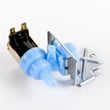
- Water inlet W10844024 if filling is slow or inconsistent (after confirming supply is on)
- Dishwasher drain hose WP3374077 if draining is weak and the hose is kinked or deteriorated
- Spray arm WP8268874 if wash pressure is poor due to clogged or damaged spray holes
Why it matters
Dishwasher problems often look “electrical,” but many are caused by simple mechanical or plumbing conditions (a door not fully latched, a stuck float, or a clogged drain air gap). Fixing those first prevents repeat failures and helps the wash system perform as designed.
Last updated: January 2026
What does red lock mean on a dishwasher?
On the Kenmore 66516522000 dishwasher, a red lock (often shown as a padlock icon) typically means the Control Lock is turned on, so the buttons will not respond and the dishwasher will not start until the lock is turned off. See the 66516522000 owner's manual for the exact key sequence.
How to turn off the Control Lock
Most Kenmore dishwashers disable the lock by pressing and holding a specific button (or button combination) for about 3 seconds until the light turns off.
Try these common steps:
- Press and hold Heated Dry for 3 seconds.
- If that does not work, press and hold Air Dry for 3 seconds.
- If your panel has a button labeled Control Lock or Lock, press and hold it for 3 seconds.
- Close the door fully and latch it, then try the lock sequence again.
- If the dishwasher is mid-cycle, press Cancel/Drain, wait for it to stop, then retry.
Quick checks if the lock light stays on
A lock light can stay on if the control is not seeing a proper “ready” state.
Check these items:
- Door is fully closed and latched (a loose latch can prevent controls from responding).
- No keys are stuck or held down by a wet control panel.
- Power was not interrupted; reset by turning off the breaker for 1 minute, then turning it back on.
- Child lock was enabled intentionally (common after cleaning the control panel).
What the red lock affects
| Feature | With Control Lock ON | With Control Lock OFF |
|---|---|---|
| Start cycle | Disabled | Normal operation |
| Cycle selection | Disabled | Normal operation |
| Cancel/Drain | Often disabled (varies by model) | Normal operation |
Why it matters
Control Lock prevents accidental button presses during a cycle and helps avoid unintended starts, especially when the dishwasher door is bumped or the control panel is wiped down.
Last updated: January 2026







