 Installation guide
 Owner’s manual
 Error Codes






How do I reset my oven error code?
On the Whirlpool RBS305PDS17 electric wall oven, we reset most display errors by clearing the control with OFF/CANCEL (single oven) or UPPER OFF/LOWER OFF (double oven), then retrying the entry. If the display shows PF, reset the clock after a power interruption using the same OFF key.
Quick reset steps (most common)
- Press OFF/CANCEL (single oven) or UPPER OFF / LOWER OFF (double oven).
- Wait 10 seconds.
- Re-enter the cooking function, then press START/ENTER within 5 seconds (so the control does not cancel the entry).
- If you see Err, it usually means an invalid pad press; press the appropriate OFF key and try again.
- If you see PF, a power failure occurred; clear it and reset the clock.
What the message usually means
| Display message | What it indicates | What we do first |
|---|---|---|
| Err | Invalid pad was pressed | Press OFF, then retry the correct key sequence |
| PF | Power failure occurred | Press OFF to clear, then reset the clock |
| Letter + number | Fault code that can return | Clear the display; if it returns, service is typically needed |
If the code comes back after clearing
A repeating code often points to a real problem such as a failing sensor, overheating condition, or a control issue. These checks narrow it down:
- Confirm the oven is not in Control Lock (look for Loc); hold START/ENTER about 5 seconds to lock or unlock.
- Let the oven cool; the cooling fan can keep running after canceling a cycle.
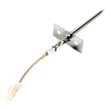
- If temperatures seem inaccurate, the temperature sensor circuit is a common cause; see wall oven temperature sensor WPW10131825.
- If the oven overheats or shuts down, a limit device can be involved; see range high-limit thermostat WP9759243.
Why it matters
Clearing the display gets you cooking again when the control simply rejected an entry or recovered from a power interruption. When a code repeats, addressing the underlying part or wiring issue prevents no-heat, overheating, or canceled cycles.
For the exact key sequences and display messages for your control, follow the RBS305PDS17 owner's manual.
Last updated: February 2026
What does it mean if my oven says psh?
On the Whirlpool RBS305PDS17 electric wall oven, a “PSH” message typically points to the control lock being active, so the keypad will not start baking until you unlock the controls. Unlocking restores normal button operation without changing your cooking settings.
How to unlock the controls
Use the control lock steps shown in the RBS305PDS17 owner's manual.
- Make sure the oven is not running a bake, broil, timer, or timed cooking cycle.
- Press and hold START/ENTER for about 5 seconds.
- Watch for “Loc” (and a lock indicator) to appear or disappear.
- Repeat the same press-and-hold to toggle unlock.
- If the display is acting odd after a power interruption, press OFF/CANCEL and reset the clock.
Quick checks if “PSH” keeps coming back
If the oven relocks or will not respond, focus on the most common causes: a stuck key, a control reset need, or a temperature-related shutdown.
- Power reset: turn the breaker OFF for 1 minute, then back ON.
- Check for a stuck or contaminated keypad area; wipe with a barely damp cloth and dry.
- Confirm the cooling fan is running after canceling a cycle; some fan run time is normal.
- If the oven overheats and shuts down, inspect the high-limit protection circuit.
Related parts that can matter
| Symptom | What to check | Model-matched part |
|---|---|---|
| Oven shuts down when hot, then returns later | High-limit thermostat opening | Range high-limit thermostat WP9759243 |
| Baking temps seem erratic or inaccurate | Oven temperature sensor resistance/connection | Wall oven temperature sensor WPW10131825 |
Why it matters
Control lock prevents accidental starts and unwanted temperature changes. If the oven is locking itself or acting like keys are being pressed, addressing the lock function and related heat-safety parts helps prevent no-heat complaints and mid-cycle shutdowns.
Last updated: February 2026
What is the life expectancy of a Whirlpool stove?
A Whirlpool stove typically lasts 13 to 20 years. For your Whirlpool RBS305PDS17 electric built-in oven, lifespan depends most on heat exposure, door seal condition, and electrical reliability; with normal household use and timely part replacement, 13 to 20 years is the expected range.
Typical life expectancy by type
These are the most common real-world ranges we see for cooking appliances:
| Appliance type | Typical life expectancy |
|---|---|
| Electric range/stove | 13 to 20 years |
| Gas range/stove | 15 to 23 years |
| Electric wall oven (like RBS305PDS17) | 13 to 20 years |
What shortens (or extends) oven life
The biggest difference between a 10-year oven and a 20-year oven is usually heat management and maintenance.
- Keeping the door sealing tightly (prevents overheating of controls and wiring)
- Avoiding repeated high-heat self-clean cycles back-to-back
- Fixing temperature problems early (prevents overrun heating)
- Making sure the cooling fan runs and vents are not blocked
- Using the correct bulb and handling the socket carefully during replacement
Parts that commonly affect longevity
When these parts start failing, the oven often still has plenty of life left once repaired:
- Wall oven temperature sensor WPW10131825 (helps regulate accurate baking temperatures)
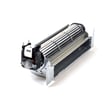
- Blower WPW10176670 (cooling fan that protects controls from heat)
- Range high-limit thermostat WP9759243 (safety device that can trip if overheating occurs)
- Oven door latch WPW10195934 (important for safe operation during self-clean on many models)
Why it matters
A wall oven that runs hot, heats unevenly, or struggles to maintain temperature puts extra stress on the broil/bake circuits, wiring connections, and safety thermostats. Addressing those symptoms early usually prevents bigger failures and helps your RBS305PDS17 reach its full service life.
Quick maintenance checklist
Use this as a simple routine to protect the oven:
- Wipe spills after the oven cools to reduce smoke and corrosion
- Confirm the door closes squarely and seals evenly
- Listen for the cooling fan after baking; it should run as needed
- If temps seem off, run a basic temperature check and recalibrate if your model allows it
- Follow the care and use guidance in the RBS305PDS17 owner's manual
Last updated: February 2026
What is wrong with my Whirlpool oven?
If your Whirlpool RBS305PDS17 electric wall oven is not heating, not turning on, or heating unevenly, the most common causes are a failed heating element, a bad temperature sensor, a tripped high-limit thermostat, or a power supply issue. Use the troubleshooting steps in the RBS305PDS17 owner's manual to narrow it down safely.
Quick checks we recommend first
- Confirm the oven has power (no tripped breaker; wall ovens typically need a dedicated 240V circuit).
- Make sure the control is set correctly (Bake vs. Broil, temperature set, Start pressed).
- If the display is dead, focus on power, wiring, and the terminal block connections.
- If the display works but there is no heat, focus on the heating circuit (elements, sensor, thermostat).
- If the oven overheats or shuts down, suspect airflow or over-temp protection.
Most common failures on an electric wall oven
| Symptom | Most likely cause | What you can do next |
|---|---|---|
| Oven will not heat in Bake | Bake element or control issue | Inspect element for damage; test circuit per manual |
| Broil does not work | Failed broil element | Check and replace the broiler element WP9760771 if open |
| Temperature is inaccurate | Failed sensor | Test/replace the wall oven temperature sensor WPW10131825 |
| Oven shuts off or won’t restart when hot | High-limit thermostat opening | Check the range high-limit thermostat WP9759243 and cooling airflow |
Safe DIY steps (before replacing parts)
- Cut power at the breaker before removing panels or testing wiring.
- Check for obvious damage: burned connectors, melted insulation, loose terminals.
- If you have a multimeter, test suspect parts for continuity/resistance (follow the manual’s procedure).
- Verify the cooling fan runs when the oven is hot; a failed blower can contribute to overheating.
- Re-seat any accessible wire harness connections that look loose or heat-stressed.
Why it matters
An electric wall oven like the Whirlpool RBS305PDS17 relies on accurate temperature feedback and safe over-temperature protection. A weak element or drifting sensor can cause undercooking, while an overheating condition can trigger the high-limit thermostat and make the oven seem “dead” until it cools.
Last updated: February 2026






