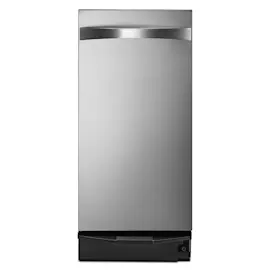
Owner’s manual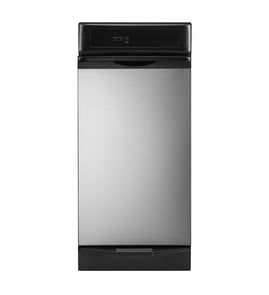




What is a common problem with trash compactors?
A very common issue on the KitchenAid KTTS505ESS0 trash compactor is that it will not run or will not compact because the drawer is not fully closed, the key-knob is not set to START, or the drawer is not at least half full. See the KTTS505ESS0 owner's manual for the exact operating steps and safety rules.
Most common problems (and what they usually mean)
- Won’t start: power issue, tripped breaker, drawer not fully closed, key-knob not turned to START
- Runs but doesn’t compact: drawer is less than half full (normal behavior)
- Drawer won’t open: ram is not fully raised
- Stops and returns without compacting: misload detected (items not centered can get caught)
- Bad odors: messy waste not wrapped, bag left in too long, unit needs cleaning
Quick checks we recommend first
- Confirm the compactor is plugged into a grounded 3-prong outlet.
- Reset the home breaker or replace the fuse if needed.
- Close the drawer firmly (the compactor will not operate if the drawer is not fully closed).
- Turn the key-knob fully to START (some models also require pressing ON first).
- Load correctly: keep bottles and cans on their sides and centered to avoid a misload.
Loading and operation tips that prevent “false problems”
| Situation | What you’ll notice | What to do |
|---|---|---|
| Drawer less than half full | Little or no compaction | Add more trash before running a cycle |
| Bottles/cans not centered | Ram returns to “up” without compacting | Reload items in the center of the drawer |
| Wet/messy trash | Odors, residue | Wrap or cover wet waste before loading |
Why it matters
Most “compactor problems” are actually safety interlocks and normal operating rules doing their job. Correct loading and a properly closed drawer help the ram compact efficiently and reduce jams, odors, and unnecessary part wear.
Last updated: February 2026
Where is the model number on a KitchenAid trash compactor?
On a KitchenAid trash compactor like model KTTS505ESS0, the model number is printed on the model and serial number label located on the compactor itself. The most common spot is on the frame area you can see when the drawer is open; confirm the exact location using the KTTS505ESS0 owner's manual.
Where to look first (fast checks)
- Open the compactor drawer fully and look along the inner frame opening
- Check the door or drawer edge area where it meets the cabinet frame
- Look near the lower side panels close to the floor line
- Use a flashlight; the label is often small and easy to miss
What you should write down
We recommend recording both identifiers so you can match parts and service information correctly.
| Item to record | Why it matters |
|---|---|
| Model number | Ensures parts diagrams and replacement parts match your exact unit |
| Serial number | Helps confirm production details for service and support |
| Purchase/installation date | Useful for maintenance history and service calls |
Why it matters
KitchenAid compactor parts can vary by revision, even within the same product family. Using the complete model number (KTTS505ESS0) and serial number helps us match the correct trash compactor bags, switches, and drive components the first time.
Last updated: February 2026
Can you get parts for a KitchenAid mixer?
Yes. You can get replacement parts for many KitchenAid mixers, but the exact parts list depends on your mixer’s model number. If you are shopping parts for KitchenAid model KTTS505ESS0, note that this model is a trash compactor, so its parts (bags, switches, motor components) are different from stand mixer parts.
How to make sure you order the right part
Use these steps so the part fits and works correctly:
- Find the complete model number from the rating label (mixer and compactor model numbers are not interchangeable).
- Match the part to the correct product type (stand mixer vs. trash compactor).
- Use factory specified parts for best fit and performance.
- If you are unsure, compare the old part’s markings and shape to the replacement listing.
- Keep your model and serial number handy when ordering or calling for help (this speeds up identification).
For KitchenAid compactor parts and ordering guidance, use the KTTS505ESS0 owner's manual.
Common examples: mixer parts vs. compactor parts
Here is a quick comparison to prevent ordering the wrong item:
| Appliance | Typical parts people replace | Example from KTTS505ESS0 parts list |
|---|---|---|
| KitchenAid stand mixer | Gears, brushes, speed control, bowl/latch parts | Not applicable (different appliance) |
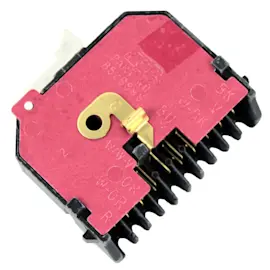
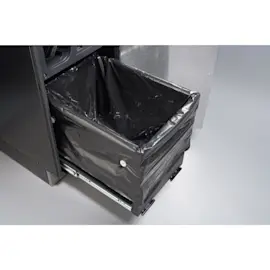
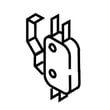
| KitchenAid trash compactor (KTTS505ESS0) | Bags, switches, motor/drive parts, filters | Trash compactor bag, 15-pack W10165295RP, trash compactor top limit and directional switch WP777811 |
Why it matters
KitchenAid uses model-specific designs. Ordering by the correct model number prevents returns and downtime, and it helps ensure the replacement is truly factory specified for your appliance.
Last updated: February 2026
Why is my KitchenAid trash compactor not closing?
If your KitchenAid trash compactor model KTTS505ESS0 drawer will not close, the most common causes are an overfilled bag, trash caught on the drawer rails, or the ram being down (Solid/Locked cycle), which keeps the drawer locked until the ram fully raises. Use the steps in the KTTS505ESS0 owner's manual to confirm normal drawer operation.
Quick checks that usually fix it
- Remove bulky items that can snag the drawer (boxes, long bottles, rigid packaging).
- Make sure the bag is seated evenly in the drawer and not folded over the top edge.
- Look for debris behind the drawer or along the side rails; clear anything rubbing.
- If you used Solid (Locked) cycle, wait for the ram to return fully up before opening or closing.
- Close the drawer firmly; the compactor will not run unless the drawer is completely closed.
Step-by-step: get the drawer closing again
- Open the drawer using the handle or toe bar (toe bar typically opens only a few inches).
- Check for interference: inspect both sides of the drawer track and the rear area for fallen trash.
- Reduce the load: if the bag is packed high, remove some trash and re-seat the bag.
- Confirm the ram position: the drawer opens and closes normally only when the ram is fully raised.
- Try a normal cycle (not Solid/Locked) after the drawer closes smoothly.
Parts that can be involved (when it is not just a blockage)
If the drawer physically will not latch or the unit behaves like it thinks the drawer is not closed, a switch or latch issue is common.
| Symptom | What it points to | Example part for KTTS505ESS0 |
|---|---|---|
| Drawer closes but unit acts “not closed” | Limit/position switch problem | Trash compactor top limit and directional switch WP777811 |
| Drawer won’t stay shut or feels loose | Latch alignment or latch wear | (Inspect latch and striker alignment) |
| Drawer binds even when empty | Track/roller or cabinet alignment issue | (Inspect rails and mounting) |
Why it matters
A drawer that does not close fully can prevent the compactor from starting and can also cause rubbing that damages the bag, leading to leaks and odors. Keeping the drawer tracks clear and avoiding overfilling helps the ram compress properly and protects the drawer mechanism.
Last updated: February 2026