Installation guide
 Owner’s manual
 Error Codes
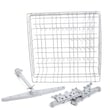


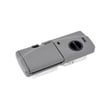
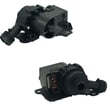

What are the main parts of a dishwasher?
The main parts of an Electrolux dishwasher like model EIDW6105GS2B include the wash system (pump, spray arms, filter), the detergent and rinse aid dispensers, racks and basket, and the door and controls that let the unit fill, wash, drain, and dry properly.
Core dishwasher parts (what they do)
- Spray arms (upper and lower): spray hot water and detergent onto dishes.
- Pump and motor: circulates wash water through the spray arms.
- Filter area: traps food soil so it can be pumped out during draining.
- Detergent dispenser: holds main-wash and pre-wash detergent; the covered cup opens automatically.
- Rinse aid dispenser: helps improve drying and reduce spotting.
- Racks and silverware basket: position dishes so spray reaches all surfaces.
- Door latch and door seals: keep the door closed and help prevent leaks.
- Controls (control board and user interface): manage fill, wash, heat, drain, and timing.
Parts you can replace on EIDW6105GS2B (examples)
If one of these systems fails, we typically troubleshoot the symptom first, then replace the failed component.
- Dishwasher detergent dispenser assembly 5304507354
- Dishwasher electronic control board assembly 154750502
- Dishwasher door latch assembly 154671402
- Dishwasher pump and motor assembly 154614002
- Dishwasher drain pump 154757901
Quick reference table
| System | Main job | Common symptom when it fails |
|---|---|---|
| Wash/circulation | Moves water through spray arms | Poor cleaning, weak spray |
| Dispensing | Releases detergent and rinse aid | Detergent not released, spotting |
| Drain | Pumps dirty water out | Standing water in tub |
| Door/closure | Keeps door shut and sealed | Won’t start, leaks |
| Controls | Runs the cycle steps | Dead unit, stops mid-cycle |
Why it matters
Knowing the main parts helps you match a symptom (not cleaning, not draining, not starting, leaking) to the right area, so you replace the correct Electrolux dishwasher part the first time. For diagrams and component locations specific to EIDW6105GS2B, use the EIDW6105GS2B owner’s manual.
Last updated: February 2026
What is the error code i30 on Electrolux dishwasher?
On the Electrolux EIDW6105GS2B dishwasher, error code i30 (often shown as E30) means the unit detected a leak or overflow condition in the bottom pan, so the control shuts down to protect the machine.
What to do right away
- Press START/CANCEL once, then close the door so the dishwasher can drain and shut off.
- Turn power off at the breaker (or unplug if accessible).
- Turn water supply off under the sink.
- If you see standing water in the base pan, dry it up and look for the source of the leak.
- Restart only after the leak source is corrected; otherwise i30 typically returns.
Common causes of i30 (leak/overflow)
- Loose or leaking inlet, drain, or internal hose connections
- Over-sudsing from wrong detergent or too much detergent
- Door not sealing due to loading issues or a latch problem
- Drain issue that causes water to back up and spill into the base
- A faulty leak detection or overfill condition (float system)
Parts that often relate to i30 on this model
| Symptom you notice | What it often points to | Example part for EIDW6105GS2B |
|---|---|---|
| Water in base pan, intermittent shutdown | Leak detection circuit reacting | Dishwasher leak detector sensor 154655901 |
| Overfilling or filling when it should not | Overfill protection/float system | Dishwasher float switch assembly 154763901 |
| Door won’t stay latched, water at front | Door not sealing consistently | Dishwasher door latch assembly 154671402 |
Why it matters
i30/E30 is a protective shutdown. Clearing the code without fixing the leak can lead to repeated stoppages and water damage around the dishwasher.
Where to find model-specific error guidance
We follow the troubleshooting and error indication guidance in the EIDW6105GS2B owner’s manual, including how the control displays errors and when the unit shuts down for safe operation.
Last updated: February 2026
Why is my Electrolux dishwasher panel not working?
If the control panel on your Electrolux EIDW6105GS2B dishwasher is unresponsive, the most common causes are a power supply problem, a door latch that is not fully engaging, or a failed control component (such as the electronic control board). Use the EIDW6105GS2B owner's manual to confirm the correct power requirements and basic operating checks.
Quick checks we recommend first
- Make sure the dishwasher has power at the outlet and the breaker is fully reset.
- Confirm the door closes firmly; a door that is not latched can make the panel appear “dead.”
- Cancel the cycle and try a normal cycle selection again.
- If the unit is hardwired, check for a loose wire connection in the junction box (power off first).
- Look for standing water in the bottom of the tub; some conditions can prevent a new cycle from starting.
Parts that commonly cause a dead or unresponsive panel
If power and door closure are good, these parts are the most likely suspects on this model:
| Symptom | Most likely area | Common part to check on EIDW6105GS2B |
|---|---|---|
| No lights, no response | Incoming power, wiring, control | Electronic control board and power connections |
| Lights on, buttons don’t respond | User interface or control logic | Control board and console interface circuit |
| Starts then stops, odd behavior | Control sensing or safety input | Door latch switch circuit, float/overfill circuit |
A failed main control is a frequent cause; for this model, we typically start by testing and inspecting the dishwasher electronic control board assembly 154750502 connections and for visible damage.
Why it matters
The panel is the “command center” for cycle selection, wash options, and safety interlocks. When it is not working, the dishwasher may not recognize a closed door, may not power the wash motor, or may stop to prevent flooding or overheating.
Safety notes before troubleshooting
- Disconnect electrical power before removing panels or touching wiring.
- This dishwasher is designed for 120 V, 60 Hz power on a 15-amp circuit (typical residential setup).
- If you see burned wiring, melted connectors, or moisture at the control area, stop and have a qualified technician service it.
Last updated: February 2026