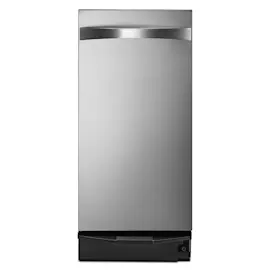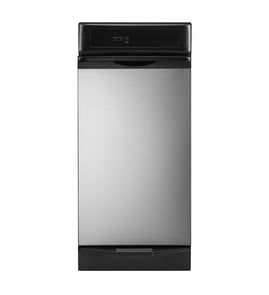

Where do I find the model number on my GE trash compactor?
On a GE trash compactor, including model GGCG550-02, the model number is printed on a rating label that’s usually on the cabinet frame around the drawer opening or on the inside edge of the compactor drawer. Use the full model number exactly as shown to match the correct replacement parts.
Common places to check
Look for a paper or metal tag in one of these spots:
- Inside the cabinet, along the left or right front frame (visible when you pull the drawer out)
- On the top front frame lip of the cabinet opening
- On the inside edge of the drawer front or drawer side wall
- Behind the toe-kick (lower front access panel), if your unit has one
- On the back of the compactor cabinet (less common, but worth a quick check)
How to read the label correctly
Model tags can be hard to read, so we recommend these quick checks:
- Write down the full model number and any serial number
- Watch for characters that look similar (for example 1 vs I, 0 vs O)
- Include all dashes and suffixes (for example GGCG550-02)
- Take a clear photo of the label before ordering parts
| What you see | What it means | Why it matters |
|---|---|---|
| Model number | Identifies the exact compactor design | Ensures parts diagrams match your unit |
| Serial number | Identifies production run | Helps confirm compatible revisions |
| Suffix (like -02) | Version of the model | Prevents ordering the wrong variation |
Why it matters
Trash compactors often have multiple versions that look identical from the outside. Using the exact GE model number (including the suffix) helps us show the correct parts list for items like the drawer switch, drive motor, ram, and safety interlock.
Helpful related resource
If you’re not sure you’re looking at the right tag, use our guide: how to find your appliance model number (and what it means for parts).
Last updated: February 2026
What is a common problem with trash compactors?
A common problem with a GE trash compactor like model GGCG550-02 is that it will not start or complete a cycle due to a power issue, a door/drawer safety switch not engaging, or a jammed ram. Loud grinding noises and a stuck drawer are also frequent complaints.
Most common symptoms and what they usually mean
- Won’t start: no power at outlet, tripped breaker, or the drawer/door interlock switch is not closing
- Stops mid-cycle: jammed trash, overheated motor, or a failing drive component
- Loud grinding or clicking: worn drive gears, loose hardware, or a damaged drive belt
- Drawer stuck: debris in the tracks/rollers, overfilled bag, or a jammed compaction plate
- Bad odors: residue in the drawer, cabinet, or under the bag
Quick checks we recommend first (safe, no tools)
- Confirm the outlet works (test with a small appliance).
- Make sure the drawer is fully closed and latched.
- Remove the drawer and check for a hard jam (glass, metal, thick cardboard) around the ram area.
- Clean the drawer, tracks, and cabinet surfaces; let everything dry before reinstalling.
Troubleshooting guide by symptom
| Symptom | Most likely cause | Best next step |
|---|---|---|
| No power/no response | Outlet, breaker, cord | Restore power; retest |
| Hums but won’t move | Jam or weak motor | Clear jam; retry cycle |
| Runs but very noisy | Belt/gears/loose parts | Inspect drive area; tighten/replace as needed |
| Drawer won’t open/close | Tracks/rollers jammed | Clean tracks; remove debris |
Why it matters
Trash compactors rely on safety interlocks and a high-torque drive system. A small drawer misalignment or a jam can stop the cycle to prevent damage to the motor, gears, and cabinet.
Helpful DIY resource
For electrical checks (like verifying power and safely testing components), use our guide: how to use a multimeter to test electrical parts video.
Last updated: February 2026
Why can't I press the trash compactor button?
If you can’t press the button on your GE GGCG550-02 trash compactor, the drawer usually is not fully closed, so the door (drawer) safety switch is not being activated. Clear any trash buildup, remove anything that fell behind the drawer, then close the drawer firmly until it seats.
Quick checks that fix most “button won’t press” problems
- Pull the drawer out and look for a bag edge, cardboard, or debris rubbing the cabinet frame.
- Check behind and under the drawer for fallen items (bottle caps, utensils, broken glass).
- Make sure the trash bag is tucked in so it does not bunch up at the top lip.
- Close the drawer firmly; the latch area must align so the safety switch engages.
- If the drawer feels “springy” or stops short, re-seat the drawer on its slides and try again.
What’s happening (and why the button feels dead)
Trash compactors use a safety interlock so the motor cannot run unless the drawer is fully closed. When the drawer is even slightly open, the switch stays open and the control panel may not respond.
Common causes and what they look like
| Symptom | Most likely cause | What to do |
|---|---|---|
| Button won’t press or nothing starts | Drawer not fully closed | Remove obstruction; close firmly |
| Drawer won’t close flush | Item fell behind drawer or bag bunched | Clear behind drawer; re-fit bag |
| Drawer closes but still won’t run | Door switch or wiring issue | Inspect switch area; test circuit |
If the drawer closes fully but it still won’t start
- Unplug the compactor or switch off the breaker.
- Check for pinched, loose, or damaged wires near the door switch and control area.
- Test the door switch and power path with a multimeter.
Use these guides for safe electrical troubleshooting:
- How to tell if a fuse is blown
- How to use a multimeter to test electrical parts video
- How to repair broken or damaged wires video
Why it matters
A drawer that does not fully close can prevent operation and can also strain the drawer slides and latch over time. Fixing the obstruction first avoids unnecessary electrical part replacement.
Last updated: February 2026
How to reset GE trash compactor?
Most GE trash compactors (including model GGCG550-02) do not have a button-style reset. If it stops mid-cycle, the motor’s built-in thermal overload typically resets automatically after the motor cools; wait a few minutes, then start a new cycle by lifting and releasing the foot pedal so the ram can complete a full stroke.
Quick reset steps (safe, no tools)
- Turn the compactor OFF using the key switch (if equipped).
- Wait 5 to 15 minutes to let the motor cool and the thermal reset restore power.
- Make sure the drawer is fully closed and latched.
- Lift the foot pedal up, then release it to initiate a complete cycle.
- If it still will not run, unplug the compactor (or switch off the breaker) for 1 minute, then restore power and try again.
If it still will not run: what to check next
These are the most common “no start” causes on a GE trash compactor:
- Power issue: tripped breaker, loose outlet, damaged cord
- Door/drawer safety switch not closing because the drawer is not seated
- Overfilled bag or jam preventing the ram from moving
- Key switch left in OFF/LOCK
- Motor overload repeatedly tripping due to heavy loads or a binding mechanism
What the symptoms usually mean
| Symptom | Most likely cause | Best next step |
|---|---|---|
| No sound at all | No power, key switch off, drawer switch open | Verify power and drawer closure |
| Hums but does not move | Jam or binding ram | Remove load, check for obstruction |
| Stops after several cycles | Thermal overload tripping | Let it cool, reduce load per cycle |
| Runs only with drawer pressure | Misaligned drawer/switch | Reseat drawer, inspect latch area |
Why it matters
A trash compactor’s thermal reset protects the motor from overheating. If you force repeated restarts without cooling time, the overload can trip again and the compactor can stall mid-cycle more often.
For basic electrical checks during troubleshooting, we recommend using a meter correctly; see how to use a multimeter to test electrical parts video.
Last updated: February 2026