 Owner’s manual
 Error Codes
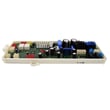
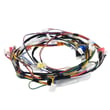
Does an LG dishwasher have a fuse?
Yes. An LG dishwasher such as model LDP6797ST is protected by your home’s electrical protection (a circuit breaker or house fuse), and some versions may also use an internal protective device (often called a thermal fuse) that is not user-serviceable. For model-specific safety and electrical requirements, use the LDP6797ST manual.
What we can confirm for LDP6797ST
The owner’s manual for this LG dishwasher points you first to the home’s electrical protection when the dishwasher won’t power on.
- Check the circuit breaker at your electrical panel
- If your home uses fuses, check and replace the blown house fuse
- Make sure power is properly connected (outlet or hardwired junction box)
- Confirm the door is fully closed and latched
If the dishwasher is completely dead but the breaker is OK
If the breaker is on and the outlet has power, the issue is typically inside the dishwasher (wiring, control, or an internal protective device). The manual does not identify a specific internal “fuse” location for LDP6797ST, so we do not recommend guessing or replacing parts based only on symptoms.
Quick comparison
| Protection type | Where it is | What you can do |
|---|---|---|
| Circuit breaker or house fuse | Home electrical panel | Reset breaker or replace house fuse |
| Internal protective device (varies by build) | Inside dishwasher | Requires testing by a technician |
Parts that are sometimes involved in power issues
Some customers look for a “fuse” when the dishwasher has no power; one electrical component you may see listed for this model is the dishwasher noise filter EAM60991316. We use it for correct replacement when diagnostics confirm it has failed; it is not a substitute for checking the breaker first.
Why it matters
Starting with the breaker or house fuse helps you rule out the most common, simplest cause of “no power” before moving to internal electrical diagnostics.
Last updated: January 2026
How do I reset my LG LDP6797ST dishwasher?
On the LG LDP6797ST dishwasher, the model-supported “reset” is to cancel the current cycle: press and hold Start for 3 seconds. The unit will drain, then power turns off when draining is complete. For operating details, see the LDP6797ST manual.
Reset options for this model
- Cancel and drain (recommended reset): Press and hold Start for 3 seconds.
- Auto-off behavior: If the dishwasher is paused or a cycle is not started, it can turn off after about 4 minutes of inactivity.
- Power interruption recovery: After a power surge or outage, power is automatically turned off for safety; when power is connected again, it can turn on automatically and resume the cycle.
How to restart after canceling
- Press Power to turn the dishwasher on.
- Select your cycle and options.
- Start the cycle using one of the two methods described in the manual.
Start methods (as described by LG)
| Method | What you do | Timing note |
|---|---|---|
| Method 1 | Press Start, then close the door | Close within 4 seconds or the cycle won’t start |
| Method 2 | Close the door, then press Start | No 4-second door-close step |
If it still won’t run after a cancel
- Make sure the door is fully closed and latched.
- If an LED is blinking and the unit is chiming, re-start using the correct start method above.
- If an error code is showing, use LG dishwasher error codes to match the code to next steps.
Why it matters
Cancel and drain clears a stuck or incorrect cycle state and safely removes standing water; it also helps you confirm whether the issue is a control setting, door closure, or an error condition.
Last updated: January 2026
How to identify LG dishwasher model?
To identify your LG dishwasher model for parts and service, look for the rating label inside the door opening on your LG dishwasher; for this page, the model is LDP6797ST. The label is typically on the left or right inner door frame and includes both model and serial numbers.
Where to find the model number on LG LDP6797ST
On LG dishwashers like LDP6797ST, the model/serial label is usually easy to spot once the door is open.
- Open the dishwasher door fully.
- Check the left and right side frames (the vertical edges of the tub opening).
- Look for a sticker or metal rating plate with MODEL and SERIAL.
- Use a flashlight if the label is low-contrast or partially hidden.
- Take a photo and zoom in; it is often easier than reading it in place.
For diagrams and label references, use the LDP6797ST manual.
What the model number looks like (and why it matters)
LG model numbers are a mix of letters and numbers (for example, LDP6797ST). The exact model number matters because small suffix differences can change compatible parts, racks, and electronics.
| What you see | What it’s used for | Why it matters |
|---|---|---|
| Model number (example: LDP6797ST) | Parts lookup, troubleshooting | Ensures correct fit and function |
| Serial number | Manufacturing date/series | Helps match service bulletins and production changes |
| Version/suffix (example: /00) | Variant identification | Can affect part compatibility |
Quick tips if the label is missing or unreadable
If the label is damaged, you can often still identify the unit well enough to proceed.
- Check your purchase receipt or installation paperwork.
- Look along the tub edge for a second label (some units have more than one).
- If you have Wi-Fi/NFC features, the LG app may show model info (varies by unit).
- Compare the control panel layout and rack style to the diagrams in the manual.
Why it matters
Using the correct model number helps us match the right LG dishwasher parts (like a drain pump, water inlet valve, or door latch) and prevents ordering a part that looks similar but will not fit.
Last updated: January 2026





