Owner’s manual
 Error Codes


How to restart a GE side by side refrigerator?
To restart your GE GSS25GSHBCSS side-by-side refrigerator, unplug it (or switch the breaker off) for about 5 minutes, then restore power. When it comes back on, allow up to 24 hours for temperatures to fully stabilize; normal clicking during restart can last up to 5 minutes.
Quick restart steps
- Unplug the refrigerator from the wall outlet (preferred), or turn the circuit breaker OFF.
- Wait 5 minutes so the control board and compressor can fully reset.
- Plug the refrigerator back in, or turn the breaker ON.
- Confirm the temperature controls are set to a cooling setting (not OFF).
- Give the unit time to cool; full stabilization can take up to 24 hours.
For model-specific control locations and settings, use the GSS25GSHBCSS owner's manual.
What you should expect after restarting
Some sounds and behaviors are normal right after power is restored.
| What you notice | What it usually means | What to do |
|---|---|---|
| Clicking or chirping | Compressor attempting to restart | Wait up to 5 minutes |
| Cracking or popping | Normal cooling coil expansion/contraction | No action needed |
| Longer run times | Unit cooling down after restart | Allow up to 24 hours |
| No cooling for a bit | Defrost cycle may be active | Wait about 30 minutes |
If it still will not run or cool
These checks solve most “won’t restart” complaints.
- Make sure the plug is fully seated in the outlet.
- Check the house breaker or fuse and reset/replace if needed.
- Verify the controls are not set to OFF.
- If the refrigerator is in a defrost cycle, wait about 30 minutes.
- If the unit was just plugged in, allow 24 hours for temperatures to stabilize.
Why it matters
A short power reset clears many control glitches, but the compressor also needs a brief “rest” before it can safely restart. Waiting the full 5 minutes helps prevent repeated start attempts and reduces nuisance clicking.
If you need replacement parts for cooling or dispenser issues, you can shop by model on this page or search by model number on Sears PartsDirect.
Last updated: February 2026
What is the most common problem with a GE refrigerator?
The most common issue we see with GE refrigerators like model GSS25GSHBCSS is cooling trouble (fresh food too warm, freezer not holding temp, or temperature swings). In many cases, the root cause is restricted airflow or a component that supports cooling, such as the evaporator fan, defrost system, or a temperature sensor; the GSS25GSHBCSS owner's manual troubleshooting section helps narrow it down.
Quick checks that fix many “not cooling” complaints
- Make sure air vents inside both compartments are not blocked by food packages.
- Confirm the doors close fully and are not being held open by bins or shelves.
- Clean dust from the condenser area (unplug first); dirty coils can reduce cooling.
- Set controls to normal targets: 37°F fresh food and 0°F freezer (typical for side-by-sides).
- Listen for the evaporator fan; if you do not hear it running when the compressor runs, airflow can be weak.
Parts that commonly relate to cooling problems on GSS25GSHBCSS
If basic checks do not help, these model-matched parts are often involved:
| Symptom | Common suspect | Example part on this model page |
|---|---|---|
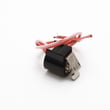
| Warm fridge, freezer OK or uneven temps | Temperature sensing issue | Refrigerator temperature sensor WR55X10025 |
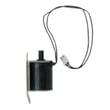
| Warm temps and poor airflow, fan noise, or no fan | Evaporator fan problem | Refrigerator evaporator fan motor WR60X10307 |
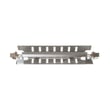
| Frost buildup on evaporator, warming over time | Defrost system issue | Refrigerator defrost heater WR51X10055 or refrigerator defrost bi-metal thermostat WR50X10065 |
Why it matters
Cooling problems can snowball: the compressor may run longer, food can spoil faster, and ice and water performance can drop. Catching airflow and defrost issues early usually prevents bigger repairs.
Helpful model-specific DIY guidance
- Use GE refrigerator error codes if your display shows an error; it can point directly to a sensor, fan, or defrost-related fault.
Ordering the right part
We recommend matching by model number GSS25GSHBCSS and the symptom you are seeing. You can order parts from the list for this model, or search by model on Sears PartsDirect.
Last updated: February 2026
How do I find the model number on my GSS25GSHBCSS?
On the GE GSS25GSHBCSS, we find the model number on the identification label inside the fresh food (refrigerator) compartment; it’s located at the top right side. Use that same label to record the serial number for parts and service.
Where to look (quick steps)
- Open the refrigerator (fresh food) door
- Look along the inside walls near the top
- Check the top right area of the compartment
- Find the label that lists Model # and Serial #
- Write both numbers down exactly as shown (letters and numbers)
What the label typically includes
| Label item | What it’s used for | Example (format) |
|---|---|---|
| Model number | Matching parts and diagrams | GSS25GSHBCSS |
| Serial number | Identifying production details | Letters and numbers |
| Electrical ratings | Reference for technicians | Volts/amps |
Why it matters
Using the exact model number ensures we match the correct GE refrigerator parts (like a water filter, door switch, or evaporator fan motor) to your specific configuration. Even small model variations can change shelves, dispenser components, and wiring.
Helpful tip before ordering parts
- Confirm the model number matches character-for-character
- If the label is hard to read, take a clear photo and zoom in
- Keep the serial number with your records for future troubleshooting
For more label location and product information, check the GSS25GSHBCSS owner’s manual.
Last updated: March 2026