 Installation guide
 Owner’s manual






What is the lifespan of a GE dishwasher?
A GE dishwasher like model CDT725SSF6SS typically lasts 10 to 12 years with normal household use. With consistent cleaning and correct installation (level, not pinching hoses), many units reach the low-to-mid teens before major repairs become more common.
- Water quality: hard water speeds up mineral buildup on the heating system and internal passages
- Maintenance: keeping the filter area clean helps the circulation pump work efficiently
- Loading habits: overloading can block spray arms and strain racks and rails
- Drying and heat use: frequent heated dry cycles add wear to heating components
- Installation quality: a dishwasher that is square, level, and not crushing utility lines runs more reliably (as outlined in the installation guide)
- Rinse heavy food off dishes and avoid letting debris collect in the bottom
- Clean the filter area regularly; remove trapped labels, glass, and seeds
- Run a monthly cleaning cycle with a dishwasher cleaner or descaler (especially with hard water)
- Confirm the drain hose is routed correctly and not kinked
- Periodically check door sealing surfaces for residue that can cause leaks
| Usage pattern | Typical lifespan | What usually fails first |
|---|---|---|
| Light (few loads/week) | 12 to 15 years | racks, rollers, door seals |
| Average (daily or near-daily) | 10 to 12 years | pump, heater, control issues |
| Heavy (multiple loads/day) | 8 to 10 years | pump, diverter, door latch wear |
Knowing the expected lifespan helps you decide whether to maintain, repair, or replace. If your CDT725SSF6SS is near the 10 to 12-year mark and you are seeing symptoms like poor drying, long cycles, or not draining, it is smart to troubleshoot early and address wear parts before they stress bigger components.
Last updated: January 2026
How to do a hard reset on a GE dishwasher?
For the GE CDT725SSF6SS dishwasher, the most reliable hard reset is a power reset: turn the dishwasher’s power off at the breaker (or unplug it, if equipped) for about 1 to 5 minutes, then restore power and start a new cycle. This clears the control’s temporary faults.
- Turn OFF the dishwasher circuit breaker (or unplug the power cord if your installation uses a cord).
- Wait 1 to 5 minutes.
- Turn power ON again.
- Close the door firmly so it fully latches.
- Select a cycle and press Start.
- If you need to cancel a running cycle, press and hold Start for 3 seconds to cancel and drain (common GE behavior).
For model-specific button sequences and indicator meanings, follow the reset and cancel directions in the CDT725SSF6SS owner's manual.
A “reset” will not fix a door that is not latching or a safety condition that prevents operation. Check these common causes:
- Door not fully latched (push the door closed until it clicks)
- Tripped breaker or loose power connection
- Water supply valve turned off (no fill)
- Kinked drain hose or a blocked air gap (can stop proper draining)
- Standing water in the tub from a drain issue
If the door feels loose or will not latch consistently, the latch assembly is a common fix on many GE dishwashers; see the GE dishwasher door latch lock WD21X10490.
| Situation | What to do | What you should see |
|---|---|---|
| Control acting “glitchy” | Power reset (breaker off 1 to 5 min) | Control reboots after power returns |
| Need to stop a cycle | Press and hold Start 3 seconds | Unit cancels and drains |
| No lights, no response | Check breaker and wiring | Power restored, then normal response |
A power reset clears temporary control logic errors, but it does not correct mechanical problems (like a failed door latch) or installation issues (like water supply being off). Using the correct reset method saves time and helps you pinpoint whether you need a part or a troubleshooting step.
Last updated: January 2026
Does a GE dishwasher have a filter that needs to be cleaned?
Yes. Most GE dishwashers, including model CDT725SSF6SS, use a filter system in the bottom of the tub that should be cleaned periodically to prevent food debris buildup, odors, poor cleaning, and draining issues. For the exact filter location and removal steps, follow the CDT725SSF6SS owner's manual.
- Turn the dishwasher off and let it cool.
- Pull out the bottom rack.
- Look in the sump area at the bottom of the tub for a twist-lock filter assembly.
- Remove the filter (typically a quarter-turn unlock), then lift it out.
- Rinse under warm water; use a soft brush for stuck-on debris.
- Reinstall the filter fully seated and locked before running a cycle.
- Use warm water and a soft brush or sponge.
- Avoid wire brushes or aggressive scraping.
- Make sure the filter seals and sits flat when reinstalled.
- Clean the tub area around the filter opening (where debris collects).
- Run a rinse cycle after cleaning if you removed heavy buildup.
A clogged filter is a common reason a dishwasher struggles to wash or drain. Watch for:
- Grit or food particles left on dishes
- Cloudy glasses or poor spray coverage
- Standing water in the bottom after the cycle
- Odors that return quickly after cleaning
- Longer-than-normal cycle times
| Symptom | What to check first | Next step if it continues |
|---|---|---|
| Not draining well | Filter and sump area | Inspect the dishwasher drain hose WD24X10062 for kinks or clogs |
| Poor drying | Filter and loading | Check heater performance and cycle options |
| Won’t start or stops | Door closes firmly | Check the GE dishwasher door latch lock WD21X10490 |
A clean filter keeps water moving through the circulation system correctly, which helps the spray arms clean better and reduces strain on the drain path. It is one of the fastest maintenance steps to restore performance on a GE dishwasher.
Last updated: January 2026
What is the most common problem with a GE dishwasher?
For the GE CDT725SSF6SS dishwasher, the most common problems we see are draining issues (food debris clogging the filter or drain path), a no-start condition (often tied to the door not latching), and poor drying (heater or airflow related). These issues usually trace back to a few high-wear parts and basic maintenance.
- Dishwasher not draining: check the sump area for debris, confirm the drain hose is not kinked or pinched, and verify the sink drain or disposal connection is clear.
- Dishwasher will not start: make sure the door closes firmly and the latch engages; also confirm power at the breaker.
- Not drying well: confirm heated dry options are selected (if used), rinse aid is filled, and the unit is completing the cycle.
- Leaks: inspect the door seal area for food buildup and check for water in the base area.
- Poor cleaning: check spray arm holes for blockage and avoid overloading.
If basic checks do not fix the issue, these model-matched parts are common suspects:
- No-start or stops mid-cycle: GE dishwasher door latch lock WD21X10490
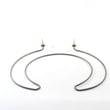
- Poor drying or water not heating: dishwasher heating element WD05X30818
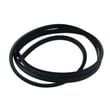
- Leaks at the tub opening: dishwasher tub gasket WD08X23477
- Not draining or slow drain: dishwasher drain hose WD24X10062
| Symptom | Most likely cause | Best first action |
|---|---|---|
| Won’t start | Door not fully latched, latch issue | Close door firmly; inspect latch alignment |
| Won’t drain | Clog, kinked hose, restricted drain path | Clear debris; check hose routing |
| Not drying | Heater/venting issue, rinse aid low | Fill rinse aid; confirm heat options |
| Leaks | Door seal area dirty or gasket worn | Clean sealing surfaces; inspect gasket |
Drain restrictions and a weak door latch can prevent the dishwasher from running correctly and can lead to standing water, odors, and repeat cycle failures. GE installation guidance also stresses keeping the drain hose from being pinched and ensuring the dishwasher is square and level, which helps prevent performance problems.
- Use the CDT725SSF6SS installation guide to confirm the dishwasher is level, fully enclosed, and that the drain hose is routed without pinches.
- For fault displays and beeps, use GE electronic dishwasher error codes to match the code to a targeted fix.
Last updated: January 2026





