Owner’s manual
 Error Codes

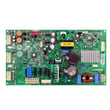
How to tell if a Kenmore refrigerator compressor is bad?
A failing compressor in your Kenmore Elite refrigerator model 79571323411 usually shows up as poor cooling, nonstop running, clicking or buzzing from the back, or repeated tripped breakers. We confirm the problem by checking airflow, condenser cleanliness, and compressor start components before replacing the compressor.
- Refrigerator and freezer temperatures keep rising even though the unit runs
- Compressor area is unusually hot and the unit runs almost constantly
- Repeated clicking every few minutes (start attempt then shutoff)
- Loud humming, buzzing, or rattling from the compressor compartment
- Breaker trips or the unit shuts off shortly after starting
These checks rule out common issues that mimic a bad compressor.
- Power reset: Unplug for 5 minutes, then plug back in
- Condenser coils: Clean dust and pet hair; restricted coils cause overheating and long run times
- Condenser fan: Make sure it runs when the compressor is running (rear bottom area)
- Evaporator fan: If the freezer fan is not running, cold air will not circulate (often sounds like a quiet fridge but warms up)
- Door seals and loading: Warm air leaks or overpacking can cause constant running
If the compressor is not starting or is overheating, these model-matched parts are often part of the diagnosis.
| Symptom | More likely cause | Part to consider for 79571323411 |
|---|---|---|
| Clicks every few minutes, no cooling | Start/overload issue or locked compressor | Refrigerator compressor overload protector 6750CL0001D |
| Runs but cooling is weak | Sealed system restriction or compressor wear | Refrigerator filter dryer ADH73150208 |
| No cooling and compressor is not running | Failed compressor or control issue | Refrigerator compressor TCA38091801 |
A weak or non-starting compressor can quickly lead to food spoilage and can overheat electrical components. Checking airflow and start components first prevents replacing expensive sealed-system parts unnecessarily.
Use the 79571323411 owner's manual for the correct panel removal approach, cleaning guidance, and any model-specific cautions before servicing the compressor compartment.
Last updated: February 2026
Is there a reset button on a Kenmore refrigerator?
Kenmore refrigerators like model 79571323411 typically do not have one universal “reset button.” For most control glitches, we reset the refrigerator by power-cycling it (unplugging briefly) or using a model-specific button sequence listed in the 79571323411 owner's manual.
- Hard reset (power cycle): Unplug the refrigerator (or switch the breaker off) for 5 minutes, then restore power.
- Control panel reset: If your dispenser/control panel has a reset or lock feature, press and hold the indicated keys for 3 to 10 seconds (varies by model).
- Ice maker reset (if equipped): Some ice makers have a test/reset procedure; use the steps in the manual for your exact ice maker style.
- After power is restored: Allow 24 hours for temperatures to fully stabilize.
A reset is best for clearing temporary electronic issues. It will not repair a failed cooling component.
| Symptom | Reset likely helps? | What to check next |
|---|---|---|
| Display frozen, buttons not responding | Yes | Try power cycle; then check for moisture on the panel |
| Lights stay off when door opens | Sometimes | Test the refrigerator door switch 6600JB1010A |
| Not cooling or warm temps | Sometimes | Listen for fan operation; check condenser airflow |
| Clicking, won’t start cooling | Rarely | Compressor start components may be involved |
- Confirm the outlet has power (test with a lamp).
- Make sure the doors fully close and seals are not gapped.
- Set controls to normal mid-range settings (avoid extreme cold settings right after reset).
- Listen for the evaporator fan; a failed fan can mimic cooling problems.
- If you see an error code, use the Kenmore 795 model bottom freezer refrigerator error codes reference to interpret it.
Resetting correctly helps the electronic control board and sensors reinitialize, which can restore normal operation after a power surge or software hiccup and prevent unnecessary part replacement.
Last updated: February 2026
What are the common problems with Kenmore Elite refrigerators?
Common problems we see on the Kenmore Elite 79571323411 bottom-mount refrigerator include warm temperatures (often airflow, fan, or sealed-system related), ice maker and dispenser issues, water leaks, and door sealing problems. Use the 79571323411 owner’s manual to confirm control settings and model-specific checks before replacing parts.
- Not cooling or weak cooling: dirty condenser coils, failed evaporator fan motor, temperature sensor issues, or compressor/overload problems
- Freezer cold but fridge warm: blocked air vents, frost buildup from a defrost issue, or a weak evaporator fan
- Ice maker not making ice: water supply restriction, frozen fill tube, or failed ice maker assembly
- Water leaking: clogged/iced drain, loose water tube fitting, or dispenser line issues
- Lights not working: door switch not closing electrically
- Doors not closing well: worn hinge/bushing, misalignment, or gasket not sealing
- Set temperatures to typical targets: 37°F fresh food and 0°F freezer.
- Make sure vents inside the refrigerator are not blocked by food packages.
- Clean condenser coils and confirm the condenser area has good airflow.
- Listen for the evaporator fan; it should run when the compressor is running (door switch may need to be closed).
- Check for heavy frost on the rear freezer panel (often points to a defrost/airflow problem).
| Symptom | Part to suspect | Example part for model 79571323411 |
|---|---|---|
| Warm temps, poor airflow | Evaporator fan motor | Lg refrigerator evaporator fan motor 4681JB1027C |
| No interior light, fan stops when door “closed” | Door switch | Refrigerator door switch 6600JB1010A |
| No ice production | Ice maker assembly | Lg refrigerator ice maker assembly model AEQ72909603 AEQ72909603 |
| Clicking, no start, intermittent cooling | Compressor overload protector | Refrigerator compressor overload protector 6750CL0001D |
| Long run times, not cooling | Compressor or sealed system | Refrigerator compressor TCA38091801 |
If your display shows an error, use our Kenmore 795 model bottom freezer refrigerator error codes guide to narrow the problem to areas like sensors, fans, or defrost related faults.
Cooling and ice maker complaints often start as simple airflow or maintenance issues; catching them early helps prevent food spoilage and reduces strain on major components like the compressor.
Last updated: February 2026
What does DH mean on Kenmore Elite refrigerator?
On Kenmore Elite model 79571323411, dH (often shown as Er dH) indicates a defrost heating problem: the refrigerator is not sensing the expected temperature rise during the defrost cycle. This can lead to frost buildup and warm temperatures if it continues. See the 79571323411 owner's manual for display and alarm details.
- Frost or ice buildup on the freezer back wall
- Freezer temperature slowly rising, then fresh food section warming
- Evaporator fan noise changing as airflow gets restricted by frost
- Water leaking or puddles during/after a forced defrost attempt
- The unit seems to run longer than normal
Start with the easiest checks before assuming a major failure.
- Door left ajar or bad door seal: warm, moist air causes heavy frost that overwhelms defrost.
- Evaporator fan not moving air: poor airflow can prevent proper defrost performance; check the lg refrigerator evaporator fan motor 4681JB1027C.
- Temperature sensor issue: if the sensor reads wrong, the control may “think” defrost is failing; check the refrigerator temperature sensor 6500JB2002X.
- Defrost heater or wiring problem: heater not energizing, loose connector, or damaged harness.
- Control problem: the electronic control may not be sending power during defrost; in some cases the refrigerator electronic control board EBR77042513 is involved.
- Power reset: unplug for 5 minutes, then restore power.
- Confirm doors seal and close: check for gaps, torn gasket, or bins preventing closure.
- Look for heavy frost: if the freezer back panel is packed with frost, a defrost system issue is likely.
- Listen for the evaporator fan: with the freezer door switch held closed, you should typically hear the fan running when cooling.
- If you’re comfortable with electrical tests: unplug the refrigerator and test heater circuit continuity and wiring connections.
| Display | Meaning | What it can cause |
|---|---|---|
| dH / Er dH | Defrost heating error | Frost buildup, restricted airflow, warming temps |
Defrost problems on a bottom-mount refrigerator like 79571323411 quickly turn into airflow problems; once the evaporator coils ice over, the refrigerator can’t move cold air to the fresh food section, even if the compressor is running.
For model-specific error code behavior and reset/diagnostic tips, use our Kenmore 795 model bottom freezer refrigerator error codes reference alongside the 79571323411 owner's manual.
Last updated: February 2026
What is the average lifespan of a Kenmore Elite refrigerator?
Most Kenmore Elite refrigerators, including model 79571323411, typically last 12 to 15 years with normal household use. Consistent cleaning, good airflow around the cabinet, and quick repairs when cooling or ice maker issues start can help you reach the upper end of that range.
- Condenser cleanliness and airflow: Dust buildup and tight clearances make the compressor work harder.
- Door seal condition: Leaky gaskets cause longer run times and temperature swings.
- Ice maker and water system upkeep: Clogs and leaks can create secondary damage.
- Stable temperatures: Frequent warm-ups from heavy door opening shorten component life.
- Timely part replacement: Fixing small failures early prevents bigger ones.
- Vacuum dust from the grille and nearby floor area; keep vents unblocked.
- Confirm the doors close fully and the bins are not preventing closure.
- Set temps to typical targets: 37°F fresh food and 0°F freezer.
- Replace water filters on schedule and flush the dispenser after changes (see how to replace the water filter in a Kenmore refrigerator).
- Use the 79571323411 owner’s manual for model-specific cleaning and operating guidance.
| Symptom | Often fixable? | Common next step |
|---|---|---|
| Warm fridge/freezer, compressor runs a lot | Sometimes | Check airflow, clean coils area, verify fans |
| Clicking, no start, intermittent cooling | Sometimes | Test start components; inspect overload protector |
| No ice or slow ice production | Usually | Check water supply, filter, ice maker function |
| Loud humming or grinding from freezer area | Usually | Inspect evaporator fan and ice buildup |
A refrigerator near the end of its typical lifespan can still be worth repairing if the issue is isolated (like a fan motor or ice maker). But if you are seeing repeated cooling failures, addressing airflow and sealing issues early helps protect major components like the sealed system and compressor.
Last updated: February 2026
What size is Kenmore refrigerator model 79571323411?
Kenmore Elite refrigerator model 79571323411 is a bottom-mount refrigerator; the exact exterior dimensions and total capacity are listed in the product specifications section of the 79571323411 owner's manual. For planning purposes, most Kenmore 795 bottom-mount units are built in the 33-inch class, with height and depth varying by door and handle design.
Use a tape measure and record these numbers before moving or ordering:
- Width: cabinet side-to-side at the widest point
- Height: floor to the top hinge cover area
- Depth (cabinet): back to front of cabinet (no handles)
- Depth with handles: cabinet depth plus handle projection
- Door swing and drawer clearance: space needed to fully open doors and pull out the freezer drawer
These ranges help with rough fit checks; confirm your exact specs in the manual.
| Measurement | Typical range | What commonly changes it |
|---|---|---|
| Width class | About 33 in. | Door style and trim width |
| Height | About 67 to 70 in. | Leveling legs, hinge cover |
| Depth (cabinet) | About 30 to 33 in. | Cabinet design |
| Depth with handles | Add about 2 to 3 in. | Handle style |
- Leave airflow space at the sides, top, and back as specified in the 79571323411 owner's manual.
- If you have a water line, allow room behind the unit so the line does not kink.
- Measure the tightest doorway and any turns the refrigerator must pass through.
- Plan for door opening so bins and crispers can slide out without hitting a wall.
Correct sizing prevents blocked vents (poor cooling), doors that cannot open fully, and freezer drawers that hit an island or cabinet, especially when depth increases with handles.
Last updated: February 2026
Why does my Kenmore fridge have water pooling inside the bottom?
Water pooling in the bottom of your Kenmore Elite refrigerator model 79571323411 is almost always caused by a clogged or frozen defrost drain that forces defrost water to overflow into the fresh food section. Less commonly, a door not sealing or a water/ice leak can add to the puddle. See the 79571323411 owner's manual for the drain location and cleaning access points.
- Defrost drain clogged with food debris, ice, or sludge
- Drain trough iced over because the drain is slow or the freezer is too cold
- Door left ajar or gasket not sealing, causing excess frost and heavy defrost water
- Spill or condensation from uncovered liquids or frequent door openings
- Water/ice system leak (filter area, tubing, or dispenser line)
- Unplug the refrigerator.
- Remove items from the bottom of the fresh food section and check for water under drawers.
- In the freezer, look for a sheet of ice on the floor or near the rear panel (a strong clue the drain is blocked).
- Melt ice with a hair dryer on low (keep heat moving) or use warm towels.
- Flush the drain with hot water using a turkey baster until it flows freely to the drain pan.
| What you notice | Most likely cause | Best next step |
|---|---|---|
| Water returns every few days | Drain partially clogged | Flush again; clear debris at drain opening |
| Thick ice in freezer bottom | Drain frozen/slow | Fully melt ice; confirm strong drain flow |
| Water near door/front edge | Door seal or door not closing | Inspect gasket; level unit; reduce overpacking |
If the puddle appears after using the dispenser or ice maker, inspect the water path and fittings. A weak door switch can also affect fan operation and contribute to moisture issues; check the refrigerator door switch 6600JB1010A if the interior light behavior is inconsistent.
Standing water can lead to odors, ice buildup, and temperature swings that stress the evaporator fan and can affect food safety. Fixing the drain early prevents repeat leaks and reduces frost that can block airflow.
Last updated: February 2026