 Installation guide
 Owner’s manual


Where is the model number on a Crosley washer?
On the Crosley CFW7700LW0 washer, the model number is printed on a rating label on the cabinet. On front-load washers like this, it’s most often located in the door opening (door jamb) or just behind the door, and sometimes on the back of the control panel.
Common label locations to check
- Door opening (around the door jamb)
- Behind the door on the front frame
- Back of the control panel (top rear area)
- Side of the main cabinet near the bottom
- Rear panel of the washer cabinet
How to find it fast (and what to write down)
- Open the washer door and inspect the door opening all the way around.
- Look for a sticker or metal plate with MODEL, MOD, or Model No.
- Record the full model number exactly as shown (for example, CFW7700LW0) and the serial number.
What the label usually includes
| Label item | What it’s used for |
|---|---|
| Model number | Matching parts and service info to your exact washer |
| Serial number | Identifying production run for service and support |
| Electrical ratings | Confirming power requirements and safe servicing |
Why it matters
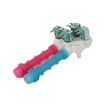
We use the model number to match the correct Crosley washer parts and diagrams. Even small model-number differences can change which control board, door lock, or water inlet valve fits.
Helpful tip for repairs
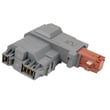
If you’re already troubleshooting a door that won’t lock or start, having the model number handy helps you quickly confirm the correct replacement, such as the washer door lock assembly 131763256. For additional model-specific identification and service info, use the CFW7700LW0 installation guide.
Last updated: February 2026
Why is my Crosley autosensing washer not spinning?
If your Crosley CFW7700LW0 autosensing washer won’t spin, the most common causes are a door that isn’t locking, a drain problem that leaves water in the tub, or a control issue that stops the spin cycle for safety. Start with the door lock and draining checks first.
Quick checks that fix many “won’t spin” complaints
- Make sure the door closes firmly and you hear/feel it latch.
- Run a Drain/Spin cycle; if it won’t drain, it typically won’t spin.
- Reduce the load size and redistribute items (one heavy item can stop high-speed spin).
- Confirm the washer is level and stable on all four legs (excess vibration can interrupt spin).
- Verify the standpipe height is within 24 to 96 inches and the drain can handle the flow.
Most likely causes on the CFW7700LW0
1) Door not locking
If the washer can’t confirm a locked door, it will pause or cancel spin.
- Symptoms: door won’t lock, cycle stops before spin, clicking at the latch
- Part to check/replace: washer door lock assembly 131763256
2) Not draining fully
A washer that senses water remaining in the tub often won’t go into high-speed spin.
- Check the drain hose for kinks or clogs.
- Clean the pump filter if your model uses one.
- Parts commonly involved: washer drain pump filter 134640200, washer drain pump 137240800
3) Control or sensing issue
If the washer drains and the door locks but still won’t spin, the motor control can be involved.
- Part commonly involved: control board 134618213
What to check first (fast diagnosis table)
| What you observe | What it usually means | What to do next |
|---|---|---|
| Door won’t lock or unlocks mid-cycle | Door lock problem | Inspect latch alignment; test/replace door lock |
| Water left in tub | Drain restriction or pump issue | Check hose/standpipe; clean filter; inspect pump |
| Loud shaking then stops spinning | Leveling or load balance issue | Re-level washer; reduce/redistribute load |
| Drains and locks but no spin | Control or drive issue | Check for error codes; inspect wiring; consider control board |
Why it matters
Spin is a safety-controlled function. The CFW7700LW0 will refuse to spin if it can’t confirm a locked door, stable operation, and proper draining. Fixing the root cause prevents repeat stoppages and reduces wear on the motor, pump, and suspension.
For model-specific cycle behavior and any error code meanings, follow the troubleshooting steps in the CFW7700LW0 installation guide and your use instructions.
Last updated: February 2026
Why is my Crosley washing machine leaking from the bottom?
A bottom leak on your Crosley CFW7700LW0 washer usually comes from a loose or leaking drain path, a door boot (bellows) leak that runs down the cabinet, or an internal tub seal leak. Start by checking hose connections and the drain pump area, then inspect the door boot for tears or clamp issues.
Quick checks we recommend first
- Unplug the washer; turn off both water supplies.
- Pull the washer forward and look for the drip point (front center, back, or one side).
- Check inlet hose connections at the wall and at the washer for seepage.
- Verify the drain hose is secured and routed correctly (standpipe height and a secure “U” shape matter).
- Run a short rinse and watch with a flashlight to see where water first appears.
For model-specific installation and leak-prevention setup (hose washers, drain hose routing, leveling), follow the CFW7700LW0 installation guide.
Most common causes of a leak from the bottom
| Where you see water | Most likely cause | What to inspect next |
|---|---|---|
| Front, under door area | Door boot (bellows) torn or not clamped | Boot lip, inner/outer clamp seating |
| Front, low center | Drain pump or filter area leaking | Pump housing, filter cap, hoses |
| Back, near valves | Inlet hose or inlet valve leak | Hose washers, valve body |
| Middle, only during spin | Tub seal/bearing leak | Rusty streaks, water slung from tub area |
Parts that commonly fix bottom leaks on this model
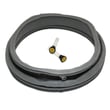
- If the door area is wet, inspect the bellows 134515300 for rips, pinholes, or a folded sealing lip.
- If the leak appears during drain, check the washer drain pump 137240800 and its hose connections.
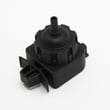
- If the washer overfills or water level seems wrong, test the washer water-level pressure switch 134762010 and the pressure hose for cracks or blockage.
Why it matters
A small leak can quickly damage bearings, wiring, and the control area, and it can also cause vibration problems if water reaches suspension components. Fixing the source early helps prevent a much larger repair.
Helpful tip for accurate diagnosis
If the leak started right after installation or moving the washer, re-check shipping and setup items (leveling, hose washers, drain hose securing). The setup checklist in the CFW7700LW0 installation guide is the fastest way to confirm those basics.
Last updated: February 2026


