Owner’s manual
 Error Codes



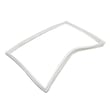
How do you level a Kenmore refrigerator?
To level your Kenmore refrigerator model 59675232402, adjust the front leveling screws to raise or lower the front, then set the stabilizing legs so they rest firmly on the floor. Keep the front about 1/4 inch (6 mm) higher than the back to help the doors close properly (see the 59675232402 owner's manual).
Step-by-step leveling (model 59675232402)
- Protect vinyl or delicate flooring with cardboard or a rug.
- Do not use power tools for leveling.
- Remove the toe grille (pull outward to unclip).
- Remove the bottom hinge cover(s) (use a blunt tool in the notch to pry gently).
- Use a 3/8-inch hex head driver to turn the front adjustment screws on both sides.
- Use a carpenter’s level to confirm:
- Front is about 1/4 inch higher than the rear.
- Cabinet is level side-to-side.
- Turn the stabilizing legs clockwise until they are firmly against the floor.
- Reinstall hinge cover(s) and the toe grille (make sure the “top” marking is oriented correctly).
Quick checks after leveling
| What you notice | What it usually means | What to do |
|---|---|---|
| Doors swing open or do not self-close | Front is too low | Raise the front slightly using the front adjustment screws |
| Vibration or rattling | Cabinet not stable | Recheck side-to-side level; tighten stabilizing legs to the floor |
| Warm temps or moisture near doors | Door not sealing consistently | Level again, then inspect and clean door gaskets |
Why it matters
A refrigerator that is not level can cause door-closing and sealing problems, which leads to temperature swings, extra run time, and moisture buildup. Keeping the front slightly higher than the back improves door closure and overall cooling performance.
Last updated: January 2026
What is the bottom part of a refrigerator called?
On the Kenmore 59675232402 bottom-mount refrigerator, the “bottom part” people mean is usually the machine compartment (also called the compressor compartment), which houses the compressor and other cooling-system parts; the very lowest piece underneath is often the base grille and the drain pan area.
Common names you will hear (and what they mean)
- Machine compartment: The rear lower area where the compressor and condenser components sit.
- Compressor compartment: Another name for the machine compartment.
- Base grille / toe grille: The front lower grille that helps airflow and protects components.
- Drain pan: The pan underneath that collects defrost water so it can evaporate.
- Condenser coil area: The lower back area where heat is released.
What’s typically located down there
The bottom section is where most of the heat removal and “power” of cooling happens.
| Area | What it does | Symptoms when there’s a problem |
|---|---|---|
| Machine compartment | Supports the sealed system and airflow | Warm cabinet sides, poor cooling, long run times |
| Base grille area | Allows air in and out for cooling | Overheating, noisy operation |
| Drain pan area | Handles defrost water evaporation | Water under fridge, musty odors |
Why it matters
Knowing the right name helps you troubleshoot and order the correct Kenmore refrigerator parts. For example, airflow around the machine compartment is important; our manual notes to allow clearance behind the machine compartment cover for proper air circulation and to clean condenser coils periodically. Check the 59675232402 owner's manual for the exact locations and care steps.
Quick tips if you’re checking the “bottom part”
- Unplug the refrigerator before removing any covers.
- Keep the base grille area clear of dust and pet hair.
- Make sure the refrigerator is level so doors close tightly.
- If you see water underneath, inspect the drain pan and defrost drain path.
- If cooling is weak and the unit is noisy, the machine compartment fan or compressor area may need diagnosis.
Last updated: January 2026
How do I reset my Kenmore Elite fridge?
For Kenmore model 59675232402, the most reliable “reset” is a power reset: unplug the refrigerator for 5 to 10 minutes, then plug it back in and allow temperatures to stabilize. For control-related issues, follow the control and OFF-setting steps in the 59675232402 owner's manual.
Quick reset options (most common)
- Power reset (hard reset): Unplug 5 to 10 minutes, then restore power.
- Control OFF reset: Press the Refrigerator or Freezer temperature pad until "--" appears (control OFF), then turn it back on and set temps.
- Defrost wait reset: If lights are on but the compressor is off, wait about 40 minutes; the unit may be in defrost.
- After reset: Give the refrigerator 24 hours for temperatures to stabilize before making more changes.
Step-by-step: control OFF reset (when the display is acting up)
- Press the Refrigerator or Freezer temperature pad until a dash ("--") shows.
- Wait 1 minute.
- Press the same pad to set a normal temperature again.
- Avoid changing either control more than one number at a time; wait for stabilization.
What to check if “reset” does not fix the problem
| Symptom | What it usually points to | What we recommend next |
|---|---|---|
| Lights on, compressor not running | Defrost cycle | Wait 40 minutes, then recheck cooling |
| Not cooling after reset | Airflow or control issue | Confirm vents are clear; verify settings in the manual |
| Warm temps after power reset | Dirty coils or door not sealing | Clean condenser area; inspect door gaskets |
Why it matters
A reset only clears temporary control glitches. If the refrigerator is in defrost, has restricted airflow, or has a cooling-system issue, resetting will not correct the root cause. Using the correct control steps also prevents temperature swings.
Helpful related reading: Kenmore 106 model refrigerator error codes
Last updated: January 2026
What does DH mean on Kenmore Elite refrigerator?
On Kenmore model 59675232402, dH (often shown as Er dH) indicates a defrost heating problem: the refrigerator is not sensing the expected temperature rise during the defrost cycle. This can lead to frost buildup on the evaporator and warmer-than-normal temperatures.
What to check first (safe, quick steps)
- Unplug the refrigerator before removing panels or handling wiring.
- Check for heavy frost on the freezer back wall or behind the evaporator cover.
- Make sure doors close fully and gaskets seal; warm air leaks can mimic defrost issues.
- Confirm the unit has proper airflow clearance (tight installs can affect performance).
- Restore power and monitor temperatures after any change.
Common causes and likely parts involved
A dH/Er dH condition is usually tied to the defrost circuit or airflow across the evaporator.
| Symptom you notice | Most common area | Example part for this model |
|---|---|---|
| Frost sheet on freezer back panel | Defrost system not melting frost | Defrost thermostat, heater, wiring |
| Freezer cold, fresh food warm | Airflow restriction or damper issue | Refrigerator electronic damper WPW10196393 |
| Intermittent cooling, odd behavior | Control not running defrost correctly | Refrigerator control board WPW10503278 |
How we recommend diagnosing dH (high-level)
- Inspect the evaporator area for ice buildup that blocks airflow.
- Check the defrost thermostat and heater circuit for continuity (with power disconnected).
- Verify the control is sending power to the defrost heater during a forced defrost test (procedure varies by model).
- If the evaporator fan is not moving air, address the fan motor/blade before chasing defrost parts.
For model-specific control locations, panel removal, and safety notes, use the 59675232402 owner’s manual.
Why it matters
When defrost heat is not working, frost builds up on the evaporator coil, airflow drops, and the refrigerator section often warms first. Fixing the root cause prevents food spoilage and reduces compressor run time.
Last updated: January 2026