 Installation guide
 Owner’s manual




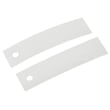

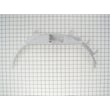




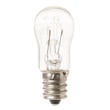
What are the main parts of a dryer?
The main parts of a GE electric dryer like model GLDP280ED0WS are the drum and support parts, the drive system (motor and belt path), the heating and temperature-safety parts, and the airflow and venting parts that move moist air out of the cabinet. For diagrams and locations, use the owner's manual.
Core dryer systems (and what they do)
- Airflow system: pulls room air in, moves it through the heater and drum, then exhausts it through the vent
- Heat system: creates heat and cycles it on and off to maintain drying temperature
- Drive system: turns the drum using the motor and belt path
- Drum support system: keeps the drum centered and gliding smoothly
- Controls: timer or selector switch that runs cycles and manages heat settings
Common parts you will see on GLDP280ED0WS
| System | Example part | What you may notice when it fails |
|---|---|---|
| Drum support | Dryer drum glide bearing (green) WE03X37317 | squealing, scraping, drum feels rough |
| Drive | Dryer drive motor WE17X22217 | hums but will not start, no tumble |
| Airflow | Dryer blower wheel WE16X20393 | weak airflow, longer dry times, rattling |
| Heat and safety | Dryer high-limit thermostat WE4M137 | overheating symptoms, heat shuts off early |
| Controls | Dryer timer WE04X20089 | cycle will not advance, inconsistent run time |
Why it matters
Knowing which system a symptom points to helps you troubleshoot faster. For example, long dry times usually trace back to airflow (lint buildup, duct restrictions, blower issues) rather than the heating element.
Quick safety and maintenance reminders
From the installation guidance for this dryer:
- Use 4-inch metal ducting; flexible duct must be UL-listed metal, not plastic
- Inspect and clean the exhaust system at least once a year
- Do not use an extension cord or adapter plug; use a properly grounded 120/240V (or 120/208V) 30A circuit
For venting and electrical requirements specific to GLDP280ED0WS, follow the installation guide.
Last updated: February 2026
What is the most common problem with a GE electric dryer?
The most common problem we see with a GE electric dryer like model GLDP280ED0WS is no heat or long dry times, usually caused by restricted airflow (lint buildup or a crushed vent) or a failed heating component such as a thermostat or heating element. Check venting first, then test heat parts.
Most common symptoms and what they usually mean
- Runs but no heat: heating element or thermostat issue; sometimes a safety device opens after overheating
- Takes too long to dry: clogged lint screen, blocked duct, or poor outside vent hood airflow
- Stops mid-cycle: overheating from restricted airflow; high-limit thermostat may trip
- Loud scraping or thumping: worn drum glides or front drum bearing
- Drum will not tumble: drive system problem (belt, idler, or motor)
Quick checks we recommend first (fastest wins)
- Clean the lint screen and confirm strong airflow at the outside vent hood.
- Inspect the vent path for kinks, crushed sections, or lint buildup.
- Confirm the dryer is on a dedicated 120/240V (or 120/208V), 30-amp circuit and avoid extension cords (per the installation requirements).
- If airflow is good but there is still no heat, move to component testing.
Common parts involved (for GLDP280ED0WS)
If airflow is clear and the dryer still will not heat, these model-matched parts are common suspects:
| Symptom | Common part to check | Example part on this model page |
|---|---|---|
| No heat or overheating | High-limit thermostat | Dryer high-limit thermostat WE4M137 |
| No heat or cycling issues | Operating thermostat | Dryer operating thermostat WE4M216 |
| No heat | Heating element | Mica unit WE11M10001 |
Why venting matters (and what to use)
Restricted airflow is a root cause for many “no heat” and “shuts off” complaints because it makes the dryer run hot and stresses safety thermostats.
For best performance and safety, use 4-inch rigid metal ducting to vent outdoors; flexible plastic ducting is not recommended, and flexible metal must be UL listed and installed correctly. See the installation guide for venting and electrical requirements.
Last updated: February 2026
What is the life expectancy of a GE dryer?
A GE electric dryer like model GLDP280ED0WS typically lasts 10 to 13 years with normal household use. Keeping airflow strong (clean lint, correct 4-inch venting) and fixing wear parts early helps you reach the upper end of that range.
Typical lifespan and what affects it
Most dryer longevity comes down to heat management, airflow, and mechanical wear.
- Vent restriction (crushed duct, long runs, too many elbows) raises heat and shortens life
- Lint buildup in the lint screen housing, blower, or duct increases drying time and stress
- Overloading accelerates wear on drum glides, bearings, and the drive motor
- Ignoring squeaks or scraping can turn a small glide issue into drum or front bearing damage
- Electrical issues (loose terminal connections) can cause overheating and component failure
Maintenance that extends dryer life
Use these habits to reduce strain on the heater, thermostats, and motor.
- Clean the lint screen every load
- Inspect and clean the vent path regularly; use 4-inch rigid metal duct where possible
- Keep the dryer area above 50°F for proper control operation
- Avoid extension cords or adapter plugs; use the correct 120/240V (or 120/208V) 30-amp circuit
- Address airflow or heat problems quickly (long dry times are an early warning)
Quick guide: symptoms and the parts they often involve
| Symptom | What it usually points to | Example parts for GLDP280ED0WS |
|---|---|---|
| Squealing, scraping, thumping | Drum support wear | Dryer drum glide bearing (green) WE03X37317, dryer drum front glide pad WE03X37318, GE dryer drum bearing, front WE3M26 |
| Long dry times, hot cabinet | Airflow restriction or overheating protection opening | Dryer blower wheel WE16X20393, dryer high-limit thermostat WE4M137 |
| No heat or weak heat | Heater circuit or temperature control issue | Mica unit WE11M10001, dryer operating thermostat WE4M216 |
Why it matters
A dryer can still run past its prime, but restricted exhaust and overheating conditions increase drying time, energy use, and wear on key components. Following the venting and electrical requirements in the installation guide protects the heater system and helps the dryer reach its full service life.
Last updated: February 2026
How to fix a GE dryer belt?
On the GE GLDP280ED0WS electric dryer, “fixing” the belt usually means replacing a worn or broken drive belt and routing it correctly around the drum, motor pulley, and idler pulley so the drum turns smoothly again. Use the steps and diagrams in the installation guide as your model-specific reference.
Before you start (safety and access)
- Unplug the dryer; if it is hardwired, turn off the 30-amp breaker.
- Pull the dryer forward so you can work safely behind and around it.
- Protect your hands from sharp cabinet edges; wear gloves.
- Take a quick photo of the belt path before removing anything.
- Vacuum lint from the cabinet base and blower area while it is open.
Belt replacement overview (what we do)
- Remove the top and front panel (or front access) to reach the drum.
- Release belt tension by pushing the idler arm to relieve spring tension.
- Slip the old belt off the motor pulley and lift it off the drum.
- Slide the new belt around the drum with the ribbed side against the drum.
- Route the belt under the drum, around the motor pulley, then around the idler pulley so the idler applies tension.
- Rotate the drum by hand several turns to confirm the belt tracks straight and the idler moves freely.
Parts that commonly matter when a belt fails
A belt problem often shows up with noise, dragging, or poor drum support. These model-matched parts are common companions to a belt job:
- Dryer drum glide bearing (green) WE03X37317 (front drum support surface)
- Dryer drum front glide pad WE03X37318 (reduces friction at the front)
- GE dryer drum bearing, front WE3M26 (front bearing support)
- Idler arm WE03X20434 (maintains belt tension)
Quick symptom-to-check table
| Symptom | What to check first | What it can indicate |
|---|---|---|
| Drum will not turn, motor runs | Belt off or broken | Belt replacement needed |
| Squealing or scraping | Front glides and bearing | Worn glides/bearing causing drag |
| Thumping or rumbling | Drum support points | Flat spots or worn supports |
| Burning smell | Belt slipping, lint buildup | Misrouted belt or excessive friction |
Why it matters
A correctly routed, properly tensioned belt prevents slippage and overheating, and it reduces wear on the drive motor and drum supports. Replacing worn glides or the idler at the same time helps the new belt last longer.
Last updated: February 2026





