Owner’s manual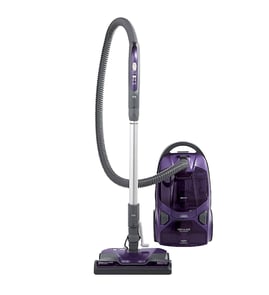




Does the Kenmore vacuum 12521814610 bagged canister have a retractable cord?
Yes. The Kenmore Elite canister vacuum model 12521814610 uses a cord reel, so the power cord retracts back into the canister when you rewind it; we recommend holding the plug while rewinding to keep it from whipping.
How to use the retractable cord safely
- Unplug the vacuum before rewinding the cord.
- Press the cord rewind control (cord reel) to retract the cord.
- Hold the plug as the cord rewinds so it does not snap back.
- Guide the cord in smoothly; do not let it twist or kink.
- Stop rewinding if the cord binds, then pull out a little and try again.
Quick checks if the cord will not retract
Most cord-reel issues are caused by a simple bind or tension problem.
| What you notice | Most common cause | What to do |
|---|---|---|
| Cord retracts partway then stops | Cord twisted inside the reel | Pull out 2 to 3 feet, straighten, rewind again |
| Cord will not retract at all | Reel spring not catching or cord jammed | Pull cord fully out, then rewind while guiding |
| Plug snaps back fast | Plug not controlled during rewind | Hold plug and slow the rewind |
Why it matters
A retractable cord makes storage easier, but controlling the plug during rewind helps prevent cord damage and reduces the chance of the plug striking the canister, furniture, or your hand.
For cord-reel operation and safety notes specific to this model, follow the instructions in the 12521814610 use and care guide.
Last updated: February 2026
How to change the belt on a Kenmore canister vacuum?
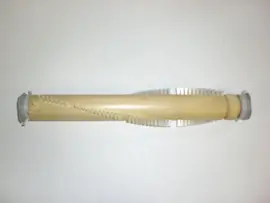
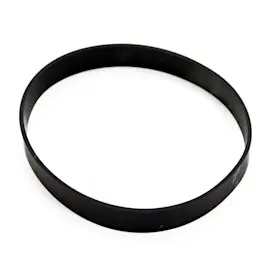
For the Kenmore Elite canister vacuum model 12521814610, you change the belt in the PowerMate by removing the PowerMate cover and agitator (brush roll), slipping off the worn belt, cleaning the end caps, then reinstalling a new belt and reassembling so the brush spins freely with proper tension. See the 12521814610 owner's manual for the exact screw and latch locations.
Before you start (safety and setup)
- Unplug the vacuum from the outlet.
- Disconnect the wand and hose from the PowerMate to make handling easier.
- Work on a flat surface with good lighting.
- Keep screws grouped by step so they go back in the same places.
- If the PowerMate has been running, let it cool before opening it.
Belt replacement steps (PowerMate)
- Remove the floor brush from the PowerMate.
- Turn the PowerMate upside down; remove three (3) bottom screws.
- Turn it right side up.
- Loosen the rear latches located below the pedals.
- Grasp the cover at the rear and lift up to remove it from the base.
- Remove two (2) agitator cover screws; remove the agitator cover.
- Lift out the agitator assembly and remove the worn belt.
- Clean the agitator end caps and any hair or debris; then install the new belt and reassemble in reverse order.
Quick checks after reassembly
- Spin the brush roll by hand; it should rotate smoothly without binding.
- Confirm the cover is fully seated and latches are locked.
- Verify the height adjust and release pedals move normally.
- Test on carpet; if the PowerMate stops, check for a jam and reset the overload protector (if equipped).
Symptoms and what they usually mean
| Symptom | Most common cause | What to do |
|---|---|---|
| Poor pickup on carpet | Worn or broken belt | Replace belt; clean agitator end caps |
| PowerMate will not run | Belt broken or jammed brush | Clear jam; replace belt |
| Vacuum starts then stops | Brush roll jam or overload trip | Remove debris; clean end caps; reset |
Why it matters
A worn belt lets the motor run but the agitator cannot spin at full speed, so carpet pickup drops and the PowerMate can overheat or trip its protection features. Regular belt and brush roll cleaning keeps airflow and agitation working together.
Last updated: February 2026
What's the best canister vacuum to buy?
If you want the “best” canister vacuum, we recommend choosing based on your flooring, pets, and allergy needs; for many homes, a bagged canister with strong sealed filtration and a powered carpet nozzle performs best. If you already own the Kenmore Elite 12521814610, keeping it maintained often delivers top-tier cleaning without replacing the vacuum.
How to choose the best canister vacuum for your home
- Mostly carpet: prioritize a powered nozzle (PowerMate-style) and easy brush roll access for hair.
- Mostly hard floors: look for a dedicated floor brush and strong suction control.
- Pets: choose a model with a mini powered tool and easy-to-clean agitator.
- Allergies: bagged designs plus clean filters reduce dust exposure during maintenance.
- Stairs: a stable canister body and a long hose help; use safe placement practices.
If you already have model 12521814610, maintenance is the “upgrade”
Your Kenmore Elite canister is designed to maintain performance when airflow stays open and filters stay clean. Use the 12521814610 use and care guide for the correct maintenance intervals and procedures.
Common performance wins on this model:
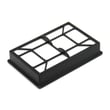
- Replace the exhaust filter when it is dirty: Kenmore vacuum exhaust filter KC38KDWCZV07
- Replace the motor safety filter when it is dirty: vacuum motor safety filter KC44KDXEZ000
- Change the dust bag before it is packed full (restricted airflow reduces cleaning power)
Quick comparison: what “best” means by priority
| Your priority | What to look for | Why it helps |
|---|---|---|
| Deep carpet cleaning | Powered nozzle, brush roll | Lifts embedded debris and pet hair |
| Low dust exposure | Bagged system, good filtration | Cleaner emptying and steadier suction |
| Easy upkeep | Simple clog access, common filters | Less downtime, fewer overheating issues |
| Budget value | Proven design, available parts | Lower total cost over time |
Why it matters
Canister vacuums clean best when suction and airflow are consistent. On the Kenmore Elite 12521814610, clogs, a full bag, or dirty filters can trigger reduced performance; keeping those items current is often the difference between “okay” and “excellent” cleaning.
Last updated: February 2026
Is the Kenmore Elite vacuum good?
Yes; the Kenmore Elite canister vacuum model 12521814610 is a strong performer for most homes because it is built around a powered floor nozzle (PowerMate) plus multiple tools for carpet, hard floors, and above-floor cleaning. For best results, keep airflow high by maintaining bags and filters per the 12521814610 use and care guide.
What “good” means for this model
A canister vacuum is only as good as its suction and airflow at the nozzle. On the Kenmore Elite 12521814610, performance stays consistent when these basics are kept in shape:
- The bag is not overfilled
- The hose and wand are clear (no clogs)
- Filters are clean and seated correctly
- The floor nozzle and brush path are free of hair and string
- Attachments lock in firmly and do not leak air
Quick maintenance that keeps cleaning performance high
We see the biggest “this vacuum isn’t good anymore” complaints come from restricted airflow. These parts are the first places to check:
- Replace or clean the motor safety filter: vacuum motor safety filter KC44KDXEZ000
- Replace the exhaust filter on schedule: Kenmore vacuum exhaust filter KC38KDWCZV07
- Inspect the hose for splits and loose connections (common suction-loss cause)
- Check the bag mount and support for a good seal
Common symptoms and what they usually point to
| Symptom | Most common cause | First thing to check |
|---|---|---|
| Weak suction | Clog or full bag | Hose, wand, bag seating |
| Dusty smell or fine dust | Exhaust filter loaded | Exhaust filter condition |
| Loud pitch change | Air restriction | Nozzle, hose, filters |
| Poor carpet pickup | Brush/nozzle issue | Nozzle path, beater bar area |
Why it matters
A “good” vacuum is one that keeps pickup strong without scattering debris. On the 12521814610, clean filters and an unobstructed hose path protect the motor, improve carpet pickup, and help the PowerMate work as designed.
Last updated: February 2026
Where to find model number on Kenmore canister vacuum?
On the Kenmore Elite canister vacuum model 12521814610, the model number is printed on the Model and Serial Number Plate on the vacuum. Use the full model and serial numbers from that plate anytime you order parts or request service. See the 12521814610 use and care guide for the plate location and recording fields.
Where to look on the vacuum
Most Kenmore canister vacuums place the Model and Serial Number Plate on the canister body (not on the wand or floor nozzle). Check these common spots first:
- Underside of the canister (flip the unit carefully and look near the wheels)
- Back of the canister near the cord reel area
- Inside the bag compartment, near the bag support or housing edge
- Near the hose connection port on the canister
- On a flat panel close to the rear exhaust/filter cover
What the plate information looks like
The plate typically lists both identifiers. Record both exactly as shown.
| What you need | How it’s labeled | Why you need it |
|---|---|---|
| Model number | Model / Modelo | Ensures the correct Kenmore Elite 12521814610 parts list |
| Serial number | Serial No. | Helps match production version when troubleshooting |
Why it matters
Kenmore canister vacuums often share similar housings and attachments across model families, but filters, hoses, and electrical handle components can vary. Using the exact model number from the plate helps us match the right parts the first time.
Quick tip if you’re ordering maintenance parts
If you are tracking down airflow or odor issues, confirm your filters match your model:
- Replace the exhaust filter on schedule (common cause of weak suction)
- Check the motor safety filter for clogging or discoloration
- Make sure the filter cover seals fully after service
Helpful model-matched examples include the vacuum motor safety filter KC44KDXEZ000 and Kenmore vacuum exhaust filter KC38KDWCZV07.
Last updated: February 2026
How long do Kenmore canister vacuums last?
Most Kenmore canister vacuums, including the Kenmore Elite 12521814610, typically last 8 to 12 years with normal household use and routine maintenance (bags, filters, and clog prevention). Lifespan is usually shortened by restricted airflow, overheating, and running with a full bag.
What affects lifespan the most
A canister vacuum’s motor and airflow path do the heavy lifting. Keeping airflow open is the biggest factor in how long the vacuum lasts.
- Replace bags before they overfill; a full bag increases motor load
- Keep filters clean and replaced on schedule (exhaust and motor safety filters)
- Clear clogs promptly in the hose, wand, and floor nozzle
- Avoid vacuuming fine dust (drywall, ash) unless the manual allows it
- Let the vacuum cool down if it shuts off from overheating
Maintenance checklist for model 12521814610
Your manual describes features like a check bag indicator and a thermal protector (motor protector) that shuts the vacuum off if it overheats; after clearing restrictions, you typically allow a cool-down period before restarting. Use the 12521814610 owner's manual for the exact care steps and intervals.
Common wear items (plan to replace)
| Item | What it does | Typical replacement trigger |
|---|---|---|
| Bag | Holds debris and protects airflow | Check bag indicator on, suction drops |
| Motor safety filter | Protects motor from dust | Dirty/discolored, reduced airflow |
| Exhaust filter | Captures fine dust in exhaust air | Odors, visible dirt, reduced airflow |
If you need model-matched filters, use the exact parts listed for this vacuum, such as the vacuum motor safety filter KC44KDXEZ000 and the Kenmore vacuum exhaust filter KC38KDWCZV07.
Why it matters
A canister vacuum can run for years longer when the motor stays cool and airflow stays strong. Bags and filters are “cheap protection”; ignoring them often leads to overheating, reduced cleaning performance, and premature motor failure.
Last updated: February 2026
Does a Kenmore canister vacuum have a fuse?
Yes. Kenmore canister vacuums such as model 12521814610 use circuit protection, and the protection is typically built into the vacuum’s electrical system rather than being a user-replaceable “plug-in” fuse. For model-specific safety and service details, use the 12521814610 owner’s manual.
What “fuse” usually means on a canister vacuum
Most Kenmore canister vacuums protect the motor and wiring with one or more of these:
- A thermal protector that opens if the motor overheats (then resets after cooling)
- A circuit breaker style protector (on some designs) that trips under overload
- A non-serviceable internal fuse or fusible link on certain wiring layouts
- Protection in the PowerMate® nozzle circuit (if equipped) rather than the canister body
Quick checks when the vacuum is completely dead
Before assuming a fuse is blown, we recommend these basic checks:
- Confirm the wall outlet works (test with a lamp)
- Inspect the power cord and plug for cuts, burn marks, or loose prongs
- Fully rewind and pull the cord back out to rule out a bad reel contact
- Reseat the hose and wand connections (some models route power through these contacts)
- Let the vacuum cool 30 to 60 minutes if it shut off during use (overheat protection)
Parts that commonly affect “no power” symptoms
If airflow restriction caused overheating, filter maintenance is the first fix. These parts are common service items for this model:
| Symptom | Most common cause | What to do |
|---|---|---|
| Runs, then shuts off | Overheating from restriction | Replace/clean filters; check for clogs |
| Weak suction, hotter than normal | Dirty filters or full bag | Replace bag; replace filters |
| Dead at handle/nozzle | Connection or control issue | Check hose/wand contacts and switches |
For filter-related overheating prevention, use the correct replacements such as the vacuum motor safety filter KC44KDXEZ000 and the Kenmore vacuum exhaust filter KC38KDWCZV07.
Why it matters
A “fuse” issue is often a symptom, not the root cause. Keeping the dust bag and filters fresh helps prevent overheating, protects the motor, and keeps suction strong.
Last updated: February 2026