- Kenmore refrigerator water filters
- Whirlpool refrigerator water filters
- Samsung refrigerator water filters
- GE refrigerator water filters
- LG refrigerator water filters
- Frigidaire refrigerator water filters
- KitchenAid refrigerator water filters
- Maytag refrigerator water filters
- Kenmore Elite refrigerator water filters
- Estate refrigerator water filters
- GE Profile refrigerator water filters
- Amana refrigerator water filters
- Bosch refrigerator water filters
- Dacor refrigerator water filters
- Electrolux refrigerator water filters
Top DIY repair help
View All Repair Categories
Appliances
Lawn & Garden
Power Tools
Home Improvement
Sports & Leisure
Heating & Cooling
Quick Links
How to replace a vacuum beater bar
less than a minute readMay 20Lyle Weischwill
Repair time and Difficulty
30 minutes or less
Tools Required
- Phillips screwdriver
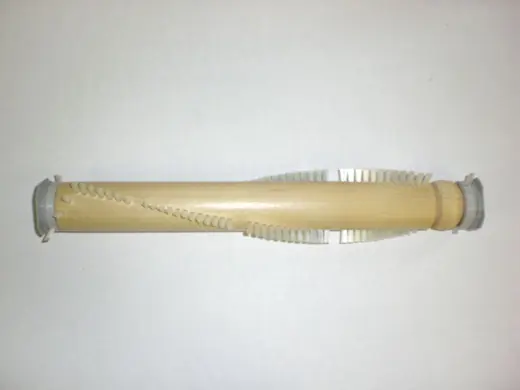
This DIY repair guide explains how to replace the beater bar in a vacuum. The beater bar rotates in the power head, loosening dirt from carpet fibers. If the brush bristles are worn or the bar is damaged, the power head can't clean deeply. Replace the beater bar with the manufacturer-approved vacuum part.
Follow these steps to replace the beater bar in Kenmore, Panasonic, Whirlpool and Miele canister vacuums.
Instructions
- 1. Remove power brush assembly cover
Turn the power brush assembly upside down and use a Phillips screwdriver to remove the three screws that secure the cover. Turn the power brush assembly upright and remove the cover.
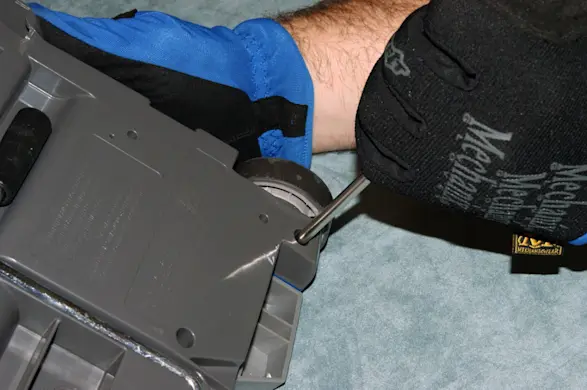
PHOTO: Remove the cover screws. 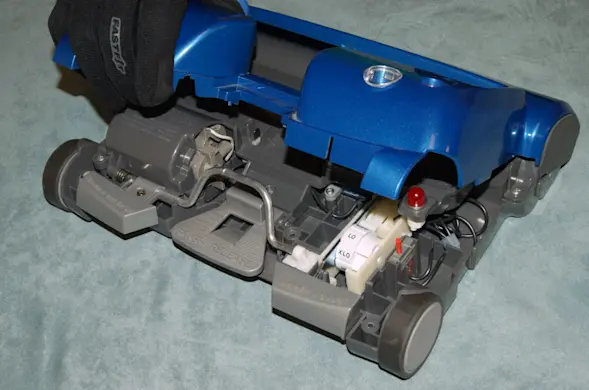
PHOTO: Remove the cover.
- 2. Remove the brush roll cover
Remove the two screws that secure the brush roll cover. Lift the cover off and set it aside.
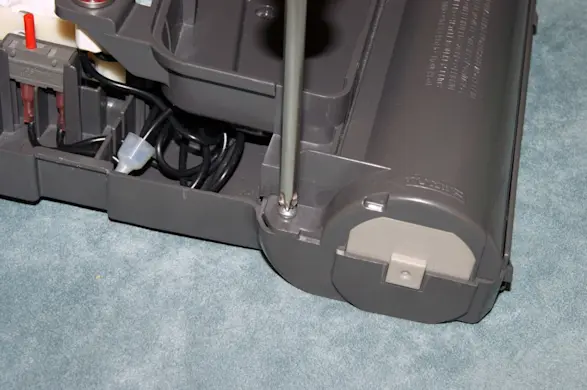
PHOTO: Remove the brush roller cover screws. 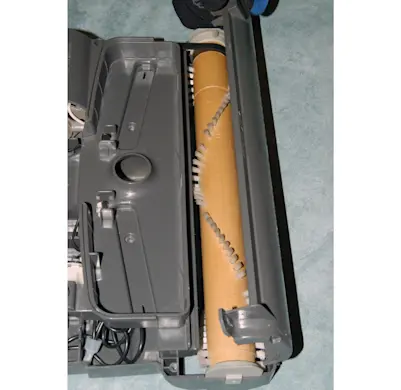
PHOTO: Remove the brush roller cover.
- 3. Replace the brush roll
Lift the brush roll out of the base and release it from the drive belt. Slip the new brush roll in the belt and push it into the base.
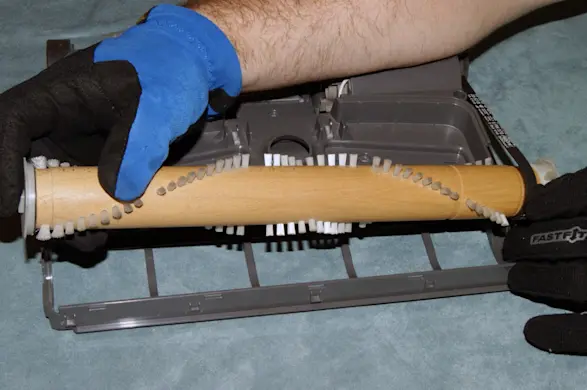
PHOTO: Remove the brush roll.
- 4. Reinstall the brush roll cover
Reinstall the brush roll cover, insert the screws, and tighten firmly.
- 5. Reinstall the power brush assembly cover
Reinstall the power brush assembly, insert the screws, and tighten firmly.