 Installation guide
 Owner’s manual
 Error Codes








Are all 30 inch wall ovens the same size?
No. A “30-inch” wall oven is a size class, not an exact measurement. For Kenmore model 79048873901, the installation guide shows the cabinet cutout and product dimensions can vary by fractions of an inch, so we always recommend measuring your cutout and comparing it to the 79048873901 installation guide before buying or replacing an oven.
What “30-inch” usually means (and what varies)
Most 30-inch electric wall ovens are designed to fit a 30-inch-wide cabinet opening, but these details commonly differ by model and trim style:
- Cutout width and height (the cabinet opening)
- Cutout depth (critical for trim to sit flush)
- Overall oven height (single vs. double oven)
- Trim overlap (how much the decorative trim covers the cutout)
- Door clearance (space needed in front when the door is open)
Model 79048873901: typical cutout ranges from the installation guide
The Kenmore 79048873901 installation instructions list specific minimum and maximum cutout dimensions for 30-inch models.
| Measurement (30-inch class) | What to check | Typical range shown |
|---|---|---|
| Cutout depth (G, min.) | Cabinet depth behind the oven | About 28 1/2" to 29" |
| Cutout height (single oven) | Opening height | About 27 5/16" to 28 1/2" |
| Cutout width (cabinet) | Opening width | About 30 1/8" minimum |
How we recommend measuring before you buy
Use a tape measure and record each dimension in inches.
- Measure cutout width at the top, middle, and bottom
- Measure cutout height on the left and right sides
- Measure cutout depth from the front cabinet face to the back wall
- Confirm there is enough front clearance for the door to open
- Compare your numbers to the 79048873901 installation guide
Why it matters
Even a small mismatch can cause the oven trim not to sit flush, create vibration or noise on convection models, or prevent the oven from sliding fully into the cabinet. Getting the cutout depth right is especially important for a clean, safe installation.
Last updated: January 2026
How to find wall oven model number?
On the Kenmore wall oven model 79048873901, the model number is printed on the serial plate located along the interior side trim and visible when you open the oven door. Write down both the model and serial number before ordering parts or scheduling service.
Where to look on model 79048873901
Check these spots in this order:
- Open the oven door and look along the interior side trim for the serial plate
- If you have a double wall oven, check the interior side trim area for the serial plate location shown in the installation instructions
- Record the model number, serial number, and any lot number or letter shown on the plate
- Take a clear photo of the plate so you can zoom in later
For diagrams and the exact serial plate location illustrations, use the 79048873901 installation guide.
What information to copy from the serial plate
Having the full ID prevents ordering the wrong bake element, temperature sensor, or control part.
| What to record | Example of what it helps with |
|---|---|
| Model number | Matching parts to your exact wall oven configuration |
| Serial number | Verifying production details for correct replacement parts |
| Lot number or letter (if shown) | Narrowing down part variations |
Why it matters
Kenmore wall ovens can look similar across model series, but parts like the oven temperature sensor, door gasket, and thermal fuse can vary by model and production run. Using the serial plate information helps us match parts correctly the first time.
Last updated: January 2026
What are the most common issues with 79048873901?
The most common issues we see with the Kenmore 79048873901 electric wall oven are heating problems (won’t bake or broil properly), inaccurate temperatures, the oven light not working, and self-clean or door-lock related trouble. Use the owner's manual to confirm settings, error codes, and basic checks for your exact configuration.
Common symptoms and what they usually point to
- Oven won’t heat or heats unevenly: failed bake or broil element, wiring issue, or a safety device opening
- Temperature is off: a failing sensor or calibration needed
- Oven shuts off or goes dead: thermal fuse opening from overheating or airflow issues
- Oven light won’t turn on: bulb, socket, lens, or door light switch problem
- Self-clean won’t start or door won’t unlock: door lock motor issue or a control sensing problem
Parts that commonly solve these problems
If your symptoms match, these model-compatible parts are frequent fixes:
| Symptom | Common part to check/replace | What it does |
|---|---|---|
| Inaccurate temp, long preheat | Range oven temperature sensor 5304504897 | Tells the control the actual oven temperature |
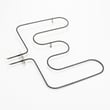
| No bake heat | Frigidaire range bake element 318255401 | Provides primary baking heat |
| No broil heat | Frigidaire range broil element 318255605 | Provides top heat for broiling |
| Completely dead or stops heating | Wall oven thermal fuse 5304506123 | Opens to protect the oven from overheating |
| Oven light out | Appliance light bulb, 40-watt 316538904 | Illuminates the oven cavity |
Quick checks we recommend before replacing parts
- Confirm Bake/Broil settings and that Sabbath/Delay modes are not enabled
- Verify the oven is getting proper power (a wall oven typically needs 240 volts)
- Look for visible damage: blistered element spots, loose terminals, burned wiring
- For temperature complaints, test with an oven thermometer and compare at 350°F
- If an error code appears, match it using Kenmore 790 manual clean wall oven error codes
Why it matters
Heating and temperature-control issues affect cooking results and can trigger safety shutdowns. Catching a weak sensor, element, or thermal fuse early helps prevent repeat failures and reduces the chance of overheating.
Last updated: March 2026





