 Installation guide
 Owner’s manual
 Error Codes





How to reset error code on Frigidaire dishwasher?
On the Frigidaire FBD2400KW10B dishwasher, you can usually clear an error by canceling the current cycle (press and hold Cancel/Start for about 3 to 5 seconds) and then restarting a normal cycle. If the code returns, reset power at the breaker for a few minutes and recheck the cause.
Quick reset steps (most common)
- Press and hold Cancel/Start for 3 to 5 seconds to stop the cycle and drain.
- Wait until the dishwasher is quiet and the indicator lights stop changing.
- Confirm the door is fully closed and latched.
- Select Normal Wash and press Start.
- If the error comes back, turn OFF power at the breaker for 3 to 5 minutes, then restore power and try again.
If the code is a drain-related error
Many Frigidaire cycles begin with a drain, so a drain restriction can trigger repeat errors. Check these items before replacing parts:
- Make sure the drain hose has no sharp bends or kinks.
- Verify the drain hose is securely attached to the pump and the sink drain/disposer.
- Check for a clog at the sink/disposer inlet where the hose connects.
- Clean the filter area in the tub so water can flow freely.
| What you see | What it often means | What to check first |
|---|---|---|
| Error returns right away | Unit cannot start or cannot drain at the beginning | Door latch, drain path, standing water |
| Water left in tub | Drain flow is restricted | Hose routing, sink/disposer connection |
| Runs but cleans poorly | Wash water is not circulating well | Filter area, spray arm movement |
Parts that commonly relate to repeat drain or fill errors
If the basic checks do not fix it, these model-matched parts are common suspects:
- Drain pump a A00126401 (drain motor not pumping out)
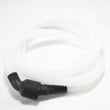
- Dishwasher drain hose 807117001 (kinked, restricted, or leaking hose)
- Dishwasher water inlet valve 807047901 (slow or no fill)
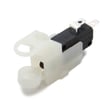
- Dishwasher float switch 154773201 (overfill protection stuck or misreading)
Why it matters
Resetting clears the control so you can test again, but the dishwasher will keep showing the code until the underlying issue (like a kinked drain hose, clogged drain path, or a stuck float) is corrected. Following the model-specific procedures in the FBD2400KW10B owner’s manual helps prevent repeat faults.
Last updated: January 2026
What does E10 mean on a Frigidaire Gallery dishwasher?
On Frigidaire dishwashers like model FBD2400KW10B, an E10 code points to a water fill or overfill protection issue; the dishwasher is not sensing the water level it expects. We focus first on the overfill protector (float) movement, inlet water supply, and the fill components.
What to check first (fast, safe steps)
- Disconnect electrical power before servicing; follow the safety guidance in the FBD2400KW10B owner’s manual.
- Pull out the lower rack and locate the overfill protector (float) in the left front corner of the tub.
- Lift the float up and down; it should move freely about 1 inch.
- Clean underneath the float; buildup can hold it up and stop filling.
- Confirm the water supply valve under the sink is fully open.
- Check the inlet hose for kinks or crushing.
Common causes and likely fixes
E10 is usually triggered by one of these conditions:
- Float stuck up from detergent residue or debris (dishwasher thinks it is overfilling).
- Low or no incoming water (shutoff valve partially closed, kinked line).
- Water inlet valve not opening or restricted.
- Float switch not switching when the float moves.
If you suspect a fill component failure, the most common related replacement part for this model is the dishwasher water inlet valve 807047901.
Quick symptom-to-part guide
| What you notice | Most likely area | What to do |
|---|---|---|
| No water enters at all | Water supply or inlet valve | Verify supply; inspect/replace inlet valve |
| Fills sometimes, then stops | Float/float switch | Clean float area; test float switch |
| Stops early and drains | Water level sensing | Free the float; check inlet flow |
Why it matters
A stuck overfill protector or weak fill can prevent proper wash pressure, cause the cycle to stall, or lead to repeated draining at the start of the cycle. Fixing the fill and float system restores normal cycle operation and cleaning performance.
Last updated: January 2026
How do I find the model number on my FBD2400KW10B?
Your Frigidaire dishwasher’s model number is printed on the appliance’s rating label; on most built-in Frigidaire dishwashers like model FBD2400KW10B, that label is located on the tub frame around the door opening. Open the door fully and look along the top or side edge of the frame.
Where to look (fast checklist)
- Open the dishwasher door and inspect the tub frame (the metal/plastic rim the door closes against)
- Check the left and right sides first; then check along the top edge
- Look for a sticker or metal tag that lists Model and Serial
- Wipe the area with a damp cloth if the label is cloudy from detergent residue
- Record the full model number and serial number exactly as shown
What the label looks like and what to write down
The rating label typically includes the model number, serial number, and electrical information. We recommend writing these items in your records:
| Label item | What to copy | Why it matters |
|---|---|---|
| Model number | Full model (example: FBD2400KW10B) | Ensures diagrams and parts match your exact dishwasher |
| Serial number | Full serial | Helps confirm production details when ordering certain parts |
| Electrical info | Volts/amps (if shown) | Useful for troubleshooting power and heating issues |
Why it matters
Frigidaire dishwashers can look similar across multiple model series, but parts like the door latch, water inlet valve, and drain pump can vary by model. Using the exact model number prevents ordering the wrong replacement part.
Helpful reference
If you need a diagram view of the door area and tub frame during service or installation steps, use the FBD2400KW10B installation guide.
Last updated: March 2026





