 Installation guide
 Owner’s manual







How to unlock controls on GE GDF520PGJ6WW?
To unlock the controls on your GE GDF520PGJ6WW dishwasher, press and hold the correct lock key combination for 3 seconds until the Control Lock light turns off. On this model, Control Lock is released by holding Heated Dry for 3 seconds, or by holding Steam + Wash Temp together for 3 seconds (button layout varies by version).
Quick unlock steps
- Make sure the dishwasher has power (display lights on).
- Press and hold Heated Dry for 3 seconds.
- If your panel does not have Heated Dry, press and hold Steam + Wash Temp together for 3 seconds.
- Watch for the Control Lock indicator light to turn off.
- Try selecting a cycle and pressing Start, then close the door within 10 seconds.
If it still will not unlock
Control Lock usually fails to clear because the wrong pads are being held, the timing is short, or the keypad is not responding.
- Hold the pads a full 3 seconds (count slowly).
- Wipe the control panel with a lightly damp cloth and dry it (moisture can affect touch pads).
- Open and close the door, then try the unlock sequence again.
- If the dishwasher has power but the keypad does not respond, a control issue is possible.
Common causes and what to check
| Symptom | What it usually means | What to do next |
|---|---|---|
| Control Lock light stays on | Wrong pads or not held long enough | Retry Heated Dry or Steam + Wash Temp for 3 seconds |
| No lights at all | Power issue | Check breaker, wall switch (if used), then retry |
| Buttons light but do nothing | Keypad or control problem | Inspect for stuck keys; consider control parts |
Why it matters
Control Lock prevents accidental cycle changes and unintended starts (especially with kids in the kitchen). Unlocking restores normal cycle selection and lets the dishwasher start properly.
For the exact pad names and indicator behavior for your control panel version, follow the steps in the owner's manual.
Last updated: February 2026
How to tell if a dishwasher control board is bad?
A bad control board on your GE GDF520PGJ6WW dishwasher usually shows up as cycles that will not start, stop mid-cycle, or act erratically even when the door is fully latched and the controls are used correctly. Before replacing electronics, rule out Control Lock and basic power issues using the owner's manual.
Quick checks before blaming the control board
- Make sure Control Lock is off (locked controls can look like a dead board).
- Press Start, then close the door within 10 seconds so the cycle can begin.
- Confirm the door is fully latched; a weak latch can mimic a control failure.
- Check the breaker or fuse; a tripped breaker can cause a no-power symptom.
- If your setup uses a wall switch for dishwasher power, make sure it is on.
Common signs the control board or user interface is failing
These symptoms are strong indicators when power and door latch are confirmed good:
- Buttons do not respond, or only some pads work
- Random beeping or lights flashing with no cycle progress
- Cycle starts, then stops and will not resume
- No indicator lights even though the dishwasher has power
- Repeated error behavior that returns immediately after a reset
Control board vs. user interface: what is the difference?
| What you see | More likely cause | What to check next |
|---|---|---|
| No response to any buttons | User interface or power feed to controls | Verify Control Lock, then inspect UI connections; consider dishwasher user interface WD21X31899 |
| Buttons respond but cycles act “random” | Main control (machine control) | Check for stored error behavior; consider machine control WD21X32158 |
| Starts only when you slam/press the door | Door latch issue | Inspect/replace GE dishwasher door latch lock WD21X10490 |
Why it matters
The control system runs the wash motor, drain pump, heater, and fill valve timing. Misdiagnosing a simple Control Lock setting or a weak door latch as a bad board can lead to unnecessary parts replacement and repeat problems.
A practical next step
If the dishwasher will not start, follow the start and control-lock steps in the owner's manual, then compare any flashing lights or beeps to the GE electronic dishwasher error codes guide before ordering electronic parts.
Last updated: February 2026
Can a clogged drain cause an FTD error?
Yes. On the GE GDF520PGJ6WW dishwasher, an FTD drain-related error can be triggered when water cannot pump out fast enough due to a clog or restriction in the drain path (filter, air gap, disposer connection, or a kinked drain hose). See the drain and cancel-drain steps in the installation guide.
What to check first (fast, common fixes)
- Cancel the cycle: press and hold Start/Reset for 3 seconds; the dishwasher should begin draining.
- Check the air gap (if your sink setup has one) and clean it.
- If draining into a garbage disposer, make sure the drain plug knockout was removed.
- Inspect the drain hose for kinks or crushing under or behind the dishwasher.
- Pull any excess drain hose through the cabinet opening so it does not bunch up and kink.
- Confirm the kitchen sink drains normally; a slow sink often points to a household drain restriction.
Drain restriction checklist (where clogs happen)
| Location | What you might see | What to do |
|---|---|---|
| Ultra-fine filter area | Standing water, debris | Remove bottom rack, twist filter out, rinse with warm soapy water (no abrasive scrubbing) |
| Air gap (if installed) | Water backing up, slow drain | Lift cover, remove cap, clear debris with a toothpick |
| Disposer inlet | Dishwasher will not drain | Verify disposer drain plug is removed; run disposer to clear |
| Drain hose | Intermittent drain, FTD | Straighten routing; avoid sharp bends; secure hose properly |
When a part is likely needed
If the drain path is clear and the dishwasher still will not drain during the cancel-drain, a failed drain pump or a damaged hose is a common next suspect.
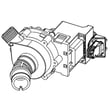
- Consider the drain pump assembly WD19X25187 if you hear humming but get little or no water movement.
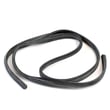
- Consider the dishwasher drain hose WD24X10062 if the hose is split, soft, or repeatedly kinks.
Why it matters
FTD is the dishwasher telling you it cannot remove water as expected. Clearing the restriction protects the circulation system, prevents standing water in the tub, and helps the cycle finish normally.
Last updated: February 2026
Do GE dishwashers use hot water or heat their own?
GE dishwashers like model GDF520PGJ6WW use your home’s hot water supply, and they also heat water internally as needed during certain parts of the cycle to improve cleaning and drying. For best results, the incoming water should be hot when it enters the dishwasher (see the owner's manual).
How the water heating works
Your dishwasher is designed to start with hot water from the house supply line, then boost temperature when the cycle and options call for it.
- The dishwasher connects to a hot water line (typical under-sink supply).
- Internal heating helps maintain or raise water temperature during the wash or rinse.
- Hotter final rinse water improves drying performance.
- Water temperature affects cycle time and cleaning results.
What water temperature you should have at the sink
We recommend checking the temperature at the faucet closest to the dishwasher before running a load.
- Target incoming water temperature: at least 120°F (49°C)
- Maximum recommended incoming temperature: 150°F (66°C)
- Run the hot water at the sink until it reaches its hottest steady temperature.
- If water is below 120°F, cleaning and drying performance typically drop.
| Item | Recommended range | Why it matters |
|---|---|---|
| Incoming water temperature | 120°F to 150°F | Helps detergent dissolve and improves wash performance |
| Final rinse heat boost (when used) | Higher than incoming | Improves drying and reduces spotting |
When to suspect a heating problem
If the dishwasher is not drying well or cycles seem unusually long, heating performance can be part of the issue.
- Dishes come out consistently wet (especially on heated dry options)
- Water feels lukewarm inside shortly after a wash phase
- Heavy soil remains even with proper loading and detergent
- You see error indications related to heating (if your model displays codes)
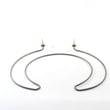
If you’re troubleshooting poor drying, a failed dishwasher heating element WD05X30818 is one common cause.
Why it matters
Dishwashers are engineered around a combination of hot incoming water and controlled internal heating. Starting with 120°F water helps the cycle reach effective wash temperatures faster, improves detergent performance, and supports better drying.
Last updated: February 2026





