Installation guide
 Owner’s manual









How to reset GE dryer heating element?
On the GE GFDS170GH1WW gas dryer, there is no “reset button” for the heating system. The practical reset is to shut the dryer off, reset the home breaker supplying the dryer, then restart a heat cycle; this clears many control glitches and restores normal heating.
Safe reset steps (power cycle)
- Press Power to turn the dryer off (note: Power does not disconnect power).
- Reset the house circuit breaker for the dryer (turn it fully OFF, then ON).
- Press Power again to “wake up” the display.
- Select a heated cycle (for example Normal/Mixed Loads or Time Dry) and choose a Temp.
- Close the door and press Start/Pause.
For control and cycle details, follow the steps in the GFDS170GH1WW owner’s manual.
If it still will not heat: what to check first
Most “no heat” complaints on a gas dryer are airflow or ignition related. Check these items in order:
- Exhaust venting: inspect and clean the exhaust system for lint buildup or a crushed hose.
- Load size: avoid overloading; underloading can also tumble poorly.
- Cycle and temp: confirm you are not on Air Fluff/No Heat.
- Breaker/fuse: make sure the dryer’s circuit is not tripped.
- Ignition components: if the drum tumbles but there is no flame, the igniter or gas valve circuit may be involved.
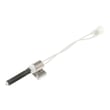
If you suspect an ignition failure, the igniter WE04X25996 is a common heat-related part on this model.
Quick symptom guide
| What you see | Most likely cause | Best next step |
|---|---|---|
| Tumbles, no heat | Blocked venting or ignition issue | Clean venting; then check igniter/flame |
| Stops heating mid-cycle | Overheating from restricted airflow | Clean lint screen and exhaust duct |
| Controls act odd or unresponsive | Control glitch or lock mode | Reset breaker; unlock controls if enabled |
Why it matters
A restricted exhaust system can prevent proper heating and can also cause the dryer to overheat and shut heat off. Resetting power helps with control issues, but airflow and ignition checks solve most true “no heat” problems.
For model-specific diagnostics, use GE gfd model series error codes.
Last updated: February 2026
What if I can't find my part on Sears PartsDirect?
If you can’t find a part for your GE GFDS170GH1WW gas dryer, we recommend confirming the full model number and using the parts diagrams in the GFDS170GH1WW owner’s manual. If it still doesn’t show up, contact our parts specialists with your model and serial number so we can match the correct replacement.
Quick checks that usually solve it
- Recheck the model number tag on the dryer (one character off can change the parts list).
- Search by the part ID or part number if you have it (from the old part label or manual).
- Look up the part by symptom (for example, squealing or no heat) and then confirm fit by model.
- Use the exploded-view diagrams to identify the exact part name used for your dryer.
- If the dryer is stacked or in a tight closet, confirm the configuration matches your setup (some accessories differ).
Common “hard to spot” parts for this model
These are frequently searched under different names; matching by function helps.
| Symptom | Part type to look for | Example part on this model page |
|---|---|---|
| Drum won’t turn or slips | Drum belt, idler pulley | Dryer drum belt WE03X29897 |
| Dryer won’t start when door closes | Door switch | Dryer door switch WE4M415 |
| No heat (gas model) | Igniter, gas valve components, thermostats | Igniter WE04X25996 |
Why it matters
Using the exact GE GFDS170GH1WW model number prevents ordering a similar-looking part that won’t fit, and it reduces repeat repairs caused by mismatched components (especially with gas-heat and drum-drive parts).
Last updated: February 2026
How to remove front panel of GE front load dryer?
To remove the front panel on a GE GFDS170GH1WW gas dryer, we unplug power, shut off the gas supply, remove the top panel, then remove the screws that secure the front panel and disconnect any wiring (such as the door switch) before lifting the panel off.
Safety first (gas dryer)
- Unplug the dryer (Power does not disconnect power at the outlet).
- Shut off the gas supply valve to the dryer.
- Wear gloves; sheet metal edges can cut.
- If you smell gas at any point, stop and have a qualified technician check the installation.
Steps to remove the front panel
- Remove the top panel: From the back of the dryer, remove the screws holding the top, then slide the top back slightly and lift it off (or lift after releasing the rear fasteners, depending on your build).
- Locate and remove front panel fasteners: With the top off, remove the screws at the top inside corners that secure the front panel to the cabinet.
- Disconnect wiring: Support the front panel and unplug the door switch harness (the switch is commonly mounted on the front panel).
- Lift the front panel off: Tilt the panel forward and lift it up and away from the lower retaining tabs/clips.
What to check while the front is off
If you are opening the cabinet for noise, burning smell, or no-tumble issues, these quick checks save time:
- Inspect the belt for cracks, glazing, or slack.
- Spin the drum by hand; listen for scraping (glides or felt seal wear).
- Check the idler pulley for wobble or squeal.
- Vacuum lint from the cabinet base and blower area.
| Symptom | Common area behind front panel | Part that often fixes it (if applicable) |
|---|---|---|
| Drum will not turn | Belt/idler path | Dryer drum belt WE03X29897 |
| Squealing or scraping | Drum support surfaces | Dryer drum glide bearing, upper WE03X37320 |
| Thumping, lint leakage at drum edge | Drum sealing surface | Dryer drum felt seal WE09X27634 |
Why it matters
Removing the front panel correctly prevents broken wire connectors and cabinet damage, and it gives you access to the drum support and drive system where many GE dryer noise and no-tumble problems start.
For model-specific panel fastener locations and reassembly notes, follow the GFDS170GH1WW installation guide and the GFDS170GH1WW owner’s manual.
Last updated: February 2026