Owner’s manual
 View engine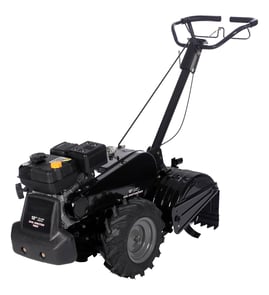


How often should I change the oil in my tiller?
For the Craftsman rear-tine tiller model 917297021, we change the engine oil every 25 hours of operation or at least once a year (even if you do not reach 25 hours). We also check the oil level before starting and after every 5 hours of continuous use; see the 917297021 owner's manual.
Recommended oil-change schedule
Use this schedule to keep the engine protected in normal conditions.
- Check crankcase oil level before each start
- Re-check oil level after every 5 hours of continuous use
- Change engine oil every 25 hours of operation
- Change oil at least annually if you use the tiller less than 25 hours per year
- Change oil more often when tilling in high heat, heavy load, or dusty soil
| Usage pattern | When we change the oil | Why |
|---|---|---|
| Regular seasonal use | Every 25 hours | Prevents accelerated engine wear |
| Light use (under 25 hours/year) | Once per year | Removes moisture and contaminants |
| Dusty soil or heavy load | More often than 25 hours | Dirt and heat break down oil faster |
Quick oil-change tips (what matters most)
- Run the engine briefly so the oil is warm; warm oil drains more completely.
- Keep the tiller on a level surface when checking and refilling.
- Use a funnel and a suitable drain pan to avoid spills.
- Reinstall and tighten the drain plug securely after draining.
- Refill with a high-quality detergent oil that meets API SG-SL; choose viscosity for your temperatures.
Why it matters
Clean oil is the engine’s primary protection against friction and heat. Following the 25-hour or yearly interval helps your Craftsman 917297021 start easier, run smoother, and last longer during demanding garden tilling.
Last updated: January 2026
What is the bar on the back of a tiller for?
On the Craftsman 917297021 rear-tine tiller, the bar on the back is the depth stake (also called a drag bar). We use it to control how deep the tines dig and to help steady the tiller so it does not lunge forward.
What the depth stake does
- Sets tilling depth from shallow cultivating to deeper tilling
- Acts as a “brake” that slows forward travel so the tines can bite
- Helps keep the tiller stable and reduces bouncing
- Drops down for transport to help keep tines from scuffing the ground
How to adjust it (basic steps)
Follow the procedure in the owner's manual for your exact hole positions and safety steps.
- Shut the engine off and let hot parts cool
- Disconnect the spark plug wire before working near the tines
- Pull the depth stake pin, slide the stake up or down to the hole you want
- Reinstall the pin fully so the stake locks in place
- Start shallow, then increase depth a little at a time
Quick guide: common positions
| Depth stake position | Best for | What you will notice |
|---|---|---|
| Higher (stake raised) | Deeper tilling | More digging, more load on the engine |
| Lower (stake lowered) | Shallow cultivating | Easier control, faster forward travel |
| Top hole (transport) | Moving around the yard | Tines stay up and do not scuff |
Why it matters
Correct depth stake adjustment improves soil breakup and traction while reducing stalling, belt slip, and “tines skipping” in hard ground. If the tiller bogs down, we set the depth stake shallower and increase depth gradually.
Last updated: January 2026
What are the common problems with lawn tillers?
Common problems we see with the Craftsman 917297021 rear-tine tiller include hard starting, poor tilling performance (tines not penetrating or bouncing), and drive issues where the wheels or tines do not pull consistently. Many of these problems trace back to fuel/ignition, soil conditions, or worn drive components. See the 917297021 owner's manual for model-specific operating and troubleshooting guidance.
Most common symptoms and what they usually mean
- Engine will not start or starts then dies: stale fuel, clogged fuel path, or spark plug issues.
- Engine runs but tines do not engage: drive belt slipping, clutch cable out of adjustment, or drivetrain wear.
- Poor tilling or excessive bouncing: soil too dry or too hard; depth stake set too deep for conditions.
- Tines jam frequently: vines/long grass wrapping the tine shaft; rocky soil; shear pins doing their job.
- Weak pulling power: belt wear, incorrect throttle setting, or soil conditions causing drag.
Quick checks we recommend (in order)
- Fuel and spark basics: use fresh gasoline, confirm spark plug condition and gap, and check the choke/throttle are set correctly for starting.
- Warm-up and engagement: let the engine warm up a few minutes before engaging the tines (this is called out in the manual).
- Soil condition and depth: hard soil should be moistened before tilling; extremely wet soil can clump. Start with a 4 to 6 inch tilling depth and adjust the depth stake as needed.
- Look for wrapping and jams: remove vines and long grass from the tine shaft area.
- Inspect the drive system: check belt condition and tension; a worn belt commonly causes slipping under load.
Parts that commonly solve drive and engagement problems
If the engine runs but the tiller does not move or the tines do not pull well, these model-matched parts are frequent fixes:
| Symptom | Common cause | Example model-matched part |
|---|---|---|
| Tines/wheels slip under load | Worn or stretched belt | Husqvarna rear-tine tiller drive belt 591372401 |
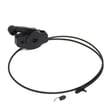
| Tines do not engage smoothly | Cable stretched/binding | Tiller clutch cable 532110675 |
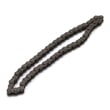
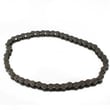
| Grinding, binding, or intermittent drive | Drivetrain wear | Tiller chain, #25-50 532102134 |
Why it matters
Running a rear-tine tiller with the wrong depth setting, poor soil conditions, or a slipping belt increases wear on the belt, clutch linkage, and drivetrain. Correct setup (throttle, warm-up, depth stake) improves tilling quality and helps prevent overload events that can break tine shear pins.
Last updated: January 2026
Where is the model number on a Craftsman tiller?
On the Craftsman rear-tine tiller model 917297021, the model number is on the product ID label attached to the tiller frame; it is commonly found near the tine shield/guard or around the handle or control area. You can also confirm the model identification in the 917297021 owner's manual.
Common places to check on the tiller
- Tine shield (tine guard) near the tine assembly
- Main frame rail near the transmission or belt guard
- Handle support, control panel, or shift lever area
- Engine mounting area (on the tiller frame near the engine)
- Fuel tank area (on some units)
What to write down for accurate parts matching
Record these details before ordering parts such as a drive belt, clutch cable, chain, or hardware:
- Model number: 917297021
- Product type: Craftsman rear-tine tiller
- Engine model/type numbers from the engine label (engine identification is separate from the tiller model)
- Serial or production numbers shown on the same tag (if present)
| Label item | What it’s used for | Example for this tiller |
|---|---|---|
| Tiller model number | Matches tiller diagrams and parts lists | 917297021 |
| Engine ID numbers | Matches engine-specific maintenance parts | Listed on engine label |
| Serial/type numbers | Helps confirm the exact version | Listed on ID tag |
Why it matters
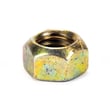
We use the tiller model number to pull the correct illustrated parts breakdowns and hardware sizes. For example, the tine assembly for this model uses specific fasteners such as the lawn & garden equipment crownlock nut 596322601, so the right model number prevents ordering the wrong nut, belt, or cable.
Last updated: January 2026