 Owner’s manual

How to clean the lint trap in a Kenmore washing machine?
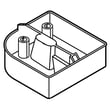
On Kenmore model 79648852800, the “lint trap” you can clean is the drain pump filter, which catches lint and small items (coins, buttons) before they reach the drain pump. We recommend cleaning it anytime the washer drains slowly, and as routine maintenance to help prevent drain problems (see the owner's manual).
How to clean the drain pump filter (lint trap)
- Unplug the washer.
- Open the drain pump filter access panel on the front of the washer.
- Unclip the small drain hose and pull it out carefully.
- Place the hose end into a shallow pan; remove the hose plug and let water drain fully.
- Twist the pump filter counterclockwise to remove it.
- Remove lint and debris; rinse the filter and wipe the filter housing.
- Reinstall the filter (turn clockwise), reinstall the hose plug, clip the hose back, and close the access panel.
What to have ready
- Shallow pan or low container (water can drain out quickly)
- Towels (for spills)
- Soft brush (for stubborn lint)
- Gloves (optional)
When cleaning the filter is most important
- Washer fails to drain or drains slowly
- You hear humming or gurgling near the end of the cycle (drain pump working harder)
- Loads have more lint than normal
- You recently washed items that shed heavily (towels, fleece)
Parts that commonly relate to draining issues
If cleaning the filter does not restore normal draining, these model-compatible parts are commonly involved:
| Symptom | Common cause | Example part for 79648852800 |
|---|---|---|
| Won’t drain / drains slowly | Clogged or failing drain pump | Laundry appliance drain pump 4681EA2001T |
| Leaks at pump area | Damaged pump filter or housing seal area | Washer drain pump filter 383EER2001A |
| Intermittent draining | Loose connection at pump hose | Washer drain pump hose connector 4932ER4007B |
Why it matters
A clean drain pump filter helps protect the drain pump and keeps water moving out of the tub properly. That reduces standing water, odor, and no-drain errors, and it helps your Kenmore washer finish cycles reliably.
Last updated: February 2026
Where is the filter on a Kenmore 79648852800 washer?
On the Kenmore 79648852800 washer, the main user-cleanable filter is the drain pump filter; it’s behind the small access panel at the lower front of the washer. This washer also has water inlet filter screens at the back where the hot and cold fill hoses connect (see the 79648852800 owner's manual).
Where to find each filter
- Drain pump filter (coin trap): lower front, behind the drain pump filter access panel
- Drain hose and plug: behind the same lower front access panel (used to drain water before removing the filter)
- Water inlet filter screens: back of the washer, inside the inlet valve ports where the hoses screw on
Quick steps to access and clean the drain pump filter
- Unplug the washer.
- Open the lower front access panel.
- Unclip the small drain hose and pull it out slightly.
- Drain water into a shallow pan by removing the hose plug.
- Twist the pump filter counterclockwise to remove; clear lint and debris, then reinstall.
What to check based on the symptom
| Symptom | Filter area to check | What to do |
|---|---|---|
| Drains slowly or not at all | Drain pump filter | Drain water, remove filter, clear debris |
| Fills slowly or shows fill-related errors | Water inlet filter screens | Turn off taps, remove hoses, rinse screens |
| Rattling/clanking noise | Pump filter area | Remove coins, buttons, small items |
Why it matters
A clogged drain pump filter can cause no-drain problems and strain the drain pump. Keeping the inlet screens clean helps maintain normal fill speed and protects the inlet valve from sediment.
Last updated: February 2026
What does f28 mean on a Kenmore washer?
On the Kenmore washer model 79648852800, the F28 error code points to a communication problem between the main control (CCU) and the motor control (MCU), which can stop the washer from tumbling or spinning normally. Use the steps below to reset power and check common causes.
Quick checks we recommend first
- Unplug the washer for 60 seconds, then plug it back in and try a cycle again.
- Make sure the washer is not on a shared outlet with a heavy-load device (heater, vacuum, etc.).
- Check that the power cord is fully seated and the outlet is not loose.
- If the code returns immediately, stop the cycle and proceed with the inspection steps below.
What to inspect (most common causes)
A communication error is often triggered by a simple interruption: power issues, vibration, or a wiring connection that is loose.
- Control connections: With power disconnected, inspect wiring harness plugs at the main control and motor control for a loose fit or corrosion.
- Vibration and movement: Excessive shaking can stress wiring; if the washer bangs or walks, check suspension components.
- Drain and load conditions: A washer that cannot drain or is severely out of balance can behave erratically and may contribute to repeated faults.
Parts that are commonly involved
If inspection shows a damaged component, these are common related parts for this model:
| Symptom you notice | What to check next | Example part on this model page |
|---|---|---|
| Won’t drain, stops mid-cycle | Clogged pump filter, pump issues | Washer drain pump filter 383EER2001A |
| Loud banging, excessive vibration | Worn suspension | Washer shock absorber 383EER3001J |
| Door won’t lock consistently | Door lock system | Lg washer door lock assembly EBF49827801 |
Why it matters
When the CCU and MCU cannot “talk” reliably, the washer may stop for safety, fail to spin, or leave clothes wet. Fixing the underlying cause prevents repeat shutdowns and reduces strain on the drive system.
Use the manual for model-specific diagnostics
For control locations, access panels, and model-specific troubleshooting flow, follow the owner's manual.
Last updated: February 2026
What is the capacity of a Kenmore 79648852800 washer?
The Kenmore 79648852800 is covered by a Use and Care Guide that lists its capacity (cu. ft.) in the specifications section; use the capacity value from the 79648852800 owner's manual as the correct number for load sizing and detergent dosing.
Where the capacity is listed
In the manual, look for the specifications table (often labeled Key dimensions and specifications).
- Open the 79648852800 owner's manual
- Find Key dimensions and specifications
- Look for a line labeled capacity (usually in cu. ft.)
- Use that number to compare washer sizes accurately
- Base load size on capacity to reduce out-of-balance spinning
What we can confirm from the manual
The manual for model family 796.4884* and 796.4885* identifies this as a front-loading washer and provides the physical specs below.
| Spec (from manual) | Value |
|---|---|
| Washer type | Front-loading washer |
| Width | 27 in. |
| Depth | 29.5 in. |
| Height | 42 3/4 in. |
| Depth with door open | 50.75 in. |
Typical capacity ranges (for comparison)
Once you locate the exact cu. ft. rating in the manual, these ranges help you interpret it.
- 2.0 to 2.8 cu. ft.: compact loads, 1 to 2 people
- 3.0 to 3.9 cu. ft.: standard family loads, towels and jeans
- 4.0 to 5.0+ cu. ft.: bulky items, larger households
Why it matters
Using the correct capacity helps prevent overloading, improves wash action and spin performance, and helps you measure HE detergent correctly for better rinsing and fewer suds issues.
Last updated: February 2026


